
How to Stop Seeing a YouTube Channel
Is a channel constantly showing up in your recommendations? YouTube doesn't let you fully "block" a channel, but you can stop a YouTube channel from being recommended and hide its comments. Here's how to do it, step by step.
Prefer a video? Watch the full tutorial below.
Stop seeing a YouTube channel, step by step
Choose "Don't recommend channel"
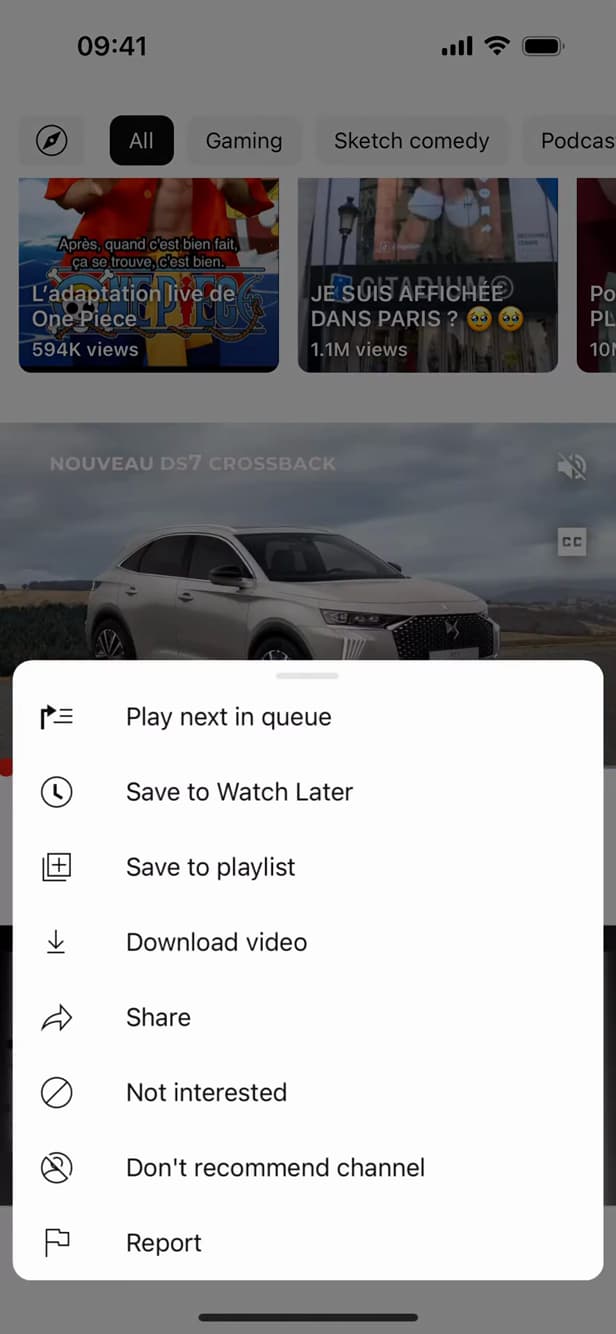
YouTube stops suggesting videos from this channel. On a video in your recommendations, tap "⋮" then "Don't recommend channel".
Hide the user from your channel
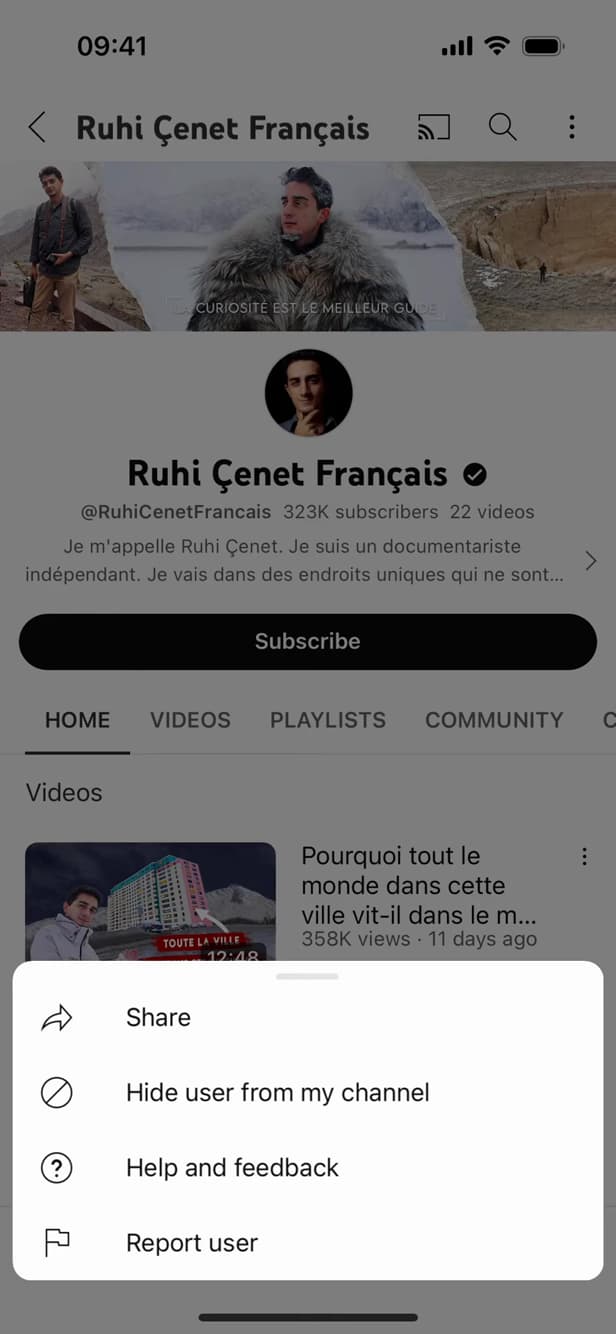
"Hide user" hides their comments on your videos. On the channel ("About" tab › flag, or via a comment), choose "Hide user from my channel" to hide their comments.
Confirm
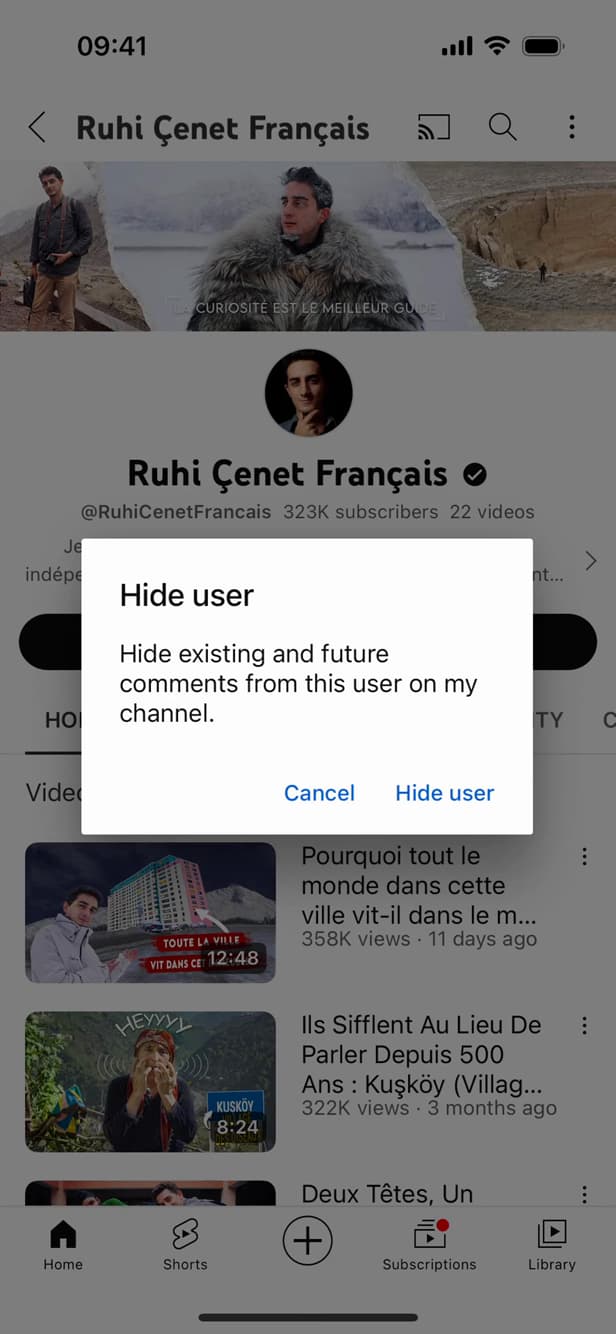
Confirm to apply the hiding. Confirm your choice: the channel is no longer recommended and its comments are hidden.
Good to know
YouTube "no longer recommends" this channel and "hides" its comments. There's no "full block": you can still find it through search.
Good to know
- "Don't recommend" influences the algorithm but doesn't "block" the channel.
- "Parental controls" (Family Link) allow a stricter block for children.
- You can "report" a channel that breaks YouTube's guidelines.
Frequently asked questions
- Can you fully block a YouTube channel?
- No, not on a regular account. You can only "stop recommending it" and hide its comments. A full block is available through parental controls.
- Will the channel know I hid it?
- No. "Don't recommend" and "Hide user" are invisible to the channel in question.
- How do I undo it?
- In your account's history/settings, you can unhide a hidden user and reset your recommendation preferences.
Related tutorials
 YouTubeHow to Find Your YouTube Channel LinkWant to share your YouTube channel link? Here's how to copy it, step by step.
 YouTubeHow to change the quality of a YouTube videoIs a YouTube video blurry or using too much data? Here's how to change its quality, step by step.
 YouTubeHow to delete your search history on YouTubeWant to clear your searches and watched videos on YouTube? Here's how to delete your history, step by step.
 YouTubeHow to turn off Restricted Mode on YouTube mobileAre videos hidden on YouTube? Here's how to turn off Restricted Mode on mobile, step by step.