
How to Download a YouTube Video
Want to watch a YouTube video offline, on a train or a plane? YouTube has an official download feature built into the app: the video stays available offline, right inside YouTube. Here's how to download a YouTube video cleanly and legally, step by step.
Prefer a video? Watch the full tutorial below.
Downloading a YouTube video to watch it offline
Open the video and click "Download"
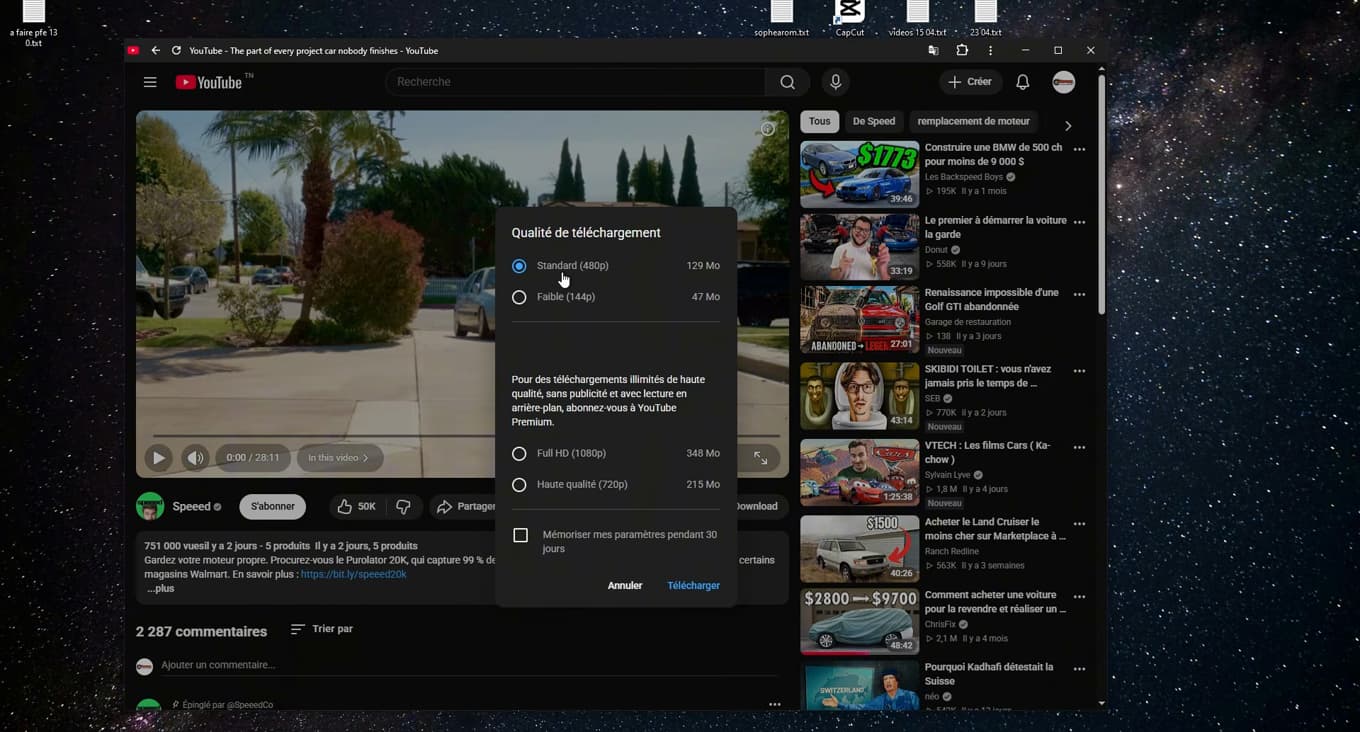
The "Download" button is below the video, in the action bar. Open the video you want to save, then click the "Download" button (the downward-arrow icon), below the video next to "Save" and "Share".
Choose the download quality
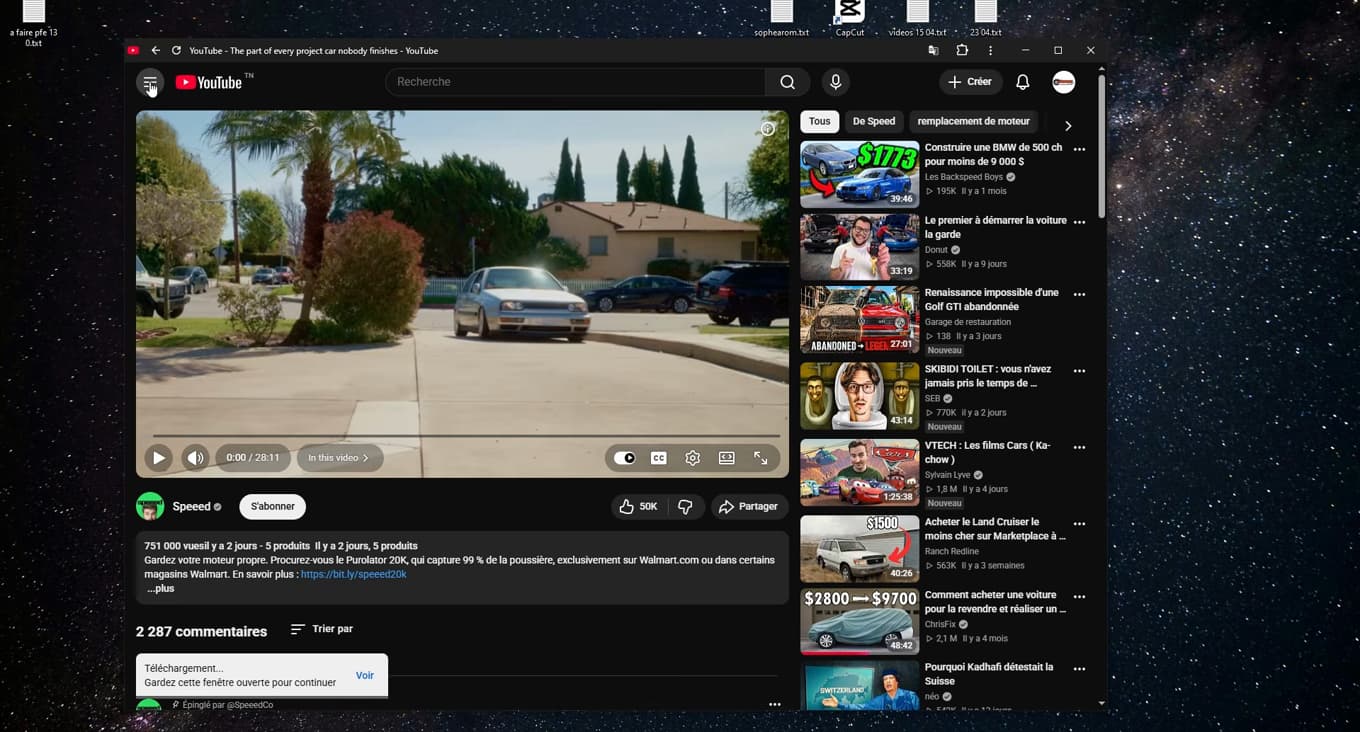
The maximum quality depends on your subscription (Standard on free, HD with Premium). Select the "quality" you want. On the free plan, the maximum is usually "480p (Standard)"; with "YouTube Premium", you can pick "720p" or "1080p (Full HD)". Confirm with "Download".
Find the video in "Downloads"
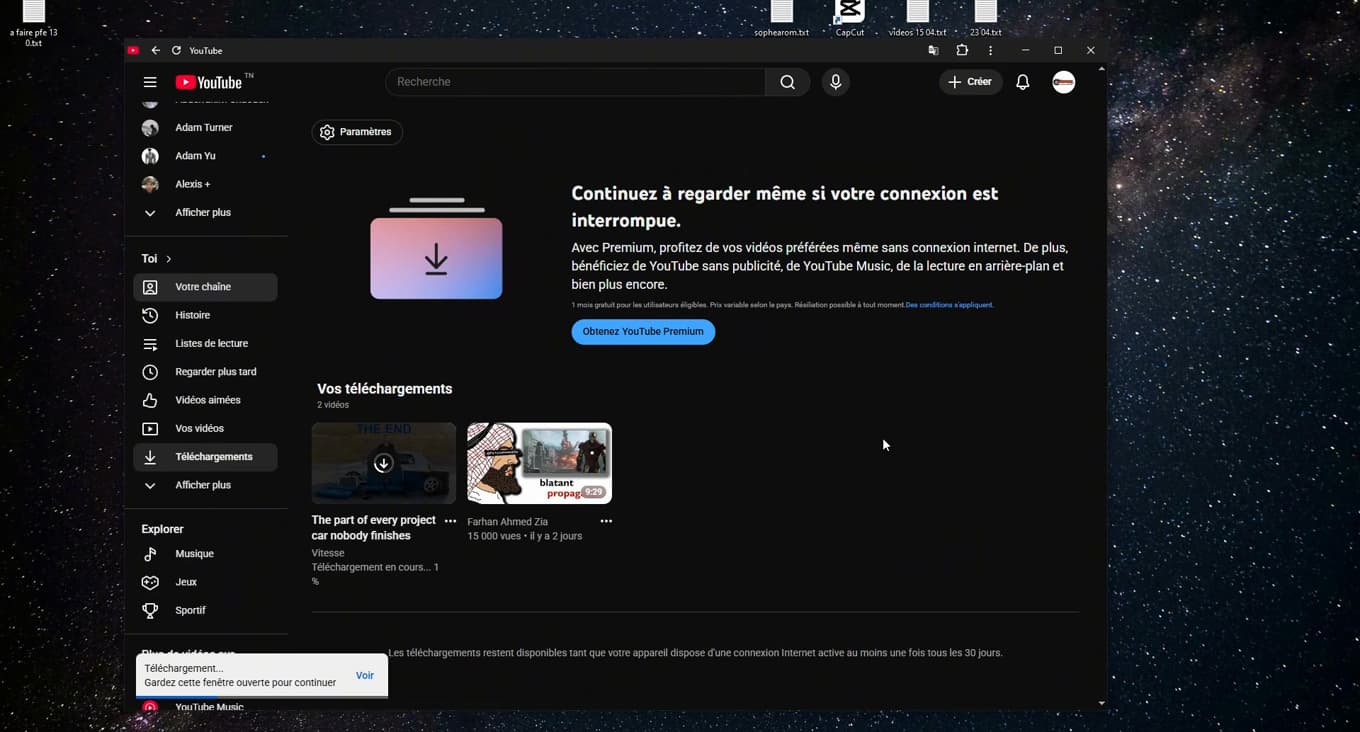
Your downloaded videos stay accessible offline in "Downloads". Once downloaded, open the "menu" (the three bars), then the "Downloads" section: there you'll find all your videos available "offline".
Good to know
Downloaded videos stay available "as long as your device connects to the internet at least once a month". This is the "official and legal" method offered by YouTube.
Good to know
- Some creators "disable downloading" of their videos: the button then doesn't appear.
- Avoid third-party sites and apps that promise to download videos: it's often "illegal" and risky for your device.
- HD quality (720p/1080p) is reserved for "YouTube Premium" subscribers.
Frequently asked questions
- Can I download a YouTube video for free?
- Yes, with the official built-in feature, but the quality is limited to 480p on the free plan. HD requires a YouTube Premium subscription.
- Why doesn't the Download button appear?
- Because the video's creator has disabled downloading, or because the video isn't eligible. In that case, there's no official solution.
- Where are downloaded videos saved?
- Directly in the YouTube app, in the "Downloads" section. They aren't exported as a regular video file, but they stay playable offline within YouTube.
Related tutorials
 YouTubeHow to change the quality of a YouTube videoIs a YouTube video blurry or using too much data? Here's how to change its quality, step by step.
 YouTubeHow to download the YouTube app on PCWant YouTube as a real app on your PC or laptop? Here's how to install it from Chrome, step by step.
 YouTubeHow to delete your search history on YouTubeWant to clear your searches and watched videos on YouTube? Here's how to delete your history, step by step.
 YouTubeHow to Find Your YouTube Channel LinkWant to share your YouTube channel link? Here's how to copy it, step by step.