
How to Unblock a Banned WhatsApp Account
Is your WhatsApp account banned and you're seeing the message "This account is not allowed to use WhatsApp"? Don't panic: in most cases, this ban (often tied to a spam suspicion) can be lifted. The official method is to contact WhatsApp support from their website to request a review of your account. Follow this guide to the end: in a few minutes your unblock request will be sent, and you'll usually get a reply within 5 to 10 days.
Prefer a video? Watch the full tutorial below.
Unblocking your WhatsApp number, step by step
Go to WhatsApp.com in your browser
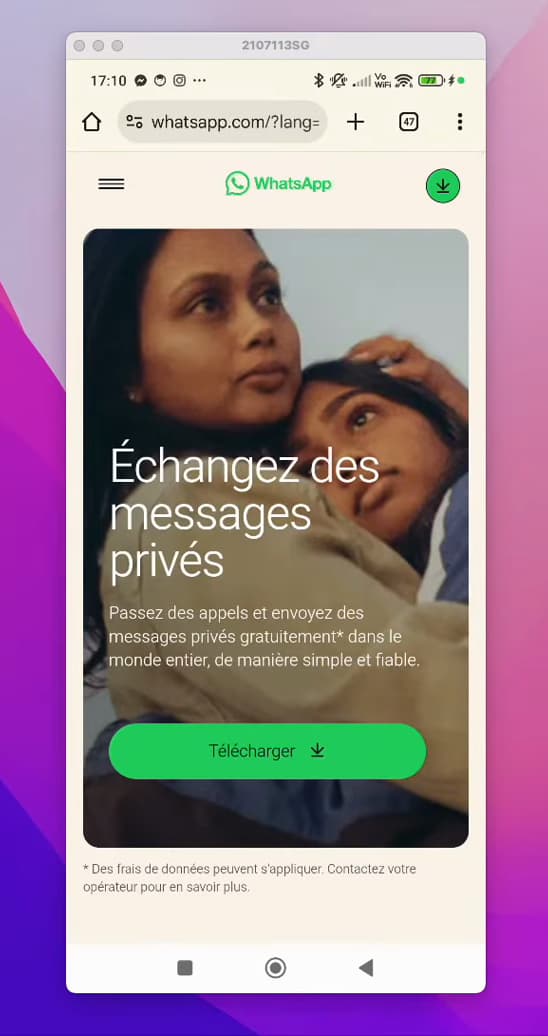
You go through the official whatsapp.com site, opened in your phone's browser. Open your phone's "browser" (Chrome, Safari, etc.), type "WhatsApp" and open the official site "whatsapp.com." The unblock request is made from the website, not from the app.
Open the menu and go to "Help Center"
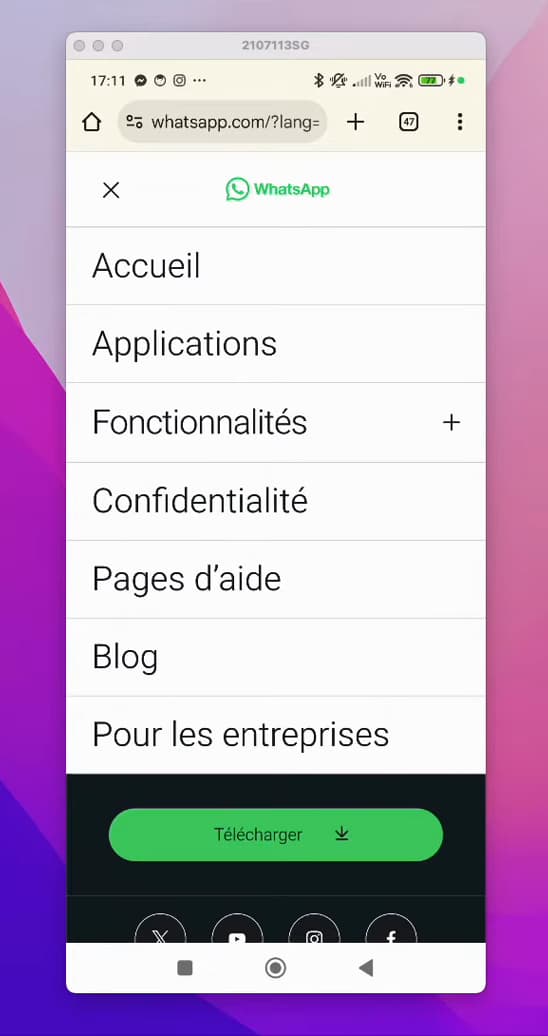
The site menu gives access to the "Help Center," where you contact support. In the top left, tap the "menu" icon (the three horizontal bars), then tap "Help Center."
Open "Contact WhatsApp"
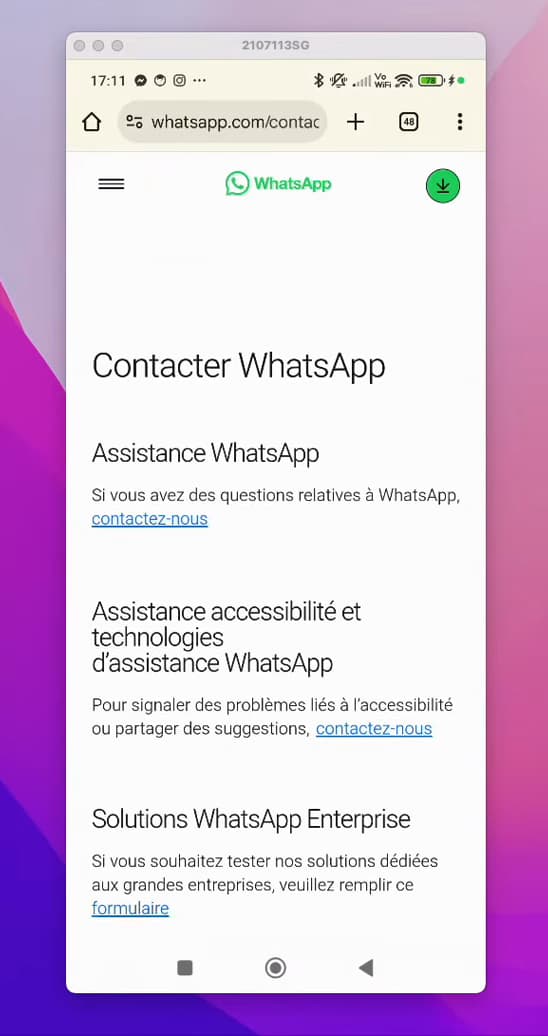
On the "Contact WhatsApp" page, the "contact us" link opens the form. Scroll down the page, then tap the blue "contact us" link to open the support form.
Enter your number and email
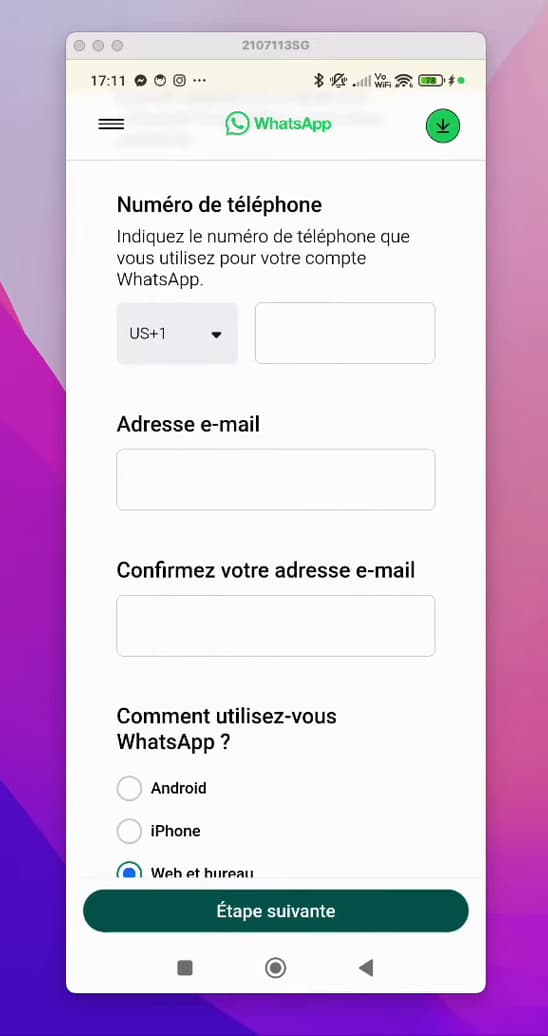
The form asks for the banned number and a contact email address. Type the "phone number" affected by the ban (with your country code), then your "email address" and confirm it.
Indicate how you use WhatsApp
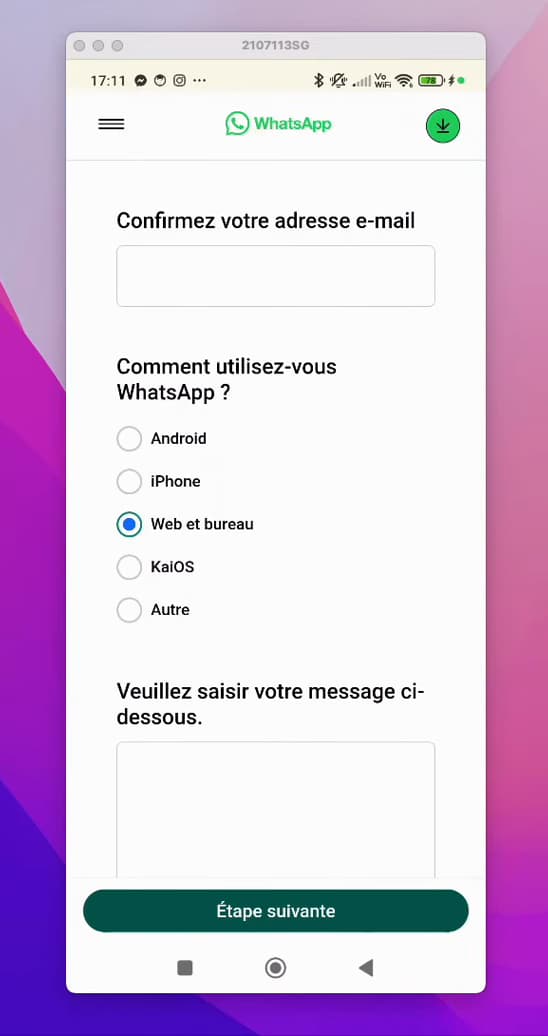
Choose the device on which your account is blocked. Select the platform affected by the ban: "Android," "iPhone," or "Web and desktop."
Write your message and send the request
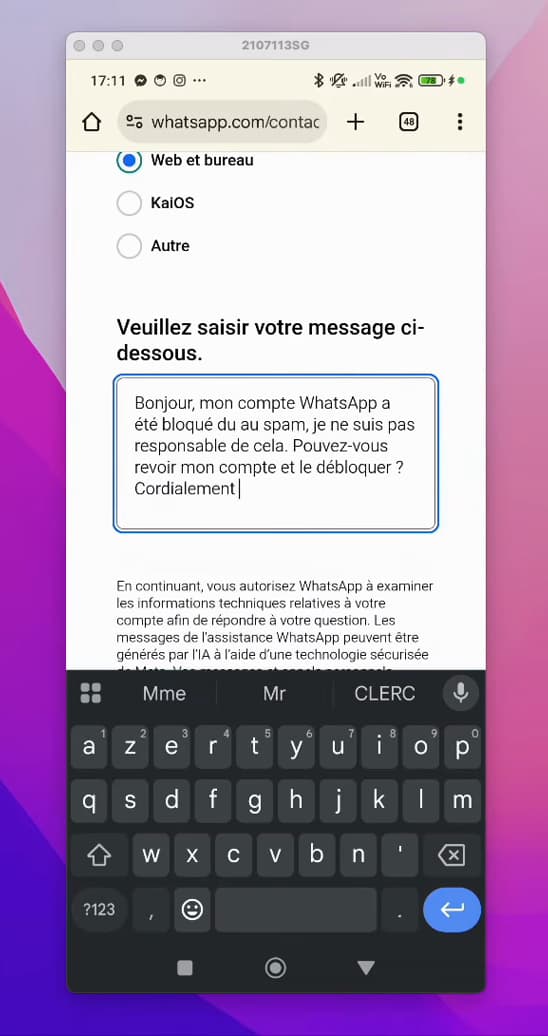
A clear, polite message improves your chances of being unblocked. In the "message" field, politely explain your situation, for example: "Hi, my WhatsApp account was banned for spam. I am not responsible for this. Could you review my account and unblock it? Best regards." Then tap "Next step": your request is sent to WhatsApp, which usually replies within "5 to 10 days."
Good to know
Once the request is sent, "wait 5 to 10 days": WhatsApp reviews your account and replies by email. If the unblock is granted, you'll be able to use the app again with the same number.
To avoid being banned again
- Don't send bulk messages to people who haven't saved your number.
- Only use the official WhatsApp app (unofficial versions like GB WhatsApp lead to bans).
- Avoid being reported as spam by your contacts.
If your first request doesn't succeed, you can send it again, clearly explaining your situation once more.
Frequently asked questions
- Why was my WhatsApp account banned?
- Most often for a spam suspicion: sending many messages to strangers, mass-adding contacts, or using an unofficial version of WhatsApp (like GB WhatsApp).
- How long does it take to unblock a WhatsApp account?
- After you send your request, WhatsApp usually replies within 5 to 10 days. Unblocking isn't guaranteed, but a clear, honest request gives you the best chance.
- Is a WhatsApp account ban permanent?
- Not always. Many bans are temporary or can be lifted after contacting support. However, repeated use of unofficial versions can lead to a permanent ban.
- Can I send the request from the app?
- The most reliable method goes through the whatsapp.com site and its support form, as described above. You can also email support@whatsapp.com.
Related tutorials
 WhatsAppHow to Block Someone on WhatsAppWant to stop a contact from reaching you on WhatsApp? Here's how to block them, step by step.
 WhatsAppHow to delete a contact on WhatsAppWant to remove a contact from WhatsApp? Here's how to delete it cleanly from its info page, step by step.
 WhatsAppHow to Delete a Chat on WhatsAppWant to clear a WhatsApp conversation? Here's how to delete it, step by step.
 WhatsAppHow to Lock WhatsApp With Face IDWant to protect WhatsApp with a passcode or Face ID? Here's how to enable app lock, step by step.