
How to delete a contact on WhatsApp
A contact is no longer useful, or you want to tidy up your address book? Deleting a contact on WhatsApp is done straight from its info page, in a few seconds. Here's how to do it, step by step.
Prefer a video? Watch the full tutorial below.
Deleting a contact on WhatsApp, step by step
Open the contact's conversation
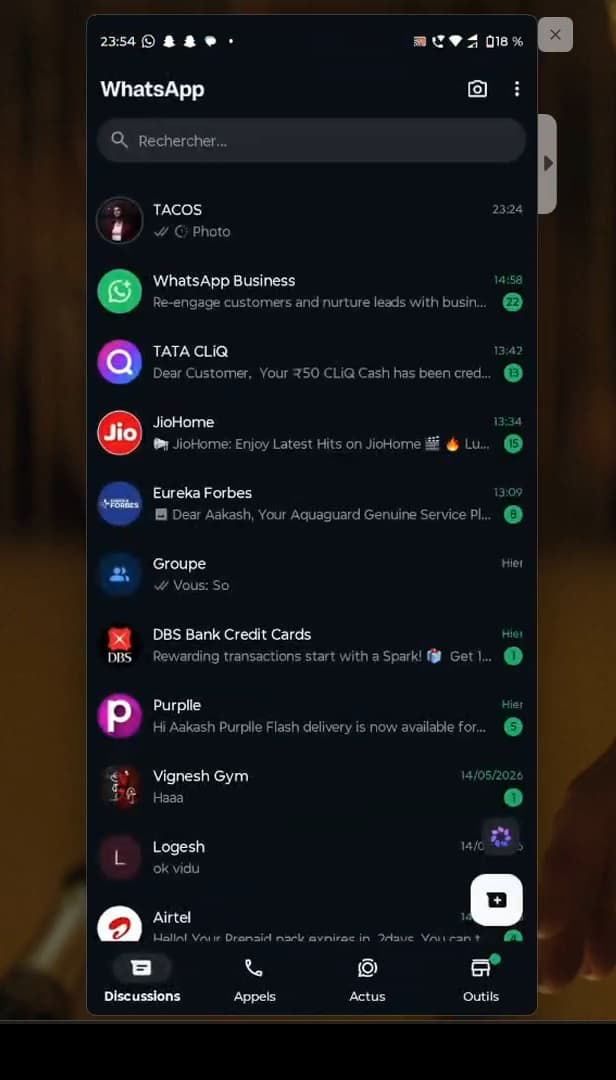
Open the conversation, then tap the contact's name. Open "WhatsApp", go to the "Chats" tab and open the conversation with the contact you want to delete. Tap their "name" at the top of the screen to open their info page.
Open the contact's info page
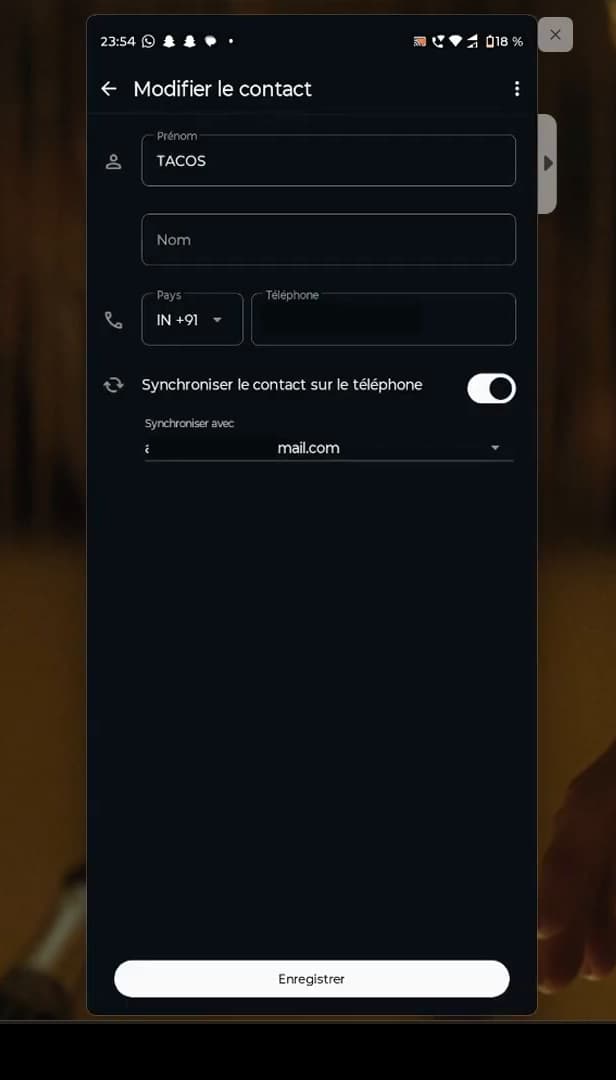
The "three dots" give access to "Edit contact". On the contact's info page, tap the "three dots" at the top right, then "Edit contact". You'll reach the contact's details.
Delete the contact
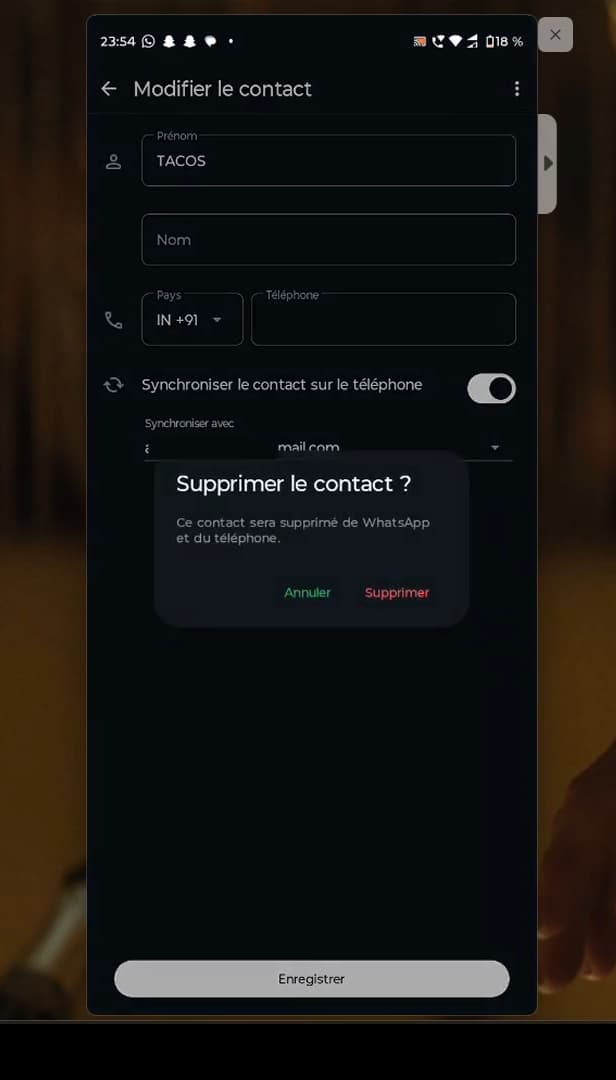
Confirm "Delete" to remove the contact permanently. Tap "Delete contact". WhatsApp asks you to confirm: confirm with "Delete". The contact is removed from your address book.
Good to know
The contact is removed from the address book linked to WhatsApp. The "conversation", however, doesn't disappear automatically: the number will simply show without a name until you delete it.
Good to know
- Deleting a contact "doesn't block them": they can still message you.
- To also clear the history, delete the "conversation" separately.
- On Android, the deletion may carry over to contacts "synced" with your Google account.
Frequently asked questions
- Does deleting a WhatsApp contact block them?
- No. Deleting only removes the contact from your address book. To stop the person from messaging you, you need to block them separately.
- Does the conversation disappear if I delete the contact?
- No. The chat stays in your conversations, but the number shows without a name. To clear it, delete the conversation from the Chats tab.
- Is the contact notified that I deleted them?
- No. WhatsApp sends no notification. The person doesn't know you removed them from your contacts.
Related tutorials
 WhatsAppHow to Delete a Chat on WhatsAppWant to clear a WhatsApp conversation? Here's how to delete it, step by step.
 WhatsAppHow to Block Someone on WhatsAppWant to stop a contact from reaching you on WhatsApp? Here's how to block them, step by step.
 WhatsAppHow to Change a Contact's Name on WhatsAppWant to rename a contact in WhatsApp? Here's how to change their name, step by step.
 WhatsAppHow to Unblock a Banned WhatsApp AccountIs your WhatsApp account banned for spam? Here's the official way to contact WhatsApp and request your number be unblocked, step by step.