
How to Send Strikethrough Text on WhatsApp
Want to strike through a word for a joke or a correction? You can send strikethrough text on WhatsApp in two moves, using the formatting menu or a simple symbol. Here's how, step by step.
Prefer a video? Watch the full tutorial below.
Sending strikethrough text on WhatsApp, step by step
Type and select the text
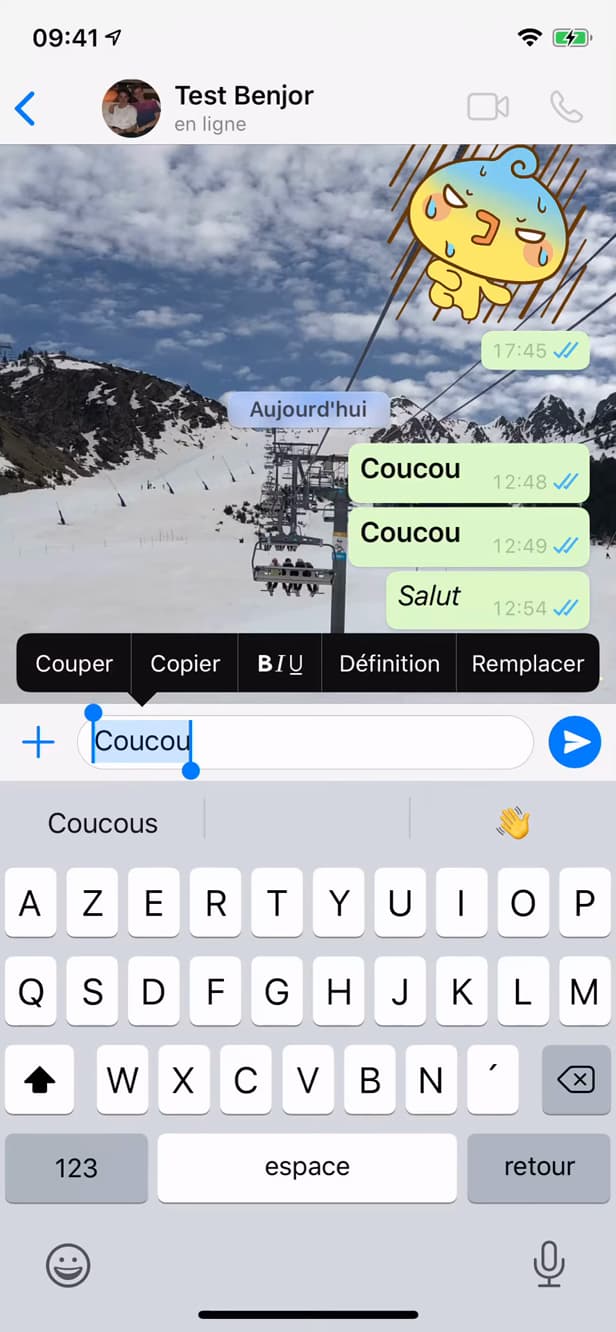
Select the text to strike through with a long press. Type your message, then "press and hold" on the text and choose "Select" (or "Select All").
Open formatting and choose "Strikethrough"
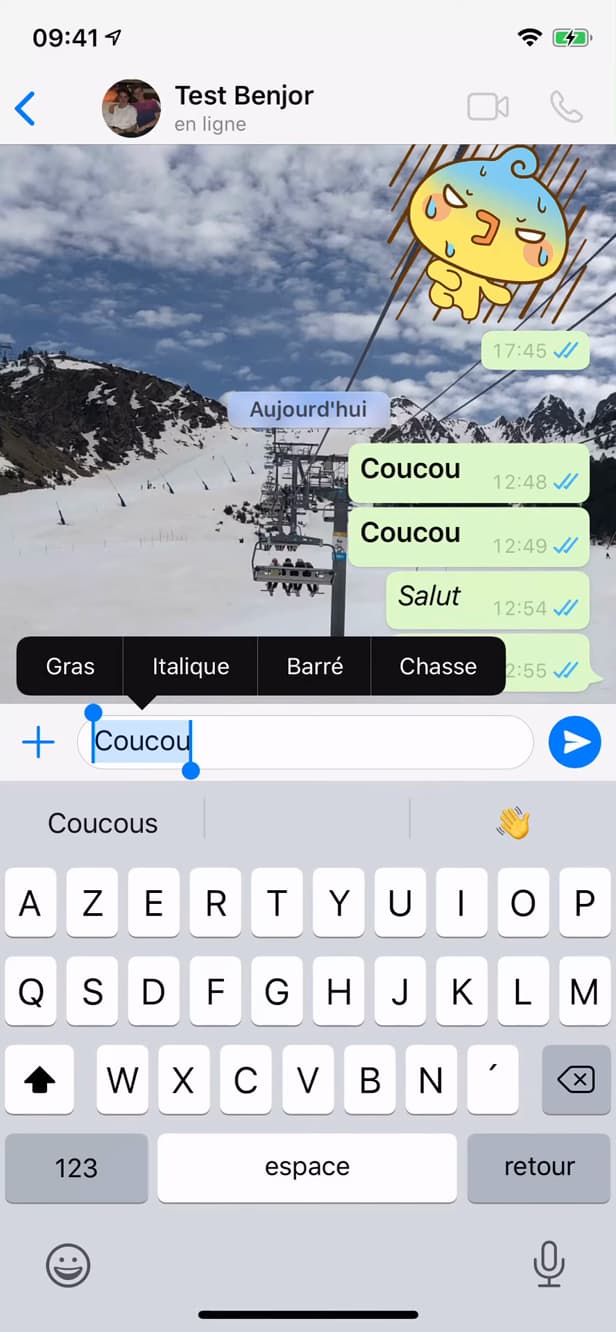
The "B I U" menu offers "Bold", "Italic", "Strikethrough" and "Monospace". In the bar that appears, tap "B I U", then "Strikethrough".
Send the message
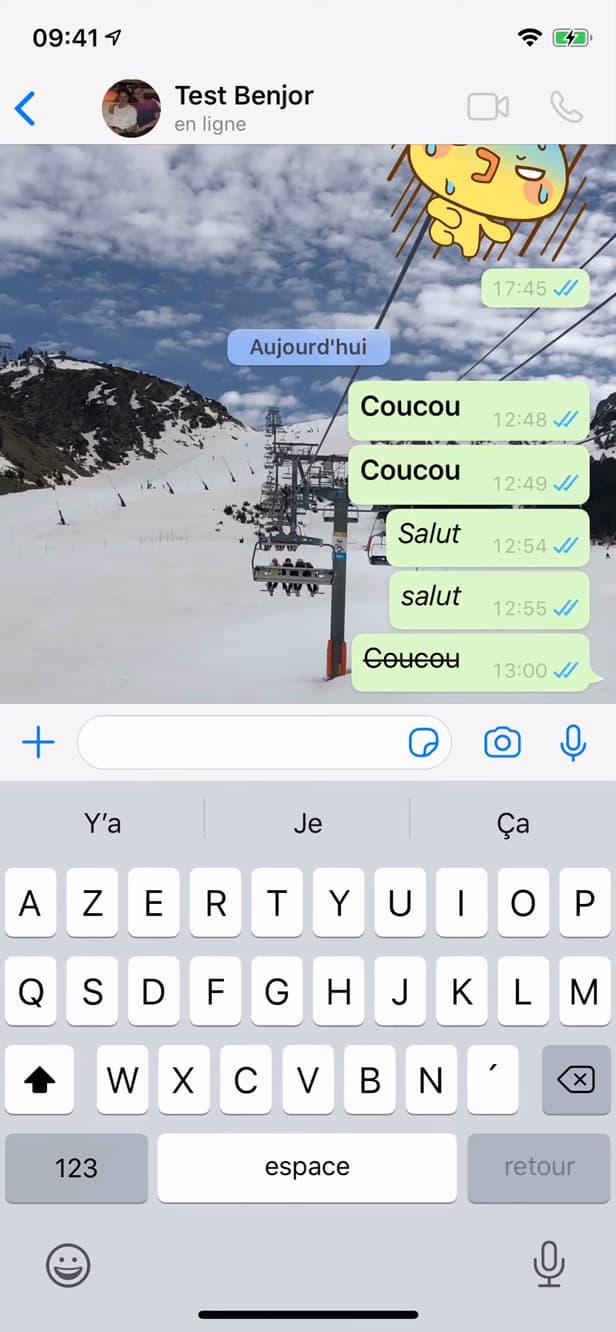
The text is struck through; the "~" symbol gives the same result. The text shows up "struck through". Send it. Tip: you can also wrap the text in "~" (for example "
text").
Good to know
Your message goes out with "struck-through" text. The same logic works for "bold" (**), "italic" (_) and "monospace" (```) fonts.
Good to know
- The "
text" symbol strikes through text without using the menu. - Formatting also works in "groups" and photo "captions".
- If the "B I U" menu doesn't show up, update WhatsApp.
Frequently asked questions
- What symbol strikes through text on WhatsApp?
- The tilde: wrap your text in "~", like "
example". WhatsApp displays it struck through when you send it. - Can I combine strikethrough and bold?
- Yes. Combine the symbols, for example "
text" for text that's both bold and struck through. - Does it work on iPhone and Android?
- Yes, both the formatting menu and the symbols work on both, on a recent version of WhatsApp.
Related tutorials
 WhatsAppHow to send a voice message on WhatsAppWant to send a voice note instead of typing? Here's how to record and send a WhatsApp voice message, step by step.
 WhatsAppHow to Share Your Location on WhatsAppNeed to share where you are? Here's how to send your location on WhatsApp, on iPhone and Android, in seconds.
 WhatsAppHow to Delete a Chat on WhatsAppWant to clear a WhatsApp conversation? Here's how to delete it, step by step.
 WhatsAppHow to Lock WhatsApp With Face IDWant to protect WhatsApp with a passcode or Face ID? Here's how to enable app lock, step by step.