
How to Go Offline on WhatsApp
Want to use WhatsApp without others seeing that you're online? You can go offline on WhatsApp by hiding your "Last seen" and your online status. Here's how to do it, step by step.
Prefer a video? Watch the full tutorial below.
Going offline on WhatsApp, step by step
Open Privacy
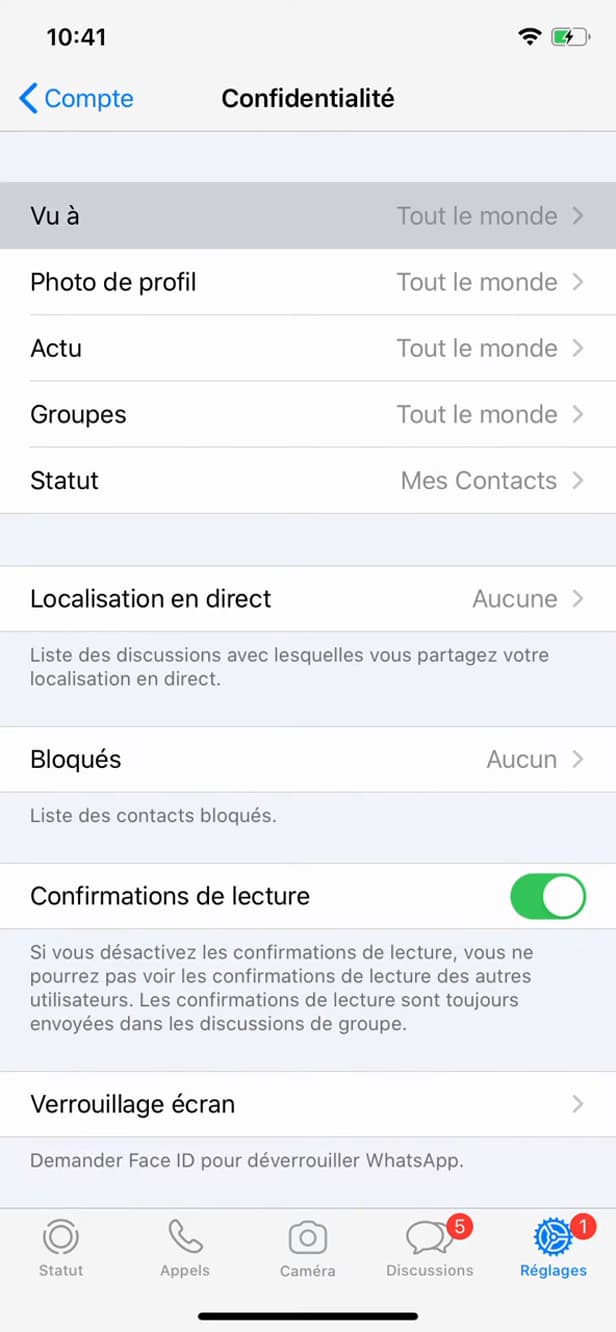
The visibility settings are in "Privacy". Open "Settings" › "Account" › "Privacy". This is where all the visibility settings live.
Open "Last seen"
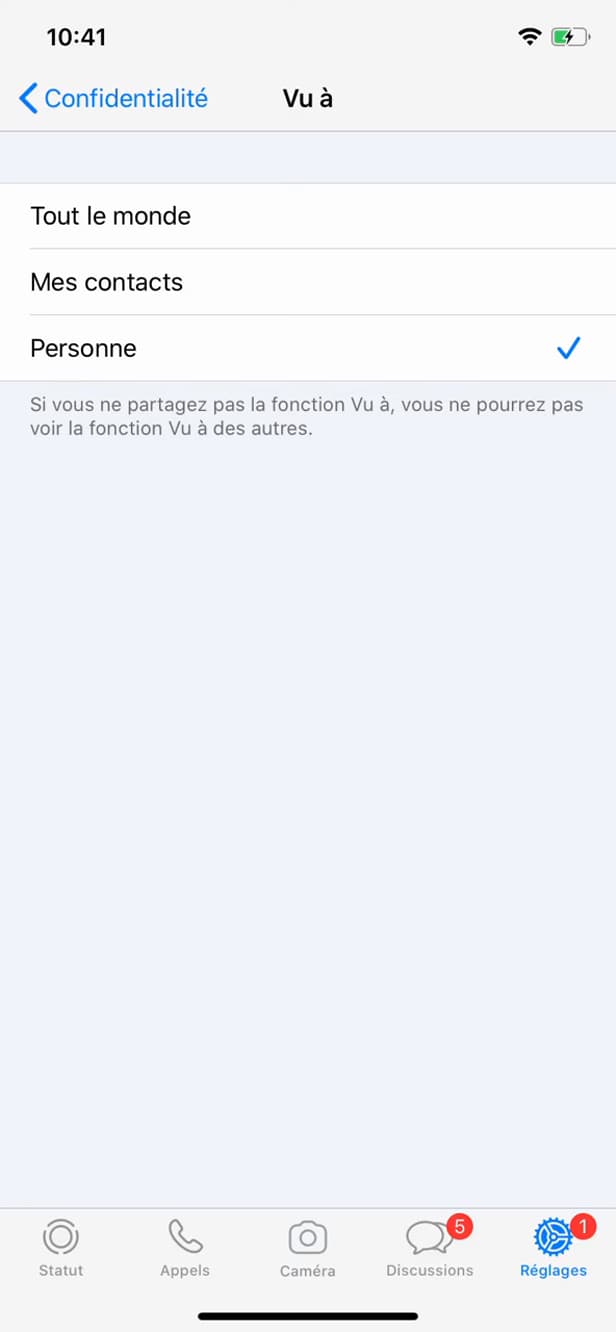
"Last seen" controls who sees your last connection and your online presence. Tap "Last seen" (last connection and online status).
Select "Nobody"
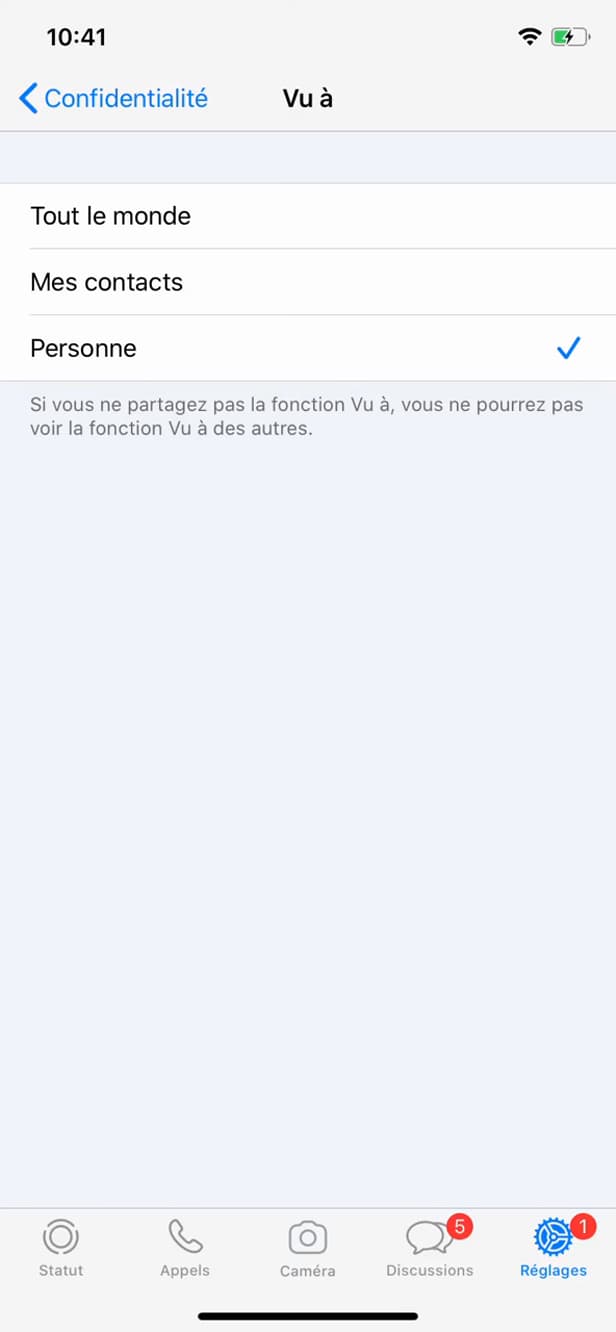
"Nobody" hides your online presence and your last connection. Choose "Nobody". You no longer appear "online" or "last seen" to others.
Good to know
You're now "invisible": nobody sees your last connection or your online presence. Note that WhatsApp works on a "reciprocal" basis.
Good to know
- If you hide your "Last seen", you "no longer" see other people's either.
- You stay reachable: hiding "Last seen" does "not" stop you receiving messages.
- To also hide the blue double check, turn off "read receipts".
Frequently asked questions
- Will I still receive my messages?
- Yes. Hiding your presence doesn't cut off WhatsApp: you receive and send your messages normally.
- Will I still be able to see whether my contacts are online?
- No. WhatsApp applies the reciprocity rule: by hiding your "Last seen", you lose access to other people's.
- How do I also hide that I've read a message?
- Turn off "read receipts" in Privacy: the blue double check will no longer appear.
Related tutorials
 WhatsAppHow to Post a Story on WhatsAppWant to post a status on WhatsApp? Here's how to create a story, step by step.
 WhatsAppHow to Delete a Chat on WhatsAppWant to clear a WhatsApp conversation? Here's how to delete it, step by step.
 WhatsAppHow to Lock WhatsApp With Face IDWant to protect WhatsApp with a passcode or Face ID? Here's how to enable app lock, step by step.
 WhatsAppHow to Block Someone on WhatsAppWant to stop a contact from reaching you on WhatsApp? Here's how to block them, step by step.