
How to Fix WhatsApp Video Call Problems
Are your WhatsApp video calls freezing, dropping, or refusing to start? In most cases, two simple steps are enough: update WhatsApp and "offload" the app to start from a clean base. Here's how to fix WhatsApp video call problems (iPhone), step by step.
Prefer a video? Watch the full tutorial below.
Fixing WhatsApp video call problems, step by step
Update WhatsApp
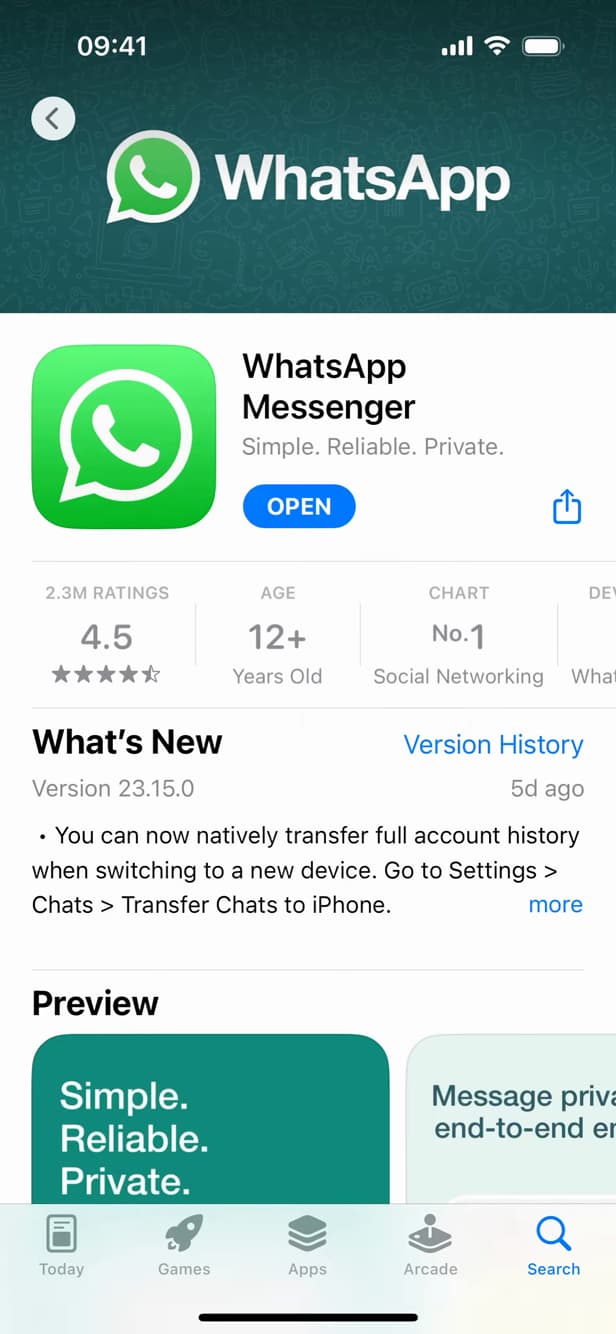
Check whether a WhatsApp update is available. Open the "App Store", search for "WhatsApp", and if an "Update" button appears, tap it. An up-to-date version fixes most video call bugs.
Open iPhone Storage
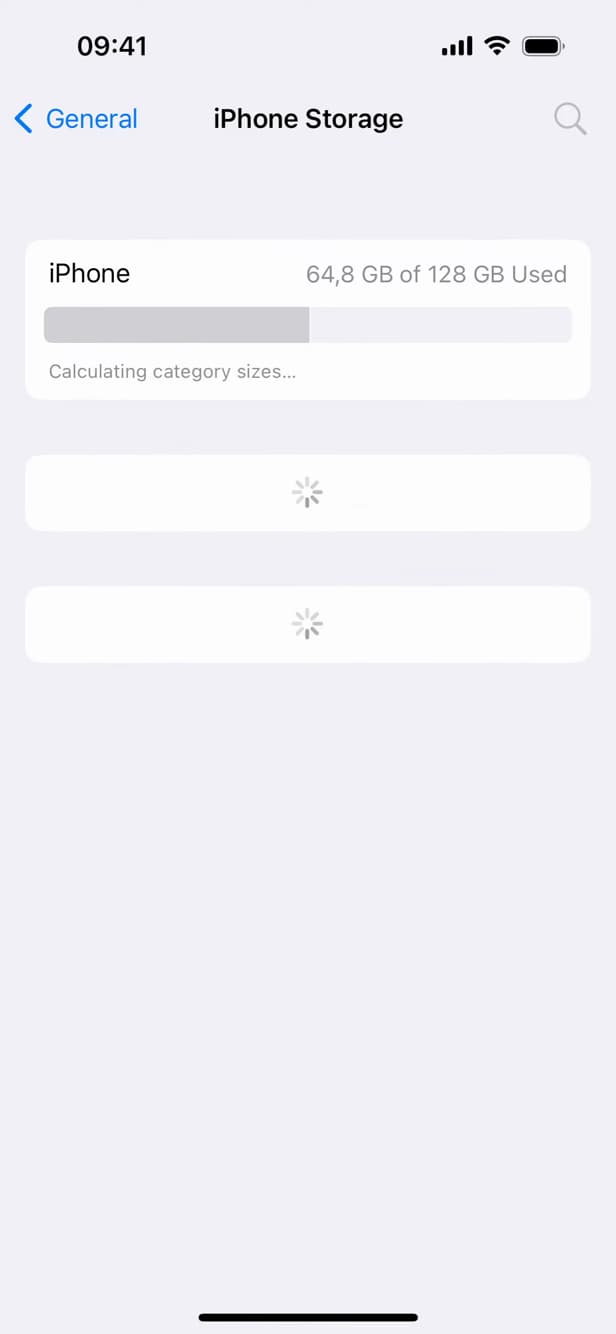
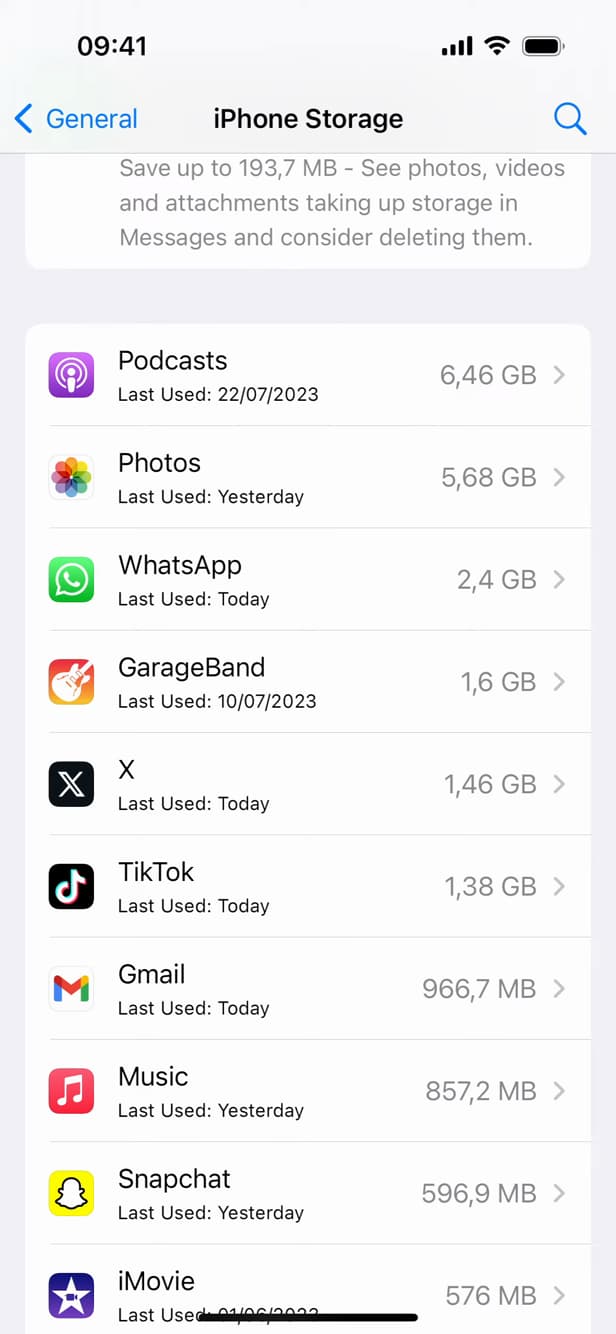
In "iPhone Storage", open WhatsApp's page. Go to "Settings" › "General" › "iPhone Storage", then scroll down and tap "WhatsApp" in the list of apps.
Offload the app
"Offload App" clears the cache without deleting your chats. Tap "Offload App". This action "frees up the space" used by the app while "keeping your data and chats": nothing is lost.
Confirm, then reinstall
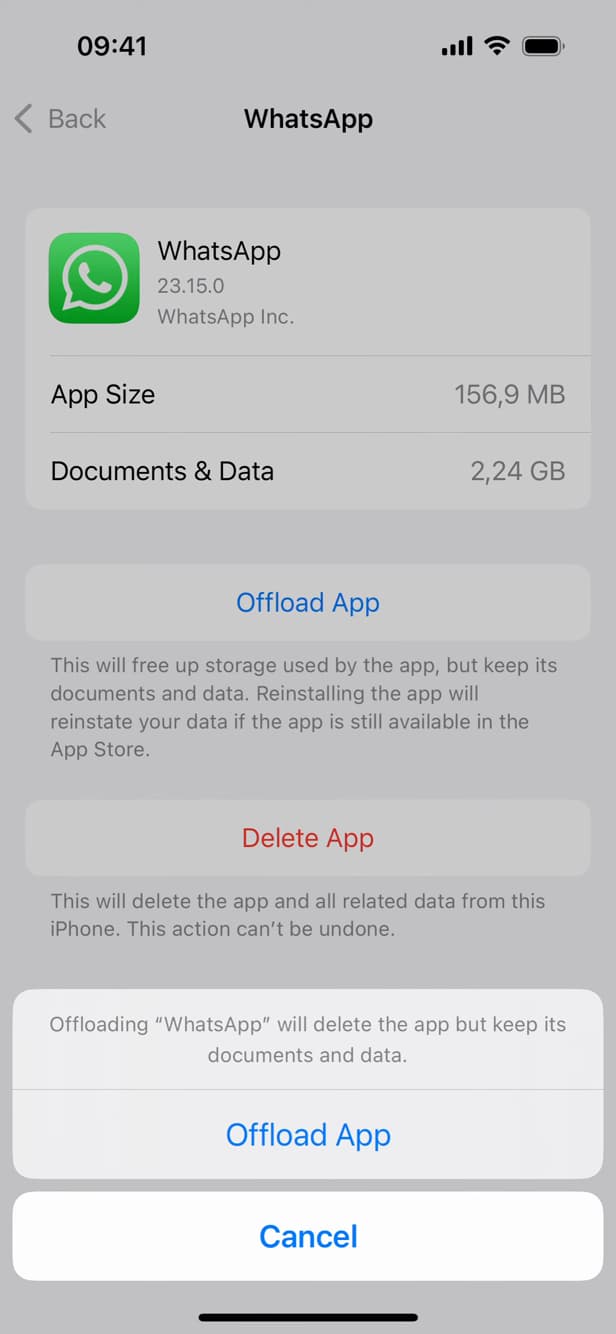
Confirm, then reinstall: WhatsApp starts from a clean base. Confirm "Offload App". Then reinstall WhatsApp by tapping "Reinstall" (the icon stays in place): your data comes back and video calls start cleanly again.
Good to know
These two habits (update + offload) fix the vast majority of video call issues. Also check your "connection" and the "camera/microphone permissions".
Other useful checks
- Allow "Camera" and "Microphone" for WhatsApp in Settings.
- Test on "Wi-Fi and mobile data" to isolate a network issue.
- Restart the phone: a simple restart sometimes unblocks the call.
Frequently asked questions
- Does "Offload App" delete my WhatsApp chats?
- No. Offloading frees up the app's space but keeps your data and chats. When you reinstall, everything comes back exactly as it was.
- Why do my WhatsApp video calls keep crashing?
- Most often due to an outdated version, a corrupted cache, a poor connection, or disabled camera/mic permissions. Updating and offloading fix the first two cases.
- Is the method the same on Android?
- The idea is similar: update WhatsApp on the Play Store, clear the app's cache in the settings, and check the camera and microphone permissions.
Related tutorials
 WhatsAppHow to Delete a Chat on WhatsAppWant to clear a WhatsApp conversation? Here's how to delete it, step by step.
 WhatsAppHow to Lock WhatsApp With Face IDWant to protect WhatsApp with a passcode or Face ID? Here's how to enable app lock, step by step.
 WhatsAppHow to Block Someone on WhatsAppWant to stop a contact from reaching you on WhatsApp? Here's how to block them, step by step.
 WhatsAppHow to Download Animated Stickers on WhatsAppWant to add animated stickers on WhatsApp? Here's how to download them, step by step.