
How to Download Animated Stickers on WhatsApp
Want to spice up your chats with stickers that move? You can download animated stickers on WhatsApp from the built-in store. Here's how to do it, step by step.
Prefer a video? Watch the full tutorial below.
Downloading animated stickers on WhatsApp, step by step
Open the sticker store
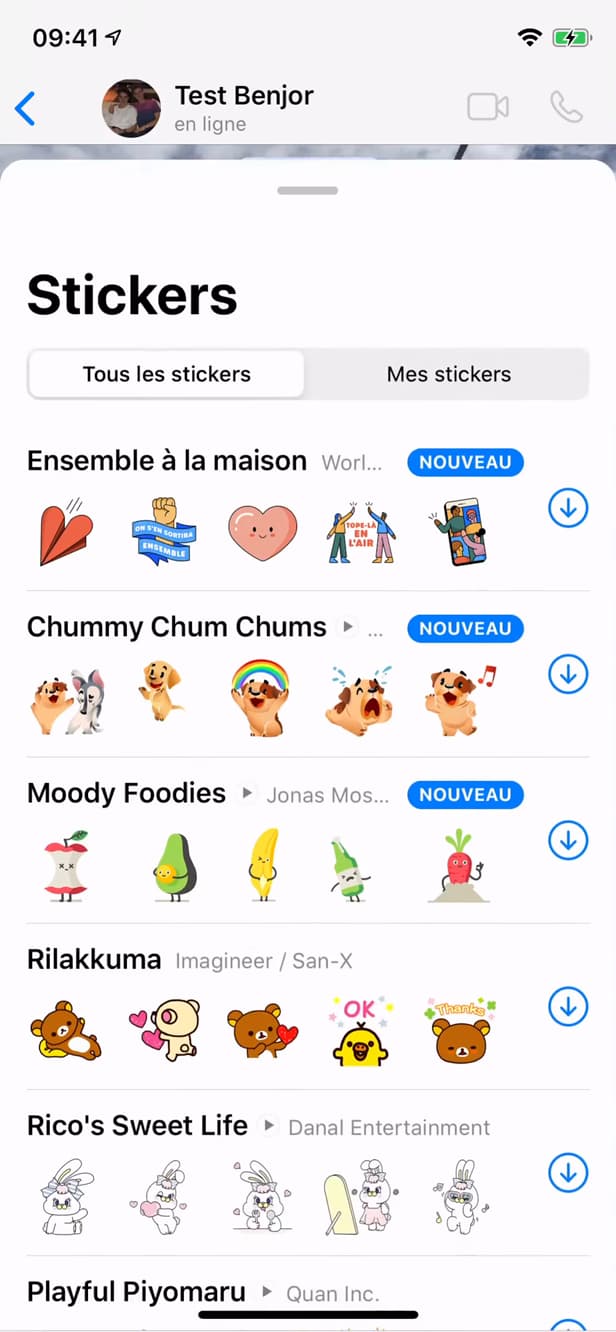
The store gathers free packs, including animated ones. In a chat, open the "emoji" keyboard, tap the "sticker" icon, then the "+" to open the store.
Download an animated pack
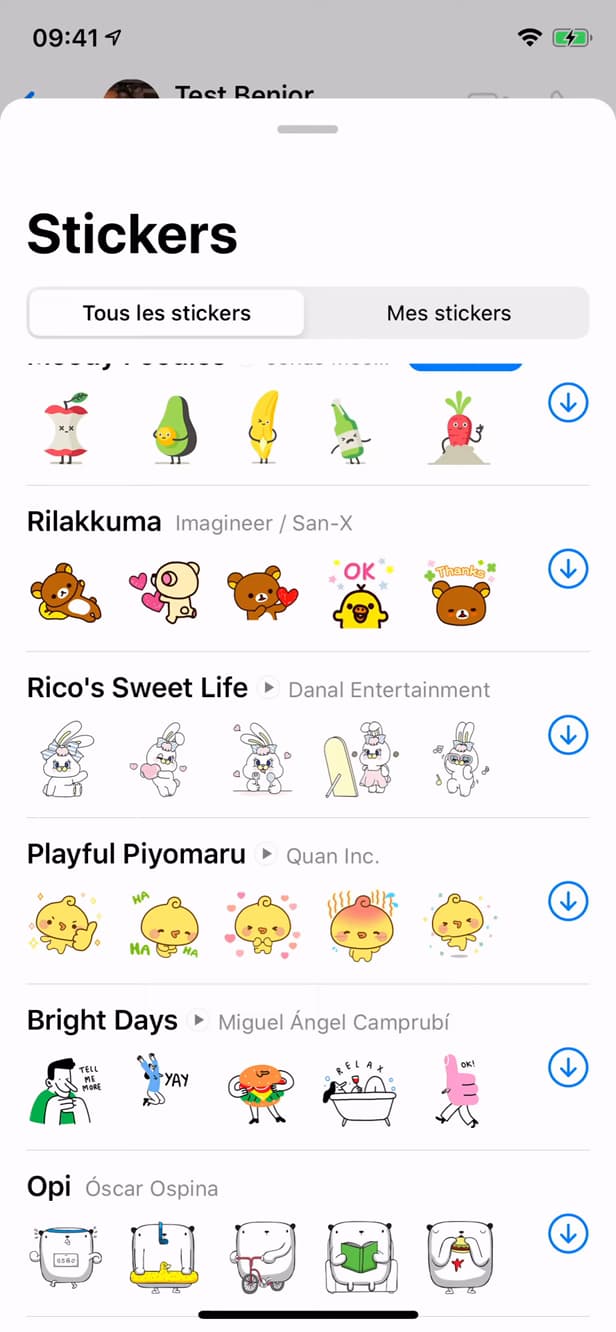
The "Download" arrow adds the pack to your collection. Spot a pack with the "animated" icon, then tap "Download" (the arrow).
Use your stickers
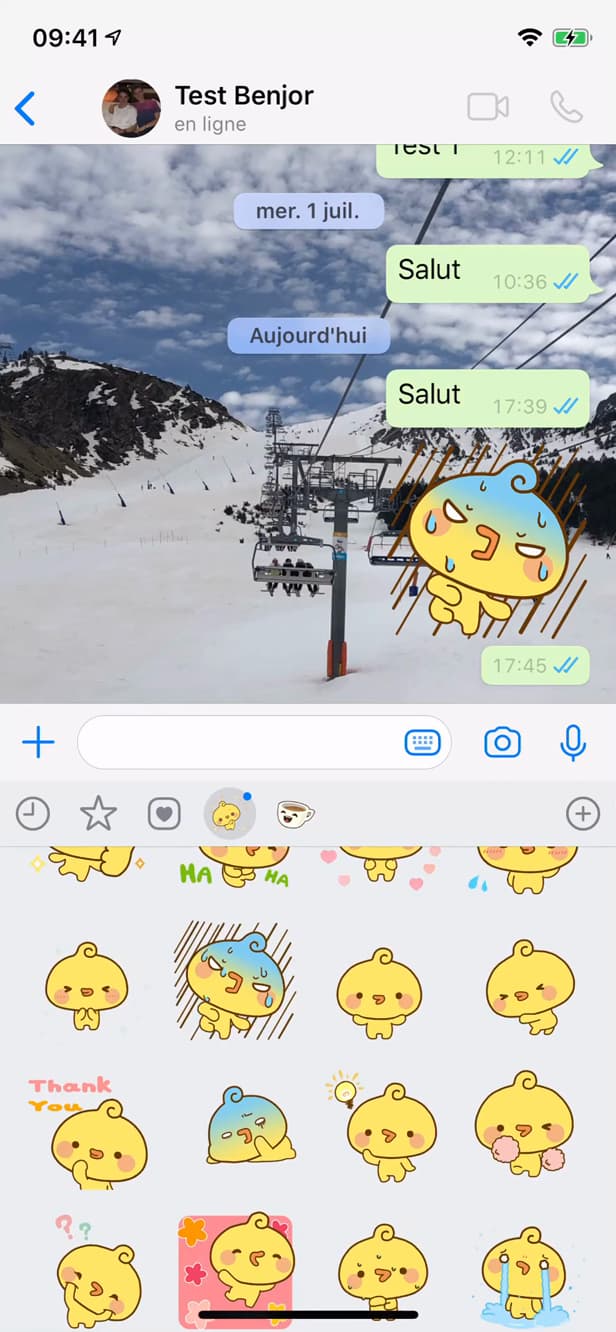
Your downloaded stickers are ready to send. The pack shows up in your stickers: tap a sticker to send it.
Good to know
Your animated stickers are "added" and available in all your chats. You can "download more" at any time, or create your own.
Good to know
- The packs in the WhatsApp store are "free".
- You can also "create your own stickers" from your photos.
- "Animated" stickers carry a small play icon so you can spot them.
Frequently asked questions
- Are WhatsApp stickers free?
- Yes. The packs offered in WhatsApp's built-in store are free to download.
- How do I recognize an animated sticker?
- Animated packs are marked with a small icon (often a play triangle) in the store.
- Can I create my own stickers?
- Yes. WhatsApp has a sticker creation tool that uses your photos, with cropping and captions.
Related tutorials
 WhatsAppHow to Delete a Chat on WhatsAppWant to clear a WhatsApp conversation? Here's how to delete it, step by step.
 WhatsAppHow to Lock WhatsApp With Face IDWant to protect WhatsApp with a passcode or Face ID? Here's how to enable app lock, step by step.
 WhatsAppHow to Block Someone on WhatsAppWant to stop a contact from reaching you on WhatsApp? Here's how to block them, step by step.
 WhatsAppHow to Go Offline on WhatsAppWant to hide your online status on WhatsApp? Here's how to hide your "Last seen", step by step.