
How to Save a TikTok Video as a Draft
Want to polish a video before posting it? You can save a TikTok video as a draft and come back to it whenever you like. Here's how to do it, step by step.
Prefer a video? Watch the full tutorial below.
Save a TikTok video as a draft, step by step
Go to the "Post" screen
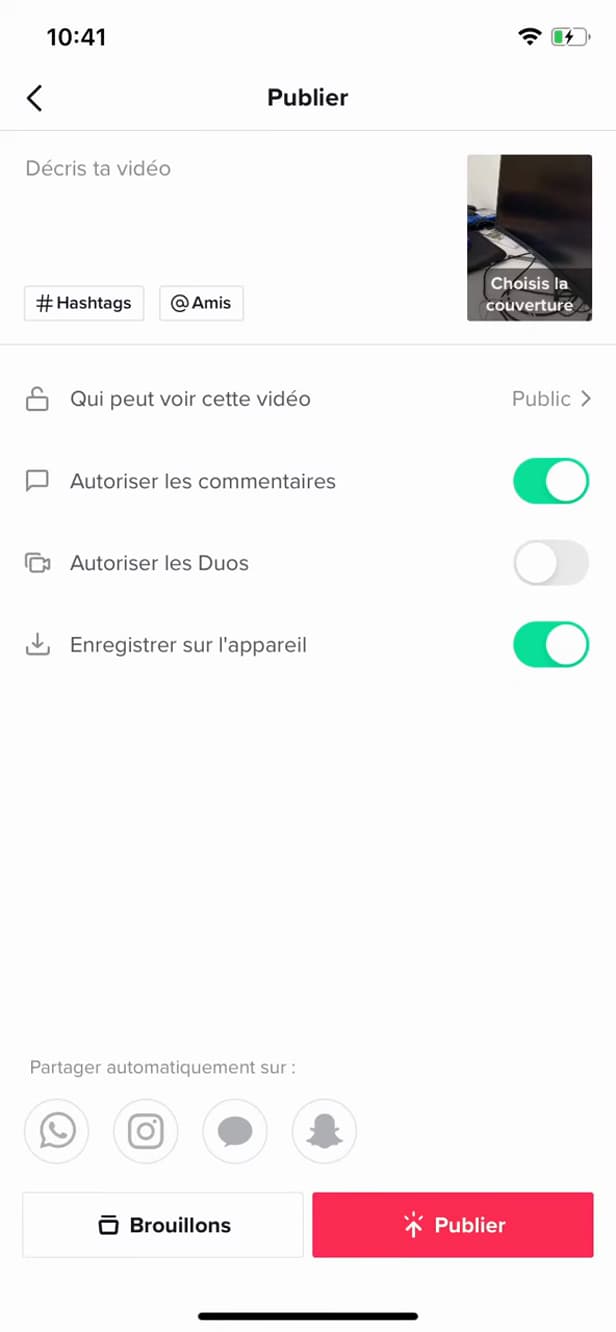
The "Post" screen offers "Drafts" and "Post". After editing, tap "Next" until you reach the "Post" screen.
Tap "Drafts"
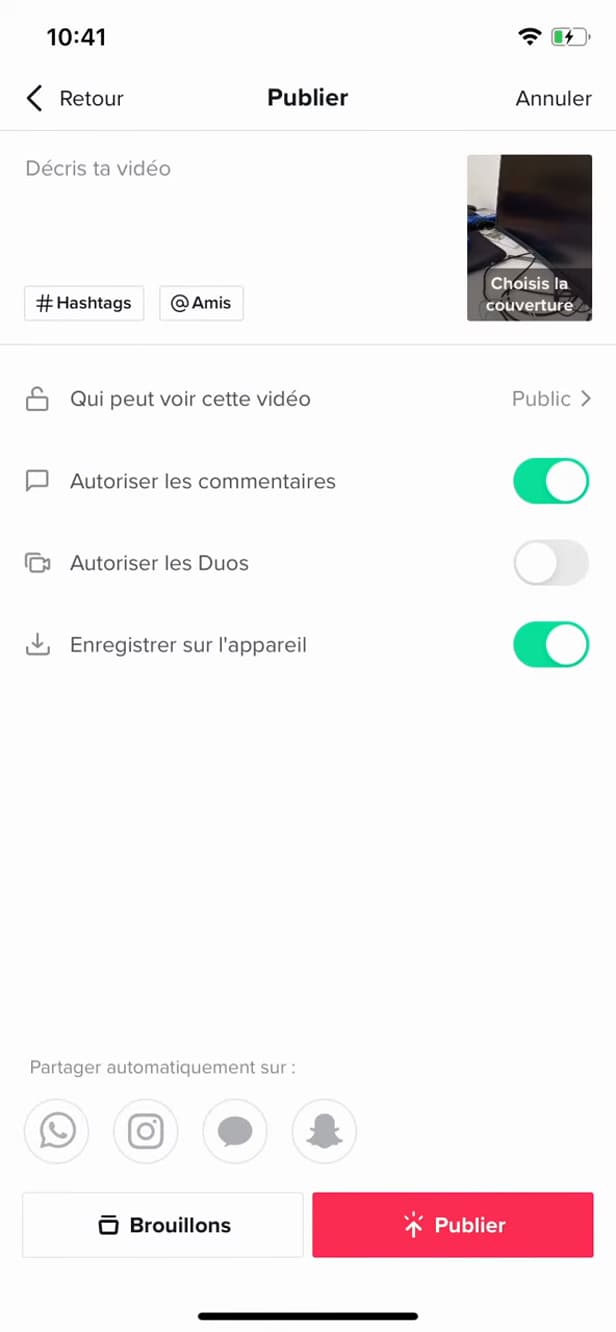
"Drafts" saves the video without posting it. In the bottom left, tap "Drafts" instead of "Post".
Find your draft
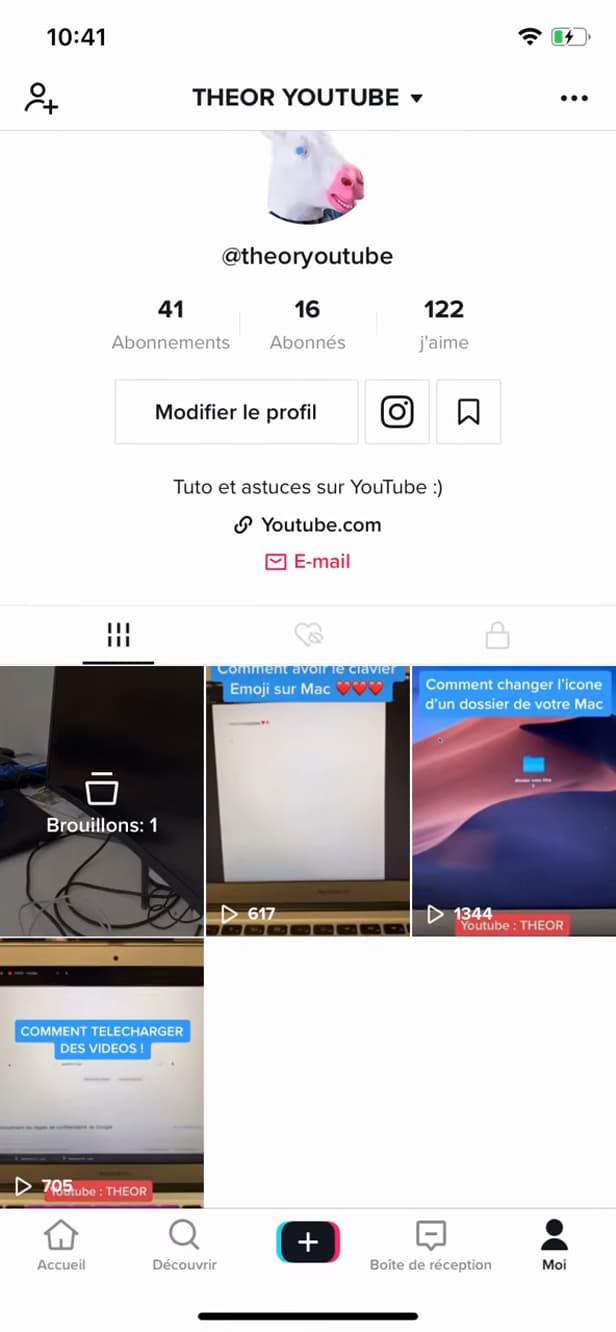
"Drafts" gathers your saved, unposted videos. The draft appears in the "Drafts" tab on your profile, ready to pick back up.
Good to know
Your video is "saved" without being posted. You can "reopen" it, edit it and post it later. Drafts stay "on your phone".
Good to know
- Drafts are stored "locally": they disappear if you log out or switch phones.
- You can "resume" editing (effects, text, sound) before posting.
- There's "no strict limit" to how many drafts you can keep.
Frequently asked questions
- Where are TikTok drafts stored?
- Locally, on your phone. They don't show up on another device and disappear if you log out.
- Can I edit a draft before posting it?
- Yes. By reopening the draft, you can adjust the effects, text, sound and caption before posting.
- Can others see my drafts?
- No. A draft stays completely private until you post it.
Related tutorials
 TikTokHow to Download a TikTok VideoWant to save a TikTok video to your gallery? Here's the official method, step by step.
 TikTokHow to Add Music to Your TikTok VideoWant to put a sound on your TikTok video? Here's how to add music, step by step.
 TikTokHow to add text to your TikTok videoWant to write on your TikTok video? Here's how to add text, choose the font and position it, step by step.
 TikTokHow to Change the Font in Your TikTok BioWant a TikTok bio with stylish lettering? Here's how to change the font, step by step.