
How to Change the Font in Your TikTok Bio
Want a bio that stands out? TikTok has no built-in fonts, but you can change the font in your TikTok bio using a fancy text generator. Here's how to do it, step by step.
Prefer a video? Watch the full tutorial below.
Change the font in your TikTok bio, step by step
Open a fancy text generator

A generator turns your text into stylish characters. In a browser, search for "fancy text generator" and open one (e.g. lingojam).
Create and copy the text
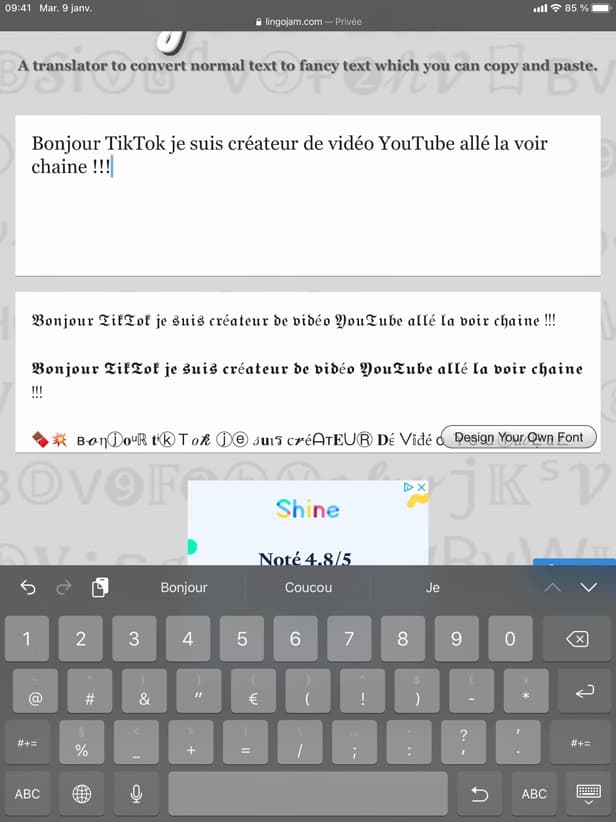
The stylish text uses special Unicode characters. Type your text: the generator shows several styles. Copy the one you like.
Paste it into your bio
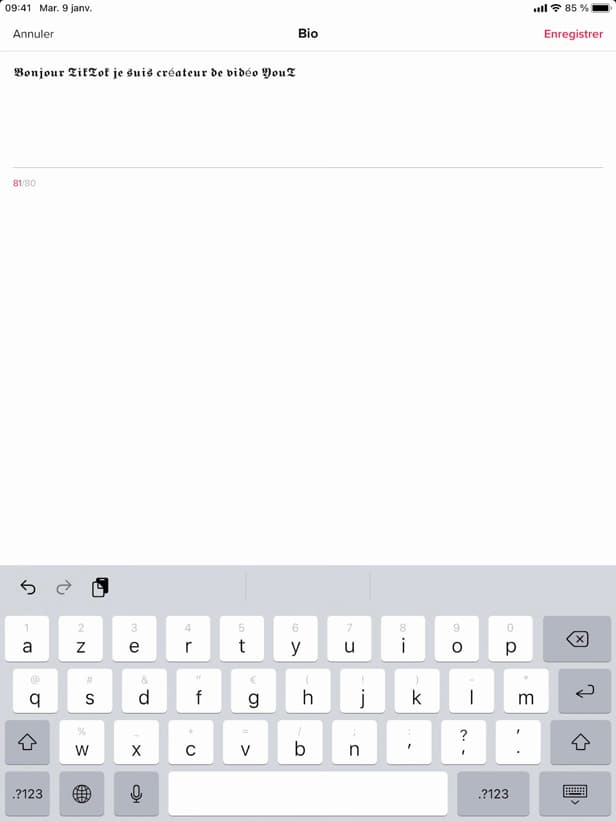
Paste the stylish text, then save your bio. In TikTok, open "Edit profile" › "Bio", paste the text and save.
Good to know
Your bio now shows "stylish lettering". These aren't real fonts but special "Unicode characters", which display on most phones.
Good to know
- These are "Unicode characters", not fonts: they show up almost everywhere.
- Don't overdo it: "unreadable" text hurts your profile.
- The same trick works for "Instagram" or "Twitter".
Frequently asked questions
- Does TikTok offer fonts in the bio?
- No, not natively. You have to use an external fancy text generator, then copy and paste the result into your bio.
- Does the stylish text display on all phones?
- Almost always: these are standard Unicode characters. A few older devices may show squares instead.
- Does this trick work elsewhere?
- Yes. The same copy and paste works for your Instagram bio, Twitter/X and most other networks.
Related tutorials
 TikTokHow to add text to your TikTok videoWant to write on your TikTok video? Here's how to add text, choose the font and position it, step by step.
 TikTokHow to Delete a Conversation on TikTokWant to clear a private message on TikTok? Here's how to delete a conversation, step by step.
 TikTokHow to Save a TikTok Video as a DraftWant to save a TikTok video without posting it? Here's how to save it as a draft, step by step.
 TikTokHow to Add Music to Your TikTok VideoWant to put a sound on your TikTok video? Here's how to add music, step by step.