
How to Make Your TikTok Account Private
Want only the people you approve to see your videos? You can make your TikTok account private with a single setting. Here's how to do it, step by step.
Prefer a video? Watch the full tutorial below.
Making your TikTok account private, step by step
Open your profile menu

Open the "☰" menu on your TikTok profile. On your "profile", tap the "☰" menu at the top right, then "Settings and privacy".
Open Privacy
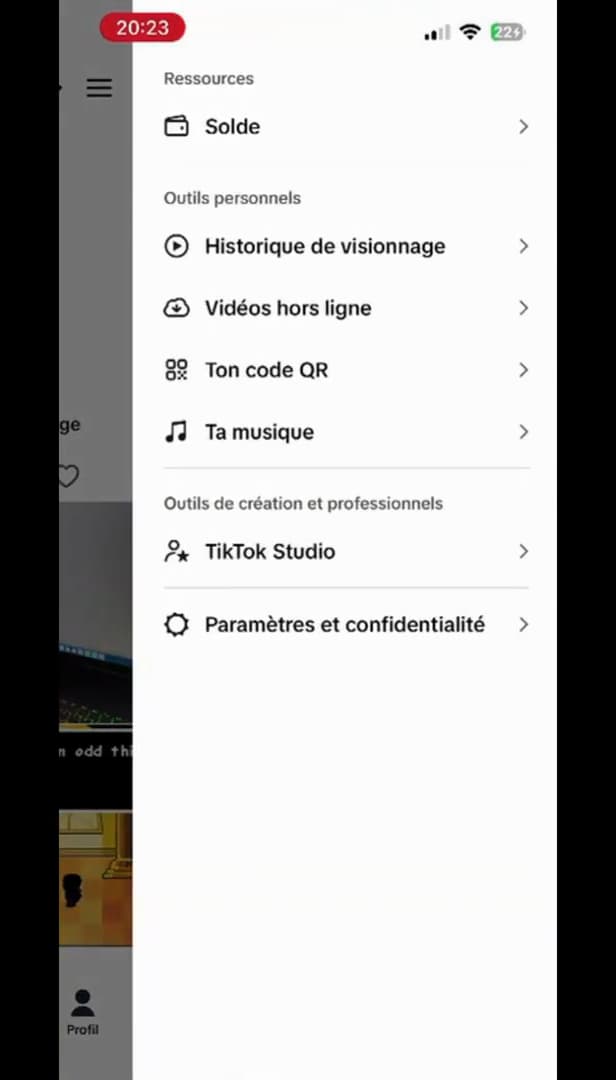
The "Privacy" section contains the "Private account" option. In the settings, open "Privacy". That's where you'll find the "Private account" option.
Turn on "Private account"
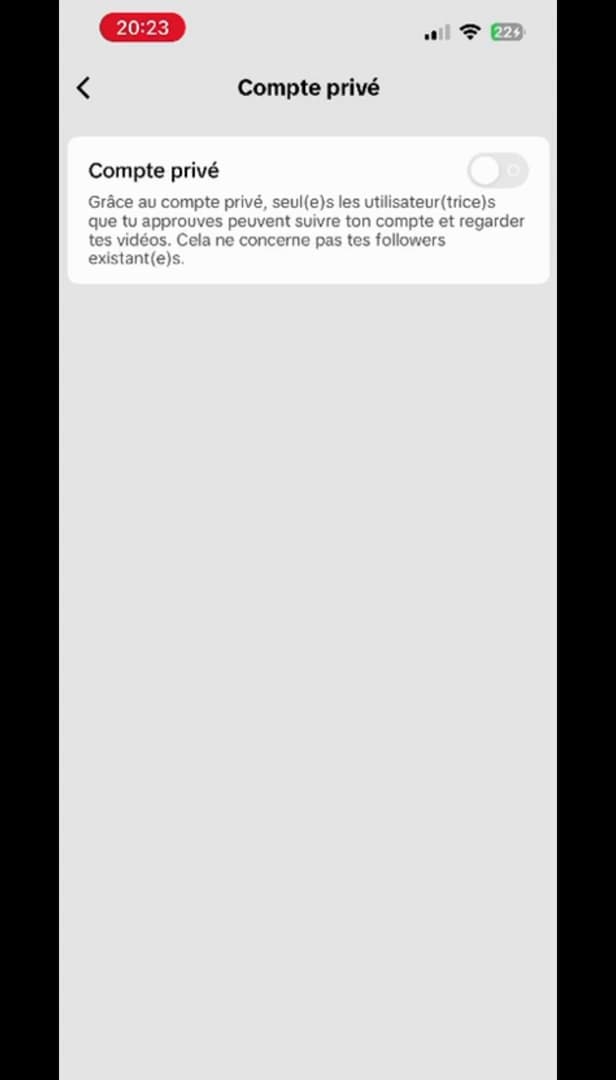
Turn on "Private account": you approve who follows you. Toggle the "Private account" switch on. From now on, only the followers you "approve" can see your videos and follow you.
Good to know
Your account is now "private": your new videos are only visible to your approved followers. Your current followers, however, don't change.
Good to know
- Switching to private "does not remove" your existing followers.
- When private, your videos "no longer appear" in the For You feed of non-followers.
- You can "approve or decline" each new follow request.
Frequently asked questions
- Are my current followers removed?
- No. They keep seeing your videos. Only new follow requests will need to be approved.
- Do my videos still appear in the For You feed?
- No. With a private account, your videos are no longer recommended to people who don't follow you.
- Can I switch back to public?
- Yes, at any time: turn off the "Private account" switch in the same settings.
Related tutorials
 TikTokHow to Delete a Conversation on TikTokWant to clear a private message on TikTok? Here's how to delete a conversation, step by step.
 TikTokHow to Enable Monetization on TikTokWant to make money from your TikTok videos? Here's where to turn on monetization and which requirements you need to meet, step by step.
 TikTokHow to Recover a TikTok Account Without Email or Phone NumberNo longer have access to the email or phone number on your TikTok account? Here's how to recover it through the help form, step by step.
 TikTokHow to Change the Font in Your TikTok BioWant a TikTok bio with stylish lettering? Here's how to change the font, step by step.