
How to tell if someone is active on Snapchat
Wondering if a friend is active on Snapchat right now? Snapchat doesn't show a classic "online" status, but a few signs (recent activity, Bitmoji, Bitmoji notifications) let you tell. Here's how to spot them, step by step.
Prefer a video? Watch the full tutorial below.
Telling if someone is active on Snapchat, step by step
Open your conversations
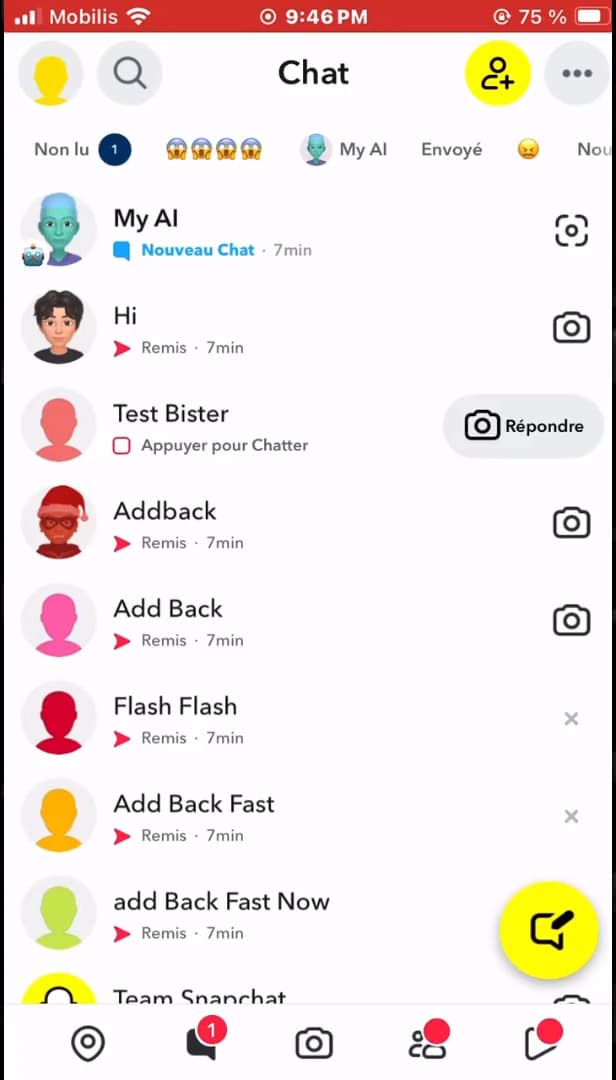
The recent activity time is a first sign of presence. Open "Snapchat" and swipe right (or tap the "Chat" icon) to see your chat list. Look at the "last activity time" next to each friend: very recent activity suggests the person is likely online.
Open the person's profile
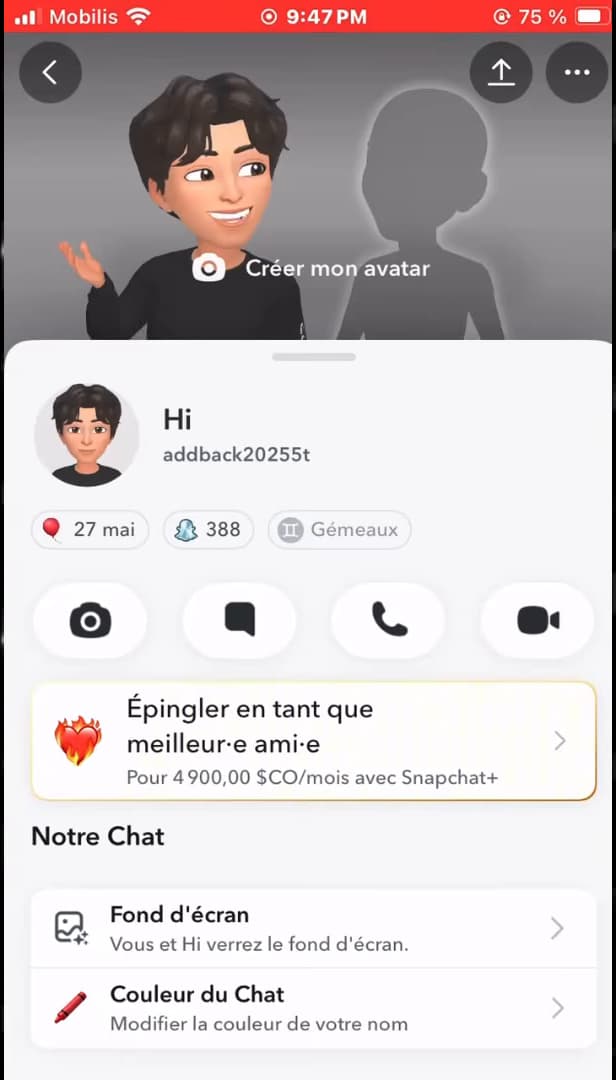
The Bitmoji and profile status give clues to activity. Tap the person's "name" to open their profile. An "animated Bitmoji" or a status can indicate they're active right now.
Turn on "Bitmoji Notifications"
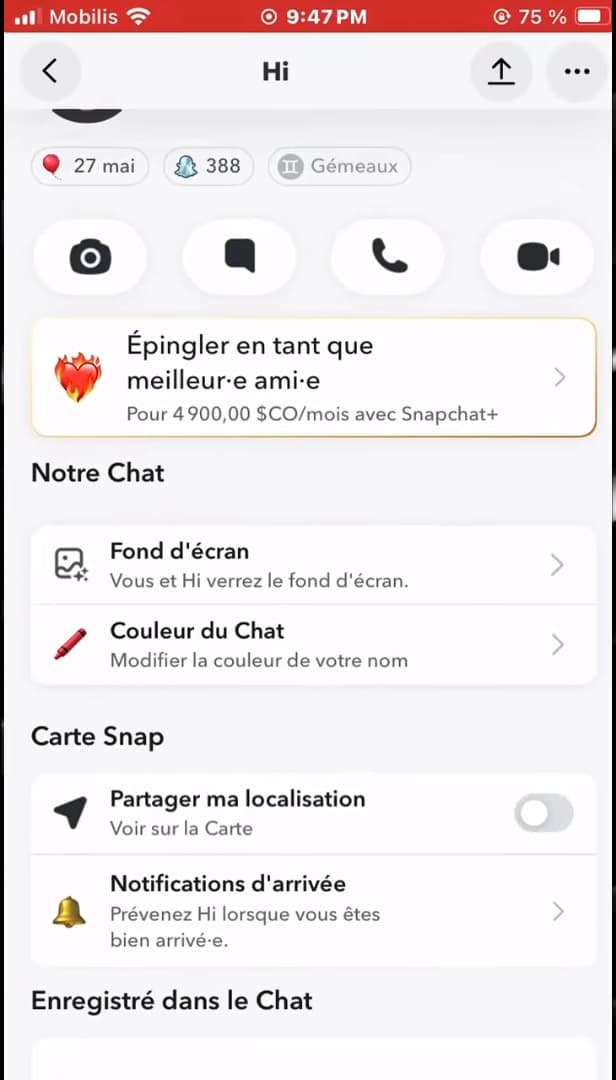
"Bitmoji Notifications" alert you as soon as the friend is active. Still on the profile, turn on "Bitmoji Notifications": Snapchat will alert you as soon as the person "becomes active". It's the most reliable way to know when they're online.
Good to know
None of these methods show a 100% reliable "online" status, but "Bitmoji Notifications" remain the most reliable way to be alerted as soon as someone connects.
Good to know
- Snapchat has "no visible online status" like some other apps: these are just signs.
- "Bitmoji Notifications" only work with mutual friends.
- "Recent activity" (the time next to the name) remains the simplest sign to check.
Frequently asked questions
- Does Snapchat show an "online" status?
- No, there's no classic online status. You rely on signs: recent activity time, animated Bitmoji, and above all Bitmoji Notifications.
- How do I get notified when a friend connects?
- Open their profile and turn on "Bitmoji Notifications". Snapchat will send you a notification as soon as they become active.
- Do Bitmoji notifications work with everyone?
- No, only with your mutual friends. The person must have added you back for the feature to be available.
Related tutorials
 SnapchatHow to tell if someone has blocked you on SnapchatA contact has disappeared from Snapchat? Here are the signs that point to a block and how to check them, step by step.
 SnapchatHow to add friends on SnapchatWant to find your friends on Snapchat? Here's how to add them by username or suggestions, step by step.
 SnapchatHow to Block and Unblock Someone on SnapchatWant to block someone on Snapchat, or unblock them? Here are both methods, step by step, from your phone.
 SnapchatHow to Remove Your Bitmoji on SnapchatWant to remove your Snapchat Bitmoji and go back to a plain icon? Here's how to unlink it, step by step.