
How to recover your deleted Snaps on Snapchat
Looking to find old Snaps, memories or conversations? The only official method to recover your Snaps on Snapchat is to download a copy of your data. Here's how to do it, step by step.
Prefer a video? Watch the full tutorial below.
Recovering your Snapchat data, step by step
Sign in to your data
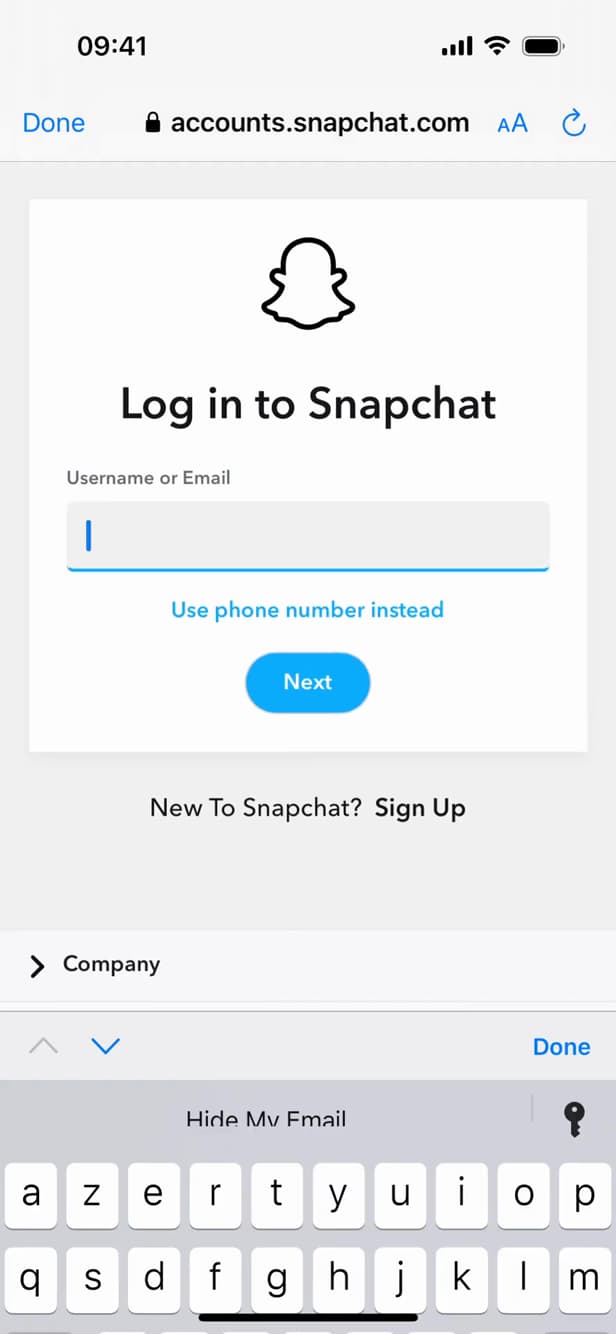
Sign in at "accounts.snapchat.com" to access your data. Go to "accounts.snapchat.com" (or Settings › "My Data") and sign in with your username and password.
Select the data to export
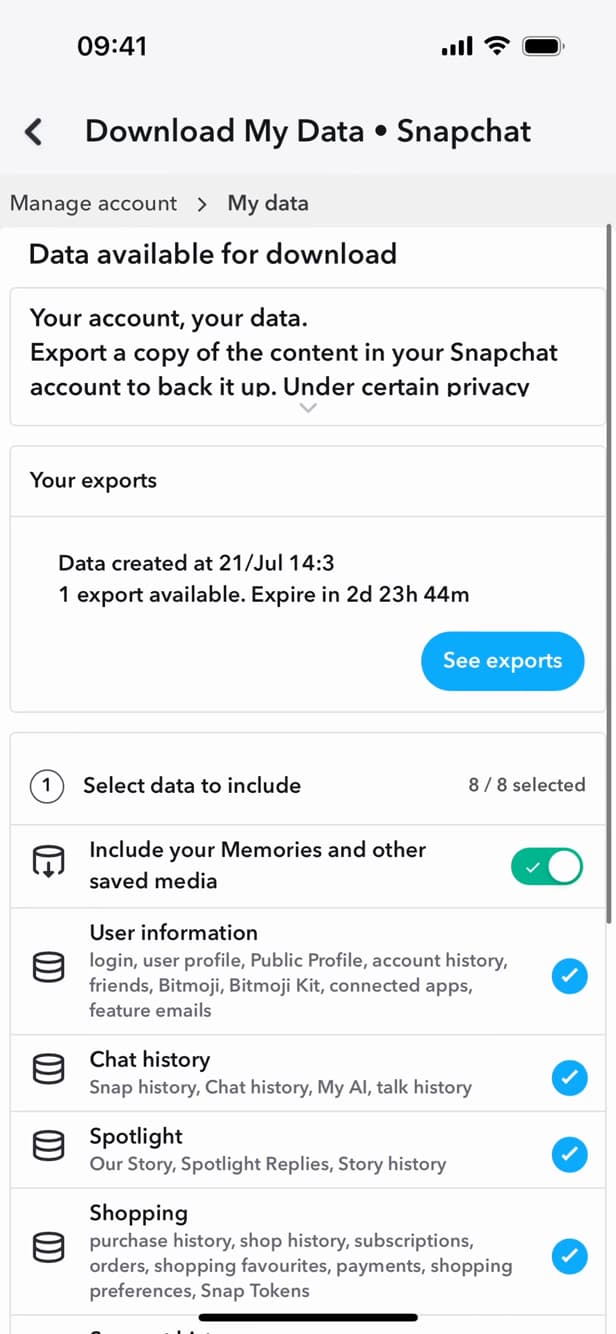
Check your memories and history, then request the export. Open "Download My Data", check "Include your Memories and other saved media" as well as your chat history, then submit the export request.
Download the archive
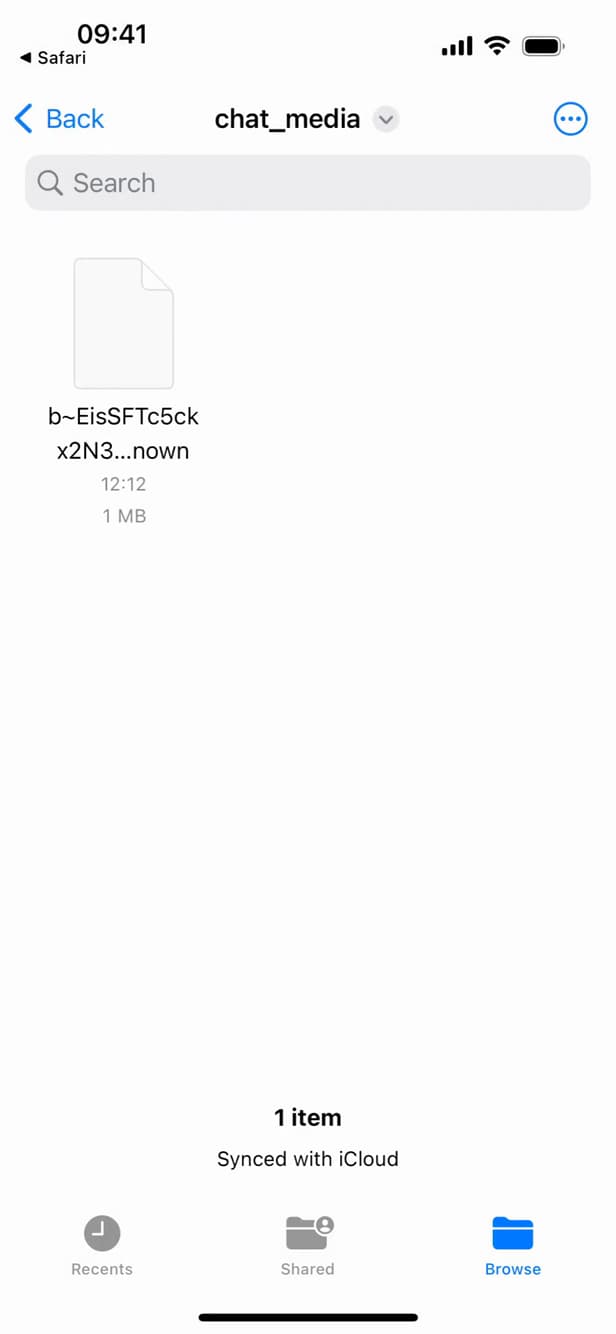
Once it's ready, download the archive: your saved Snaps are inside. When Snapchat notifies you by email that the export is ready, go back to "Your exports" and tap "Download". Your saved Snaps are inside the .zip file.
Good to know
The export contains everything Snapchat has kept: your memories, chat history and saved media. However, a Snap that was never saved is gone for good and can't be recovered.
Good to know
- Only saved Snaps (Memories, saved media) are included in the export.
- Preparing the archive can take anywhere from a few hours to a day.
- To stop losing anything, turn on "Memories backup" in the settings.
Frequently asked questions
- Can you recover a Snap that was never saved?
- No. Snapchat doesn't keep unsaved ephemeral Snaps: once viewed and expired, they're deleted permanently.
- How long does it take to get the archive?
- From a few hours to around 24 hours. Snapchat emails you a download link when the export is ready.
- Where are my photos in the downloaded file?
- In the "memories" and "chat_media" folders of the .zip archive, once it's unzipped.
Related tutorials
 SnapchatHow to Identify a Song on SnapchatIs music playing around you? Here's how to identify it with Snapchat (Shazam), step by step.
 SnapchatHow to add friends on SnapchatWant to find your friends on Snapchat? Here's how to add them by username or suggestions, step by step.
 SnapchatHow to Save Your Snapchat Memories to Your GalleryWant your Snapchat Memories to show up in your phone's gallery? Here's how to turn on automatic saving, step by step.
 SnapchatHow to change your email address on SnapchatWant to change the email linked to your Snapchat account? Here's how to do it, step by step.