
How to Identify a Song on Snapchat
A song is playing and you want its title? You can identify a song on Snapchat thanks to the built-in Shazam. Here's how to do it, step by step.
Prefer a video? Watch the full tutorial below.
Identifying a song on Snapchat, step by step
Start the scan
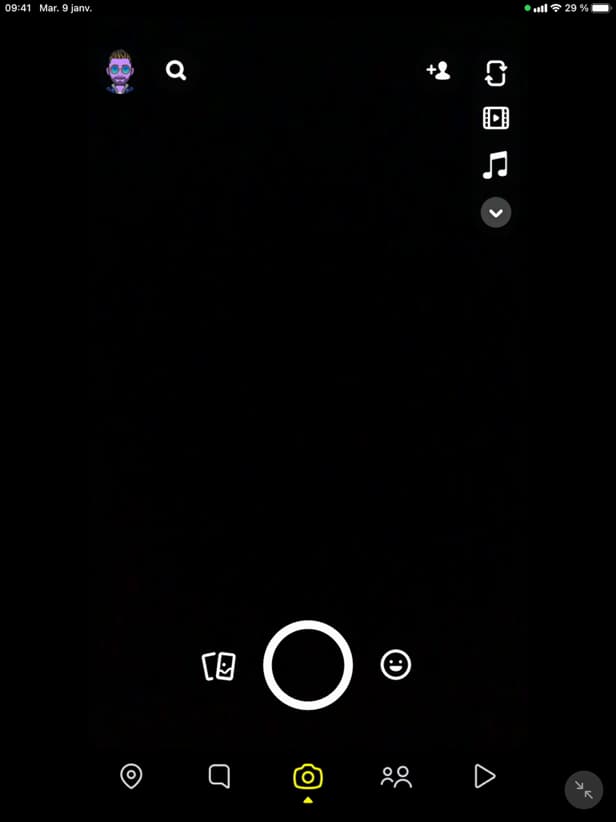
A long press starts the Shazam scan built into Snapchat. On the Snapchat camera, "press and hold" your finger on the screen while the music plays.
Let Snapchat identify it
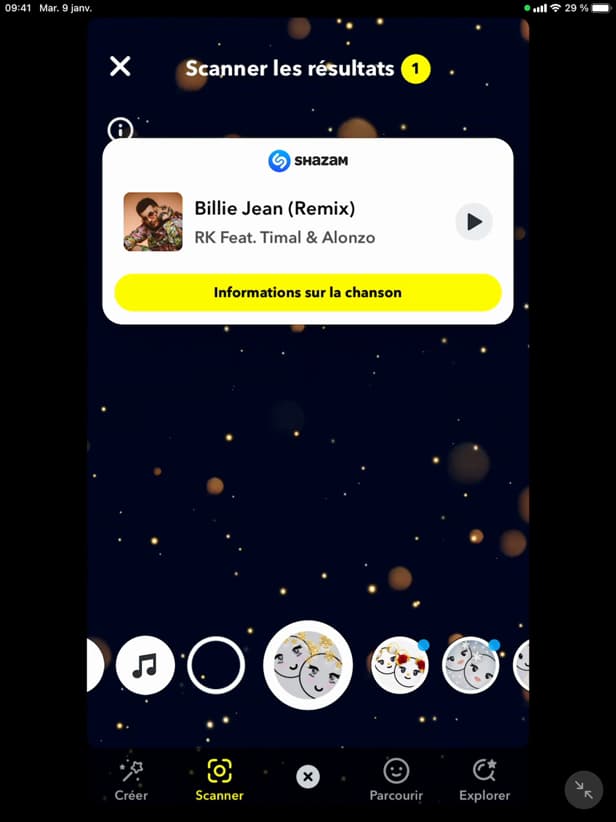
Snapchat displays the recognized title and artist. Snapchat analyzes the sound and shows the song's "title" and "artist."
Open the song
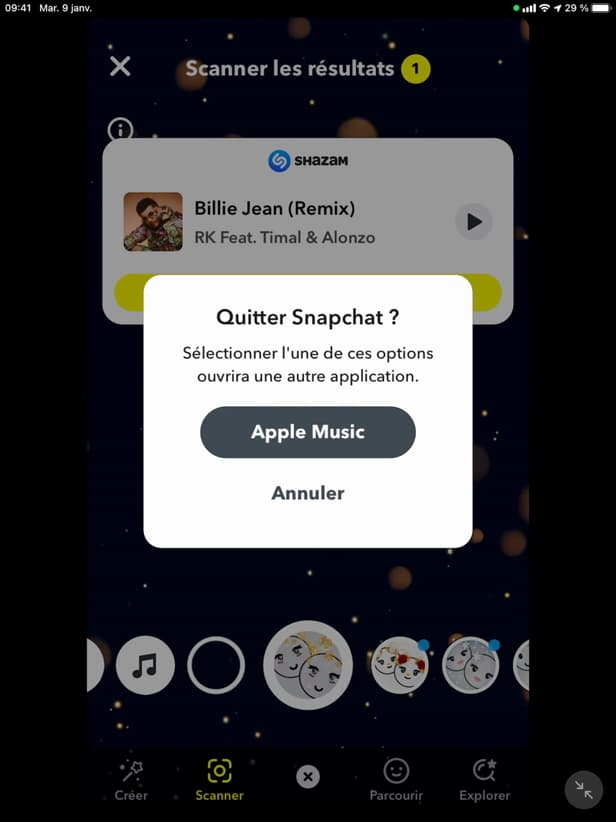
You can listen to the track in Apple Music or Shazam. Tap "Song info" to open it in "Apple Music" or "Shazam."
Good to know
Snapchat gives you the "exact title" and artist in seconds, thanks to "Shazam." You can then "listen" to the track or save it.
Good to know
- This feature uses "Shazam" (owned by Apple), built into Snapchat.
- The sound needs to be "clear enough" and not drowned out by noise to be recognized.
- From the result, open the track in "Apple Music" or "Shazam."
Frequently asked questions
- Do I need to install Shazam for this?
- No. Recognition is built directly into Snapchat; Shazam doesn't need to be installed separately.
- Why isn't the music recognized?
- If the sound is too faint or drowned out by voices or noise, identification can fail. Get closer to the source.
- Where can I listen to the song I found?
- From "Song info," you can open it in Apple Music or Shazam to listen to the whole thing.
Related tutorials
 SnapchatHow to add friends on SnapchatWant to find your friends on Snapchat? Here's how to add them by username or suggestions, step by step.
 SnapchatHow to recover your deleted Snaps on SnapchatWant to find old Snaps or memories? Here's how to recover your Snapchat data, step by step.
 SnapchatHow to change your email address on SnapchatWant to change the email linked to your Snapchat account? Here's how to do it, step by step.
 SnapchatHow to Change the Language on SnapchatIs Snapchat in the wrong language? Here's how to change the app's language, step by step.