
How to create a second Snapchat account
Want to keep private and public life separate, or try out a new username? You can create a second Snapchat account and switch easily between the two. Here's how to do it, step by step.
Prefer a video? Watch the full tutorial below.
Creating a second Snapchat account, step by step
Log out of the current account
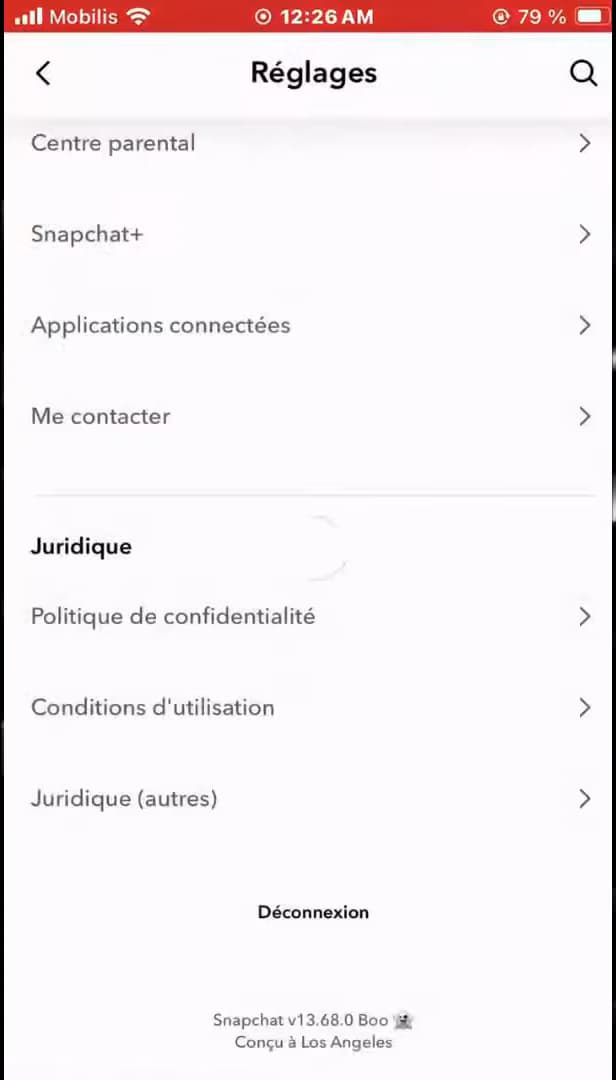
"Log Out" takes you back to the login screen. Open Settings (⚙️), scroll all the way down and tap "Log Out".
Create the new account
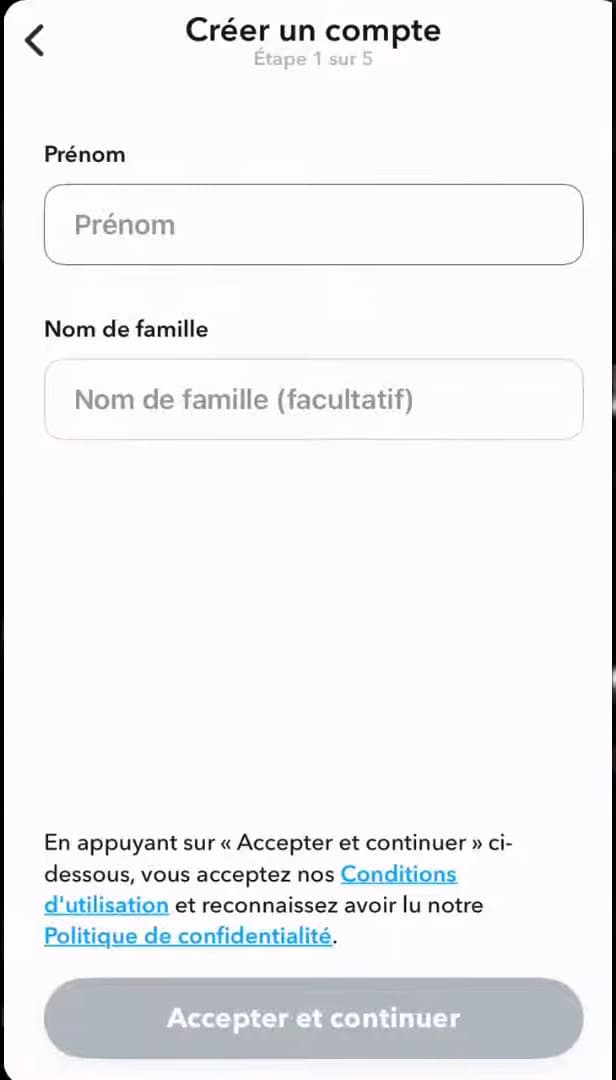
"Sign Up" starts creating a new account. On the login screen, tap "Sign Up", then fill in your first name, date of birth, email (or phone number) and a username.
Switch between your accounts

"Use another account" lets you switch quickly. To go back to an account, log out and choose "Use another account": Snapchat remembers your login details.
Good to know
You now have two Snapchat accounts. Unlike some other apps, Snapchat doesn't handle multiple accounts at once: you switch by logging out and then choosing the other account.
Good to know
- Each account needs its own separate email address (or phone number).
- Snapchat remembers your accounts for quick switching via "Use another account".
- There's no official simultaneous multi-account feature on Snapchat.
Frequently asked questions
- Can you have two Snapchat accounts at the same time?
- No, not simultaneously. You switch between them by logging out, then using "Use another account".
- Do I need a different email for the second account?
- Yes. Each Snapchat account must be tied to a different email address (or phone number).
- How do I switch back to my first account quickly?
- Log out, then choose "Use another account": Snapchat has saved your login details.
Related tutorials
 SnapchatHow to Create a Group Chat on SnapchatWant to chat with several people on Snapchat? Here's how to create a group, step by step.
 SnapchatHow to Set the Snap Timer on SnapchatWant to choose how long a Snap stays on screen? Here's how to set its duration, step by step.
 SnapchatHow to Share a Link on SnapchatWant to send a link in a Snap? Here's how to attach a URL to your Snap, step by step.
 SnapchatHow to Create a Custom Sticker on SnapchatWant to turn a photo into a sticker on Snapchat? Here's how to cut out your own sticker, step by step.