
How to Get an Auto Clicker on iPhone
Want to automate repeated taps (games, forms, etc.) on your iPhone? Good news: you can create an auto clicker on iPhone without installing anything, using the AssistiveTouch feature and custom gestures. Here's how to do it, step by step.
Prefer a video? Watch the full tutorial below.
Creating an auto clicker on iPhone, step by step
Open Accessibility, then Touch
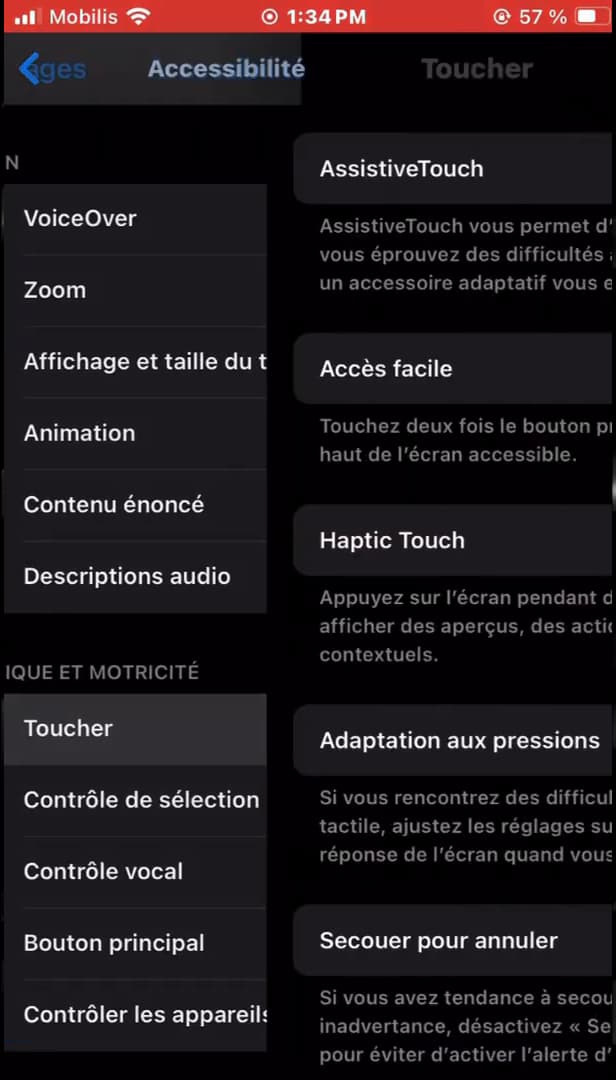
The auto clicker is created under "Accessibility" › "Touch". Open your iPhone's "Settings", go to "Accessibility", then "Touch".
Turn on AssistiveTouch
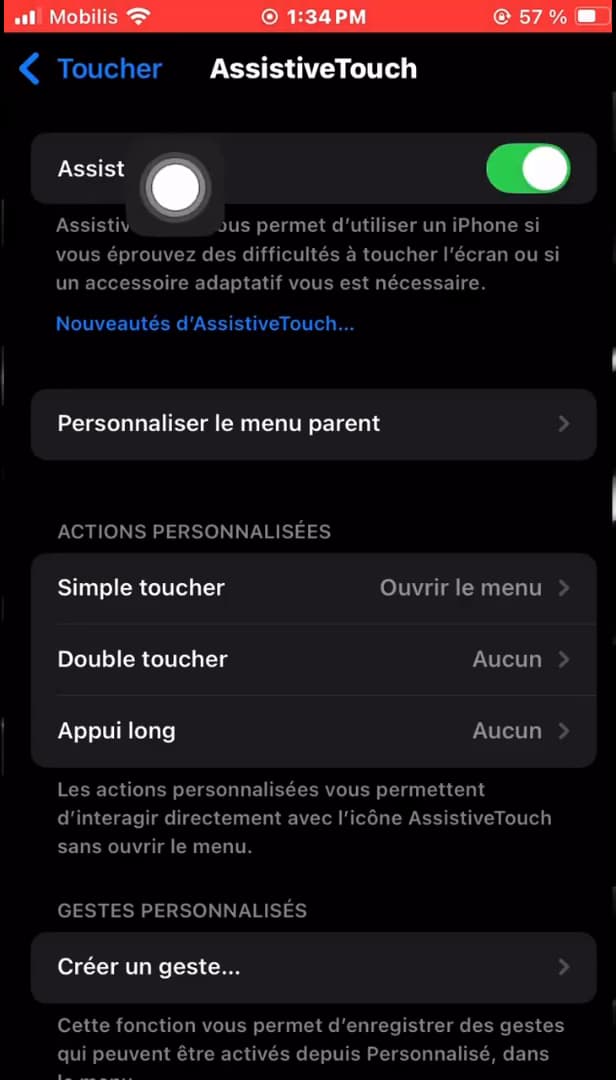
Once AssistiveTouch is on, a floating button appears. Open "AssistiveTouch" and flip the switch at the very top. A small "floating button" appears on your screen.
Create a custom gesture
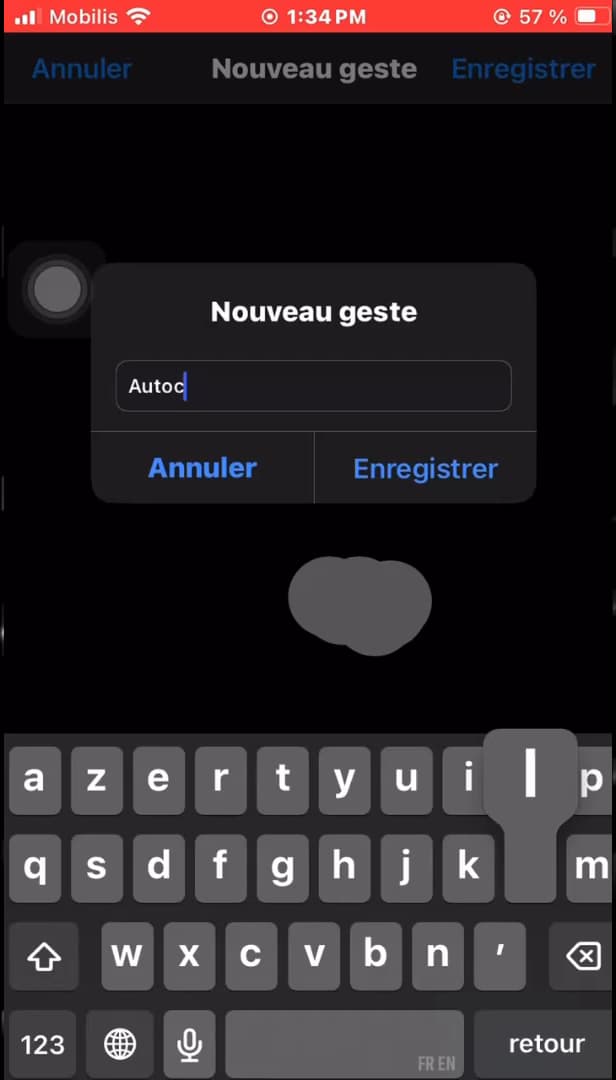
Record your taps, then name the gesture "Autoclicker". In AssistiveTouch, tap "Create New Gesture". Tap the same spot quickly several times to record the click, name the gesture (e.g. "Autoclicker"), then tap "Save".
Run the auto click
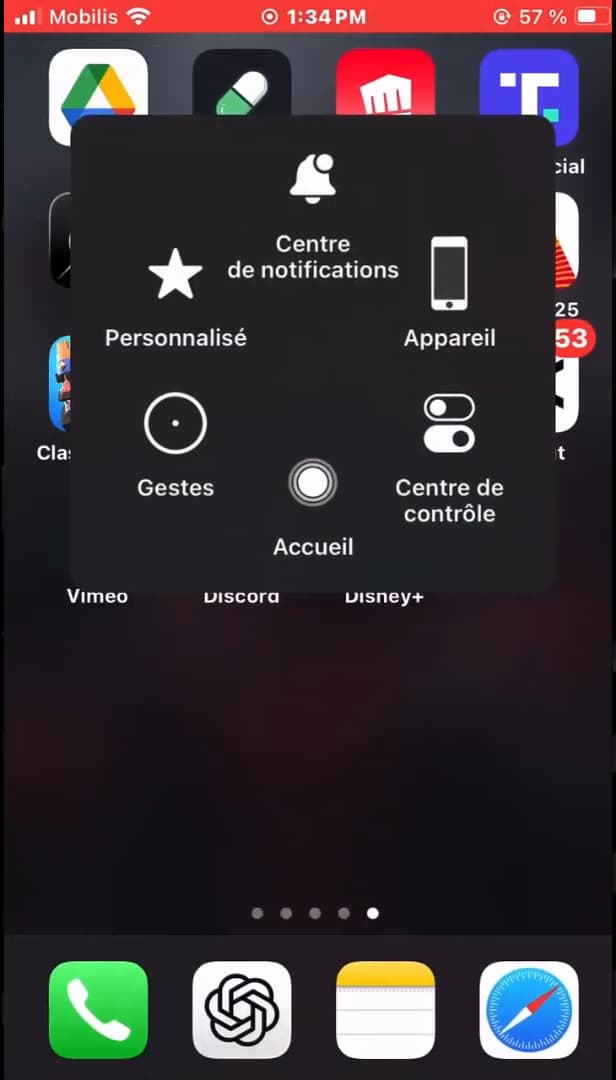
From the floating button, launch your auto-click gesture. Open the AssistiveTouch "floating button", go to "Custom" gestures and tap your gesture. Hold it on the screen: the iPhone repeats the click automatically.
Good to know
This "native" auto click needs no app and works in most apps. It replays exactly the gesture you recorded, wherever you trigger it.
Good to know
- The gesture replays your taps "exactly": redo it if the rhythm isn't right.
- Some "games" block automated gestures, so the auto click may not work there.
- You can create "several different gestures" and find them all in the AssistiveTouch menu.
Frequently asked questions
- Do I need to install an app for an iPhone auto click?
- No. AssistiveTouch and custom gestures are built into iOS, so you create an auto click without any third-party app.
- Does the auto click work in games?
- Often yes, but some games detect and block automated gestures. The result depends on the app you're targeting.
- How do I delete the auto-click gesture?
- Go back to Settings › Accessibility › Touch › AssistiveTouch › Custom Gestures, then delete the recorded gesture.
Related tutorials
 iPhoneHow to turn off read receipts on iPhoneDon't want to send read receipts in Messages anymore? Here's how to turn them off, step by step.
 iPhoneHow to Block Spam Calls on iPhoneTired of unwanted calls? Here's how to block spam calls on iPhone using Silence Unknown Callers, step by step.
 iPhoneHow to Change Your App Store Region on iPhoneWant to access apps from another country? Here's how to change your App Store region on iPhone, step by step.
 iPhoneHow to Create a PDF from the Files App on iPhoneWant to turn one or more images into a PDF? Here's how to create a PDF from the Files app on iPhone, step by step.