
How to See Your Liked Posts on Instagram
Looking for a photo you liked a long time ago? You can see all your liked posts on Instagram from "Your activity." Here's how to do it, step by step.
Prefer a video? Watch the full tutorial below.
Seeing your liked posts on Instagram, step by step
Open your profile
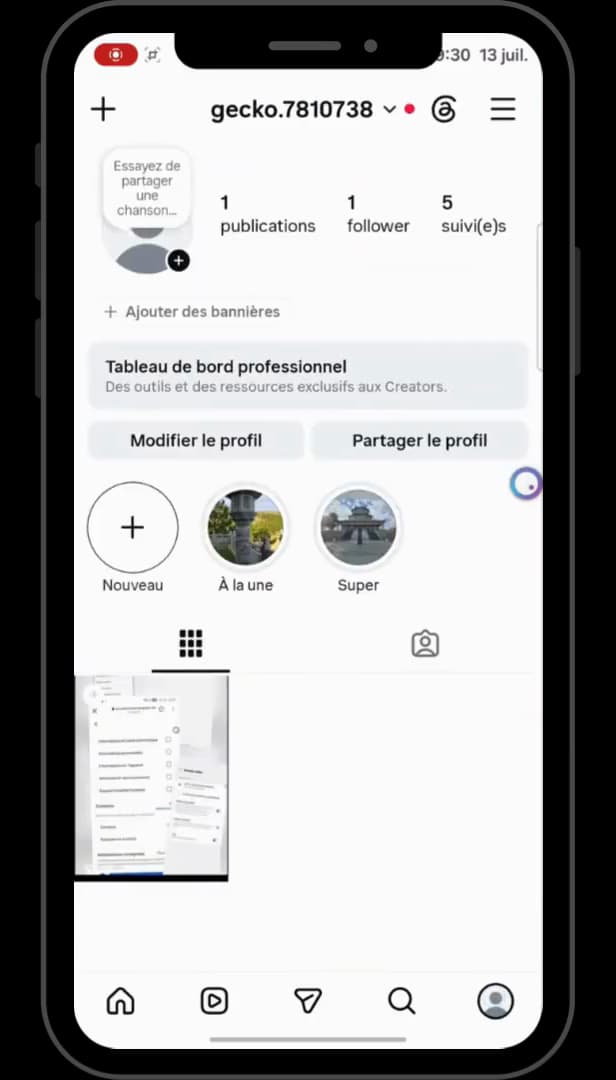
The "☰" menu gives access to "Your activity." On your profile, tap the "☰" menu in the top right.
Open "Your activity"
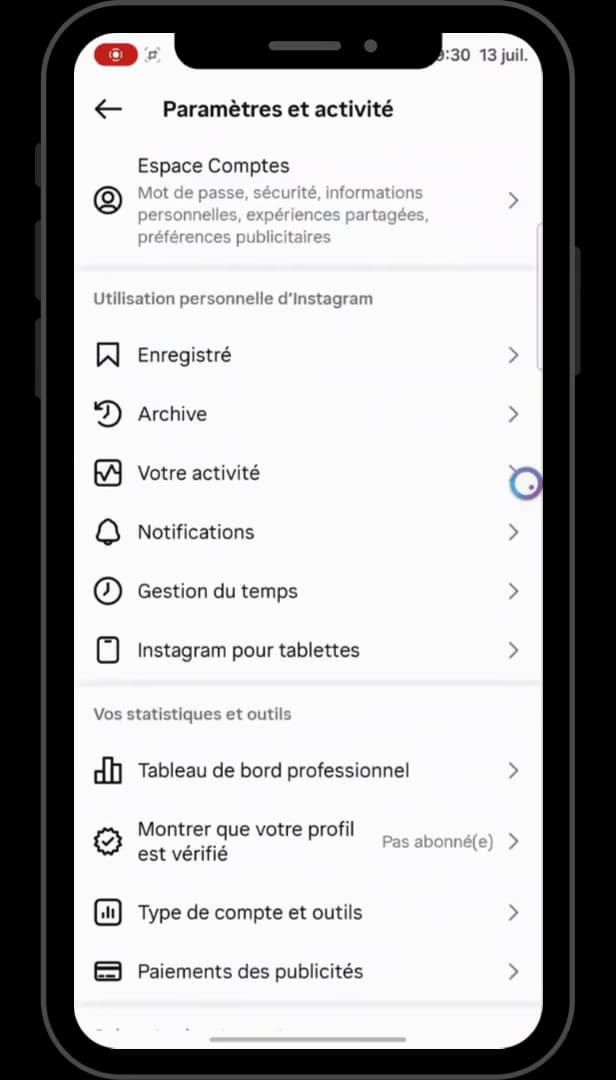
"Your activity" brings together your interactions, including your "Likes." Under "Settings and activity," tap "Your activity."
Open "Likes"
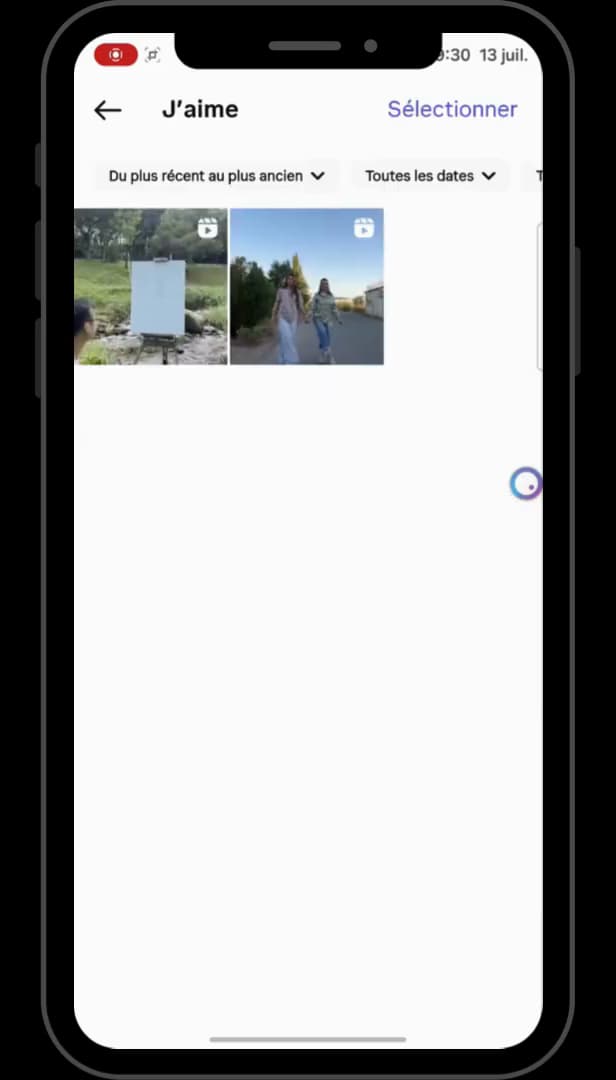
"Likes" lists every post you've liked. Under "Interactions," tap "Likes": all your liked posts appear.
Good to know
You can see all your "liked posts," from the most recent to the oldest. You can "unlike" them in bulk to clean things up.
Good to know
- Filter by "date" or sort "oldest to newest" to find a specific post.
- The "Select" button lets you "unlike several posts" at once.
- This list is "private": no one else can see your liked posts.
Frequently asked questions
- Can others see my liked posts?
- No. Your list of "Likes" is completely private and visible to you only.
- Can I unlike several posts at once?
- Yes. Use "Select" at the top of the "Likes" list to unlike several at once.
- Why do some posts no longer appear?
- If a post was deleted by its author, or you removed your like, it no longer appears in the list.
Related tutorials
 InstagramHow to Add a Person on InstagramWant to follow someone on Instagram? Here's how to find and add a person, step by step.
 InstagramHow to create a collection on InstagramWant to organize your saved posts on Instagram? Here's how to create a collection, step by step.
 InstagramHow to Share a Link in an Instagram StoryWant to add a clickable link to your Instagram story? Here's how, step by step.
 InstagramHow to change your bio on InstagramWant to edit your Instagram profile bio? Here's how to do it, step by step.