
How to create a collection on Instagram
Are your saved posts piling up in a jumble? You can create a collection on Instagram to sort your favorites by theme. Here's how to do it, step by step.
Prefer a video? Watch the full tutorial below.
Creating a collection on Instagram, step by step
Open "Saved"
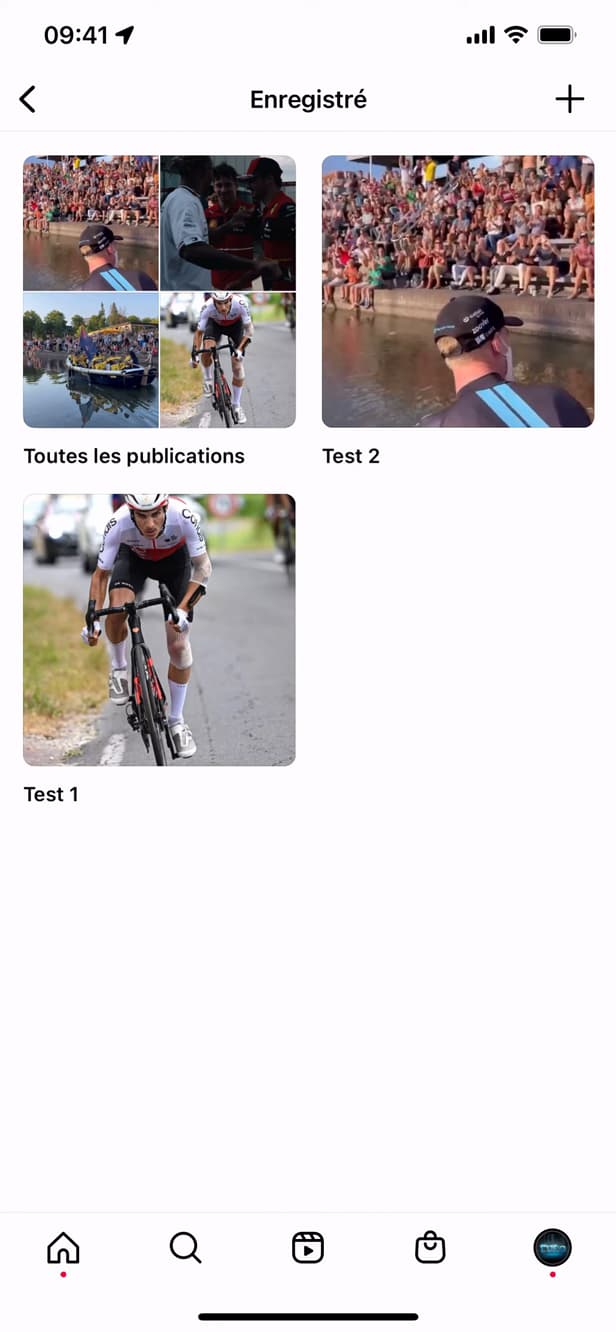
"Saved" brings together all your saved posts. Go to your profile › "☰" › "Saved" to see your saved posts.
Create and name the collection
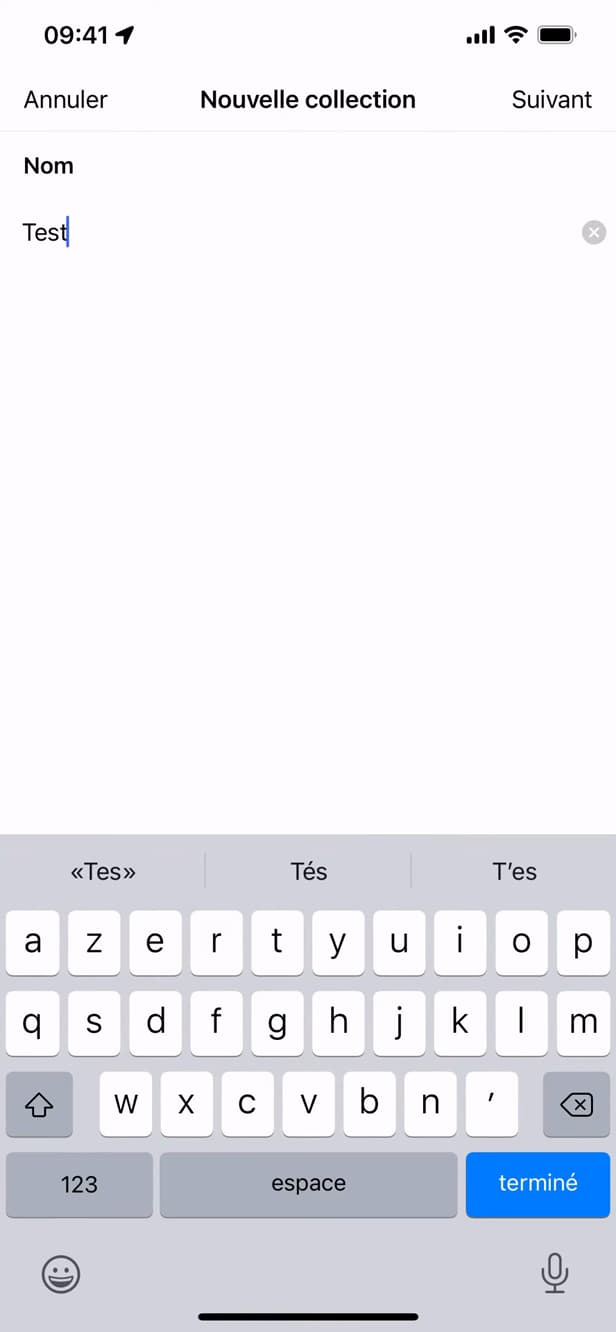
Name your collection so you can find it easily. Tap "+" (New collection), give it a "name", then confirm with "Next".
Add posts

Choose the posts to group together in the collection. Select the posts to put in the collection, then tap "OK".
Good to know
Your favorites are "organized by theme" and easy to find. Your collections stay "private": no one sees what you save.
Good to know
- Your saved posts and collections are "private" and invisible to others.
- You can save a post "directly" into a collection by holding down the bookmark icon.
- The same post can appear in "several" collections.
Frequently asked questions
- Can other people see my collections?
- No. Saved posts and collections are completely private: only you can access them.
- Can I save directly into a collection?
- Yes. Hold down the bookmark icon under a post to choose the destination collection.
- Can a post be in several collections?
- Yes. You can put the same post in as many collections as you like.
Related tutorials
 InstagramHow to See Your Liked Posts on InstagramWant to find the posts you've liked on Instagram? Here's how to view them, step by step.
 InstagramHow to Share a Link in an Instagram StoryWant to add a clickable link to your Instagram story? Here's how, step by step.
 InstagramHow to change your bio on InstagramWant to edit your Instagram profile bio? Here's how to do it, step by step.
 InstagramHow to Change Your Instagram Account LanguageInstagram showing in the wrong language? Here's how to change the app's language, step by step.