
How to change your bio on Instagram
Want to polish how you present yourself? You can change your bio on Instagram in seconds from "Edit profile". Here's how to do it, step by step.
Prefer a video? Watch the full tutorial below.
Changing your bio on Instagram, step by step
Open "Edit profile"
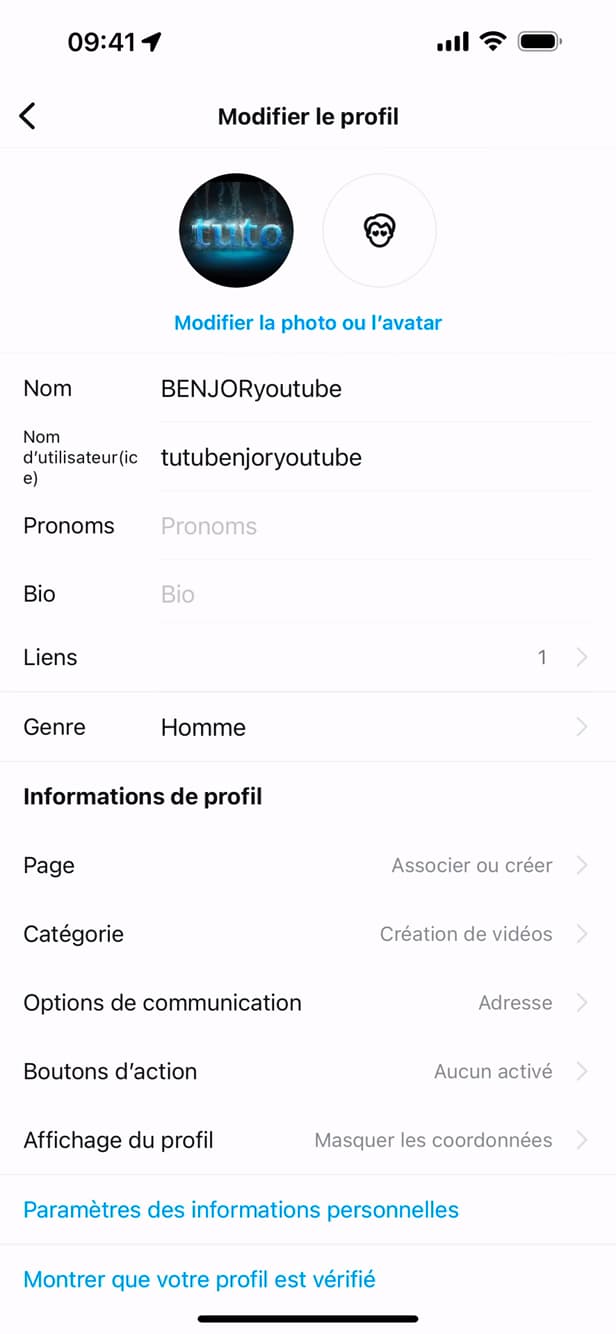
"Edit profile" holds your name, bio and links. On your profile, tap "Edit profile".
Tap "Bio"
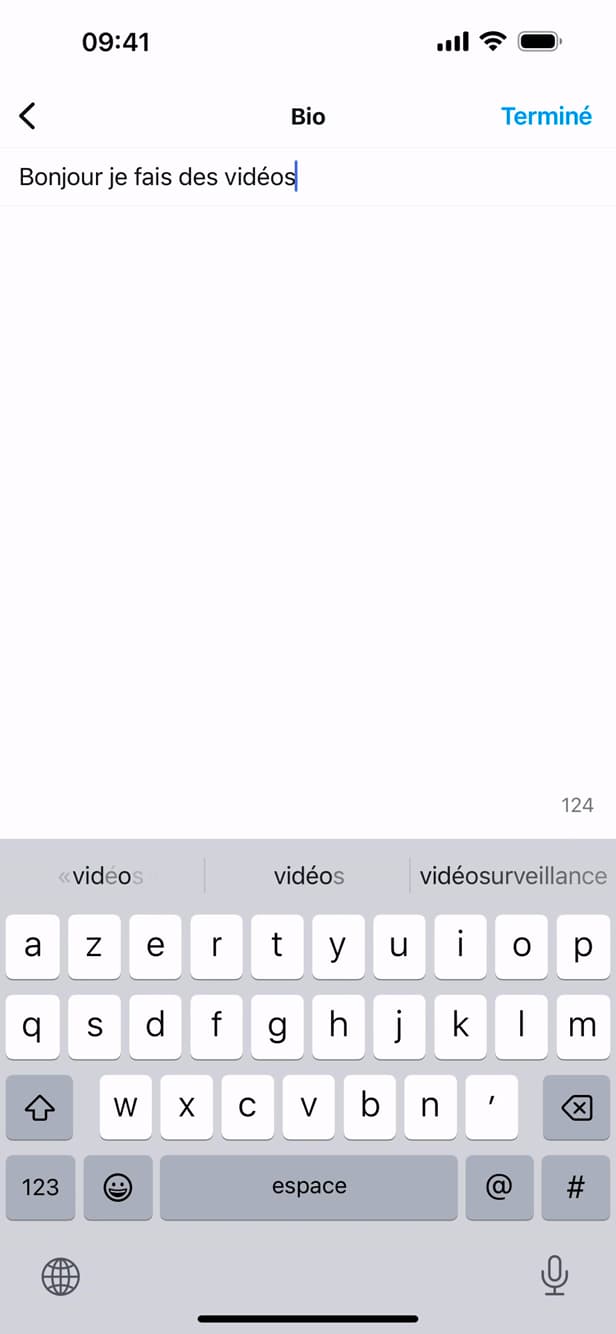
The bio is limited to 150 characters. Tap the "Bio" field and enter your new text (150 characters max).
Save

"Done" saves the new bio on your profile. Tap "Done" (or "✓") to save your new bio.
Good to know
Your new bio appears "instantly" on your profile. You can add "emojis", clickable "hashtags" and "@mentions".
Good to know
- The bio allows "150 characters" max, emojis included.
- "#hashtags" and "@mentions" in the bio become clickable.
- For a link, use the dedicated "Links" field rather than the bio.
Frequently asked questions
- How many characters can an Instagram bio have?
- 150 characters max, including emojis and spaces.
- Can I put a link in my bio?
- Use the dedicated "Links" field: you can add one or more clickable URLs there, separate from the bio text.
- Are hashtags in the bio clickable?
- Yes. #hashtags and @mentions added to the bio become clickable links.
Related tutorials
 InstagramHow to Change Your Instagram Account LanguageInstagram showing in the wrong language? Here's how to change the app's language, step by step.
 InstagramHow to change your birthday on InstagramWant to update your date of birth on Instagram? Here's how to change it, step by step.
 InstagramHow to Send a Message on InstagramWant to send a private message on Instagram? Here's how to do it, step by step.
 InstagramHow to set or change your Instagram profile photoWant to change your Instagram profile photo? Here's how to update it, step by step.