
How to Make Your Instagram Story Public
Want everyone to see your Instagram story, not just your close friends? On Instagram, if your account is public, your stories are too. A story posted to "Close Friends", however, stays limited to a small list. Here's how to make your story visible to everyone by opening up the Close Friends list, step by step.
Prefer a video? Watch the full tutorial below.
Making your Instagram story public, step by step
Create your story on Instagram
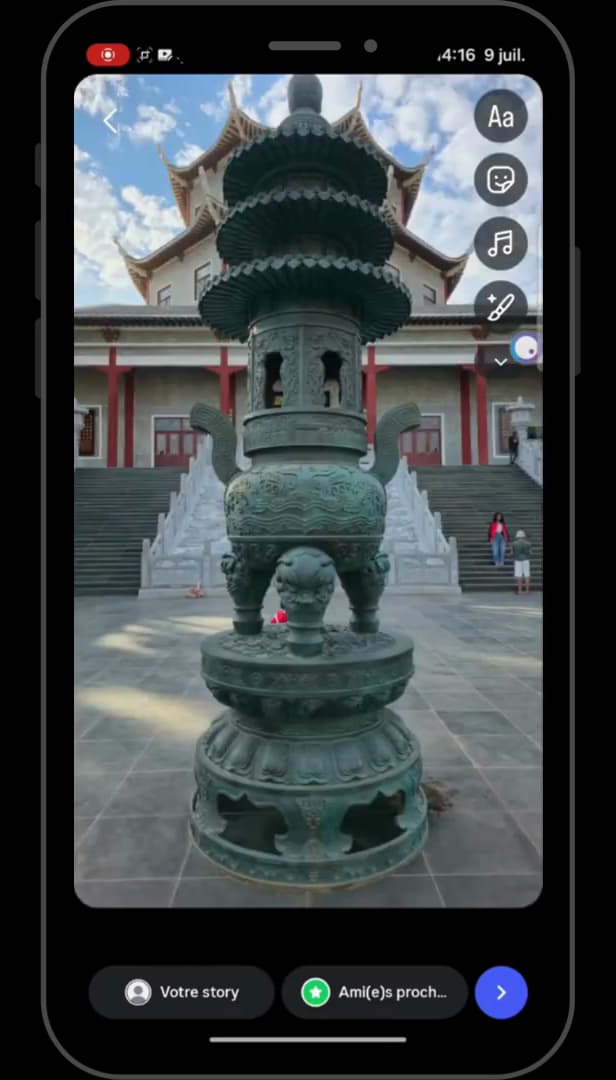
We start by creating a story in Instagram. Open "Instagram", tap the "+" at the top left, choose "Story", select a photo, then post it.
Open the story settings
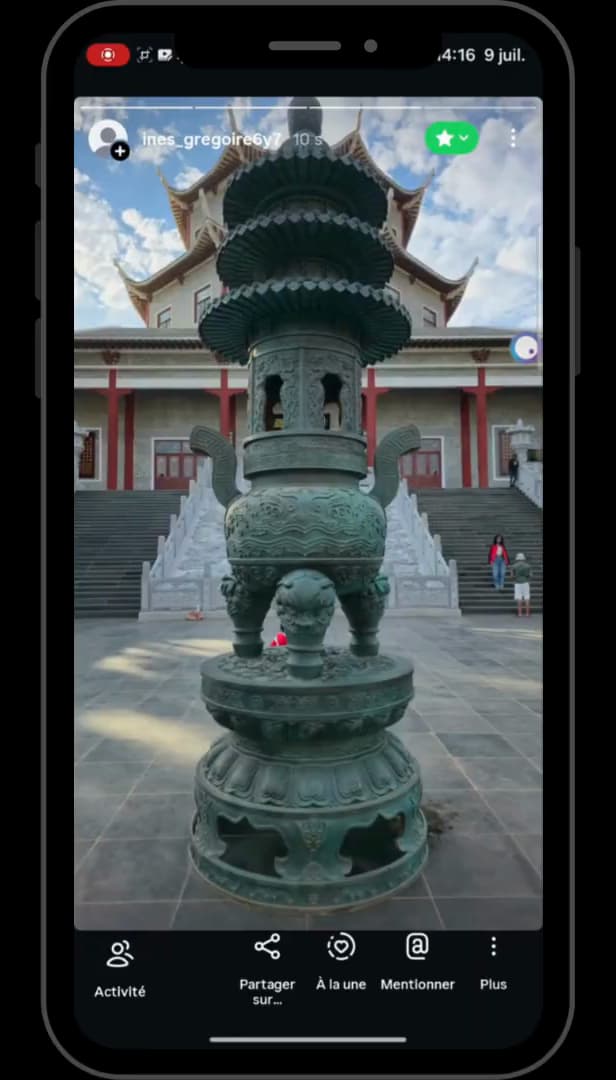
The story's three dots give access to its settings. Go back to your story, then tap the "three dots" at the top right and "Story settings".
Open the "Close Friends" section
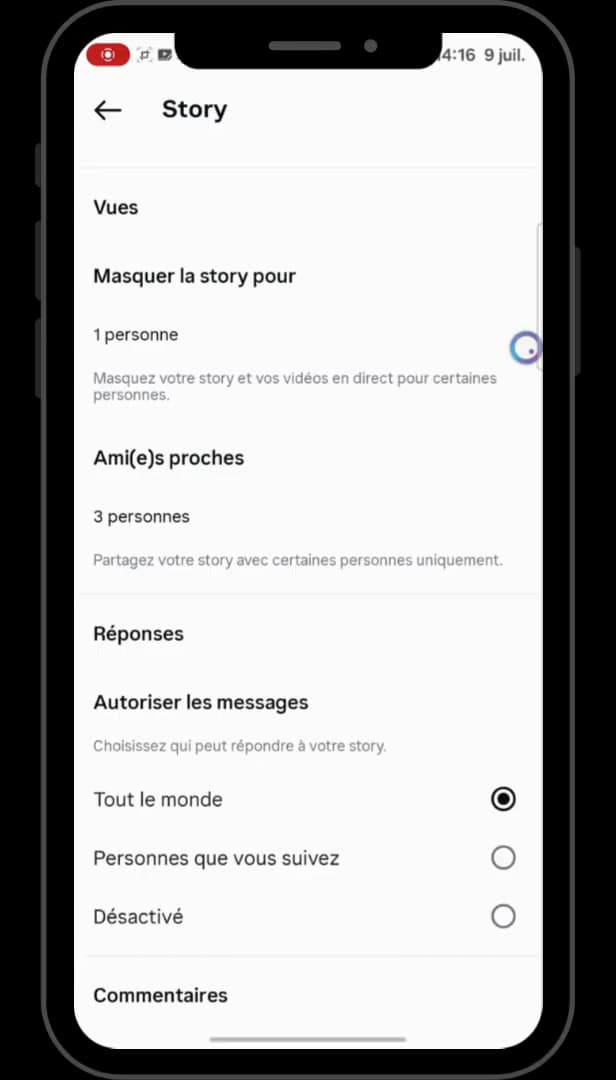
There's no direct "public story" option: you go through Close Friends. In the story settings, scroll down to "Close Friends" and open that list.
Add everyone to Close Friends
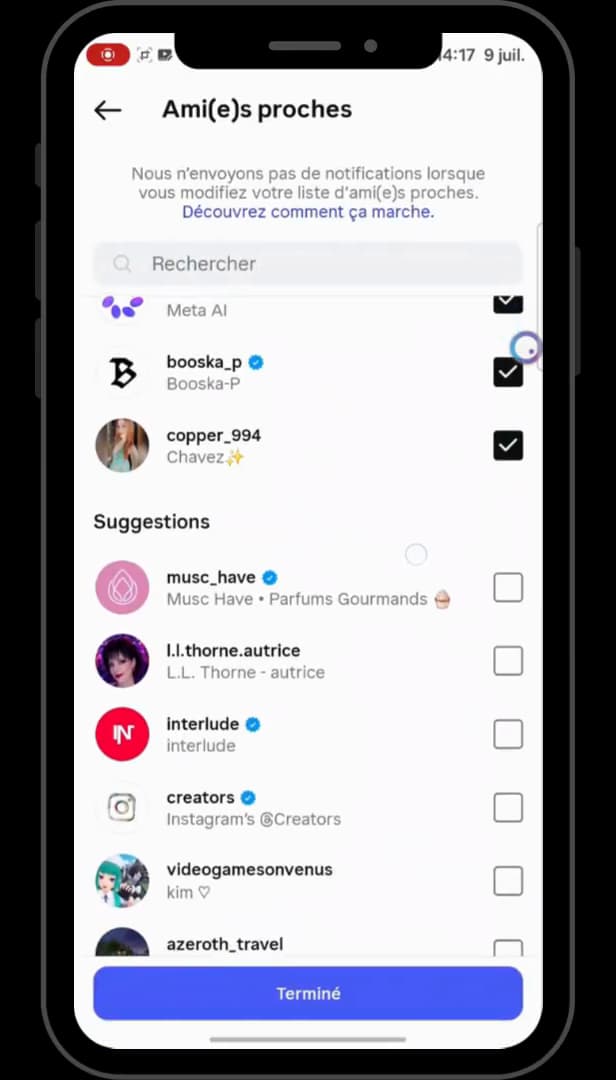
Check the suggestions, then confirm with "Done". In "Suggestions", check everyone you want to be able to see your story, then tap "Done" at the bottom of the screen. Your "Close Friends" story then becomes visible to all those accounts.
Good to know
For a story to be "truly public", the simplest approach is still to have a "public account" and post a regular story ("Your story") rather than a "Close Friends" one.
Good to know
- A "private account" always limits your stories to your followers, even a regular story.
- The "Close Friends" list can be edited at any time in the same place.
- People removed from Close Friends will no longer see the stories reserved for that list.
Frequently asked questions
- Is there a "public story" option on Instagram?
- No, not directly. If your account is public, your regular stories are public automatically. For a "Close Friends" story, you have to add people to that list.
- Who can see my story if my account is private?
- Only your followers. A private account prevents anyone outside from seeing your stories, even a regular story.
- How do I know if my story is public?
- A regular story ("Your story") is visible to all your followers (and to everyone if the account is public). A "Close Friends" story shows a green star and stays limited to that list.
Related tutorials
 InstagramHow to Share a Link in an Instagram StoryWant to add a clickable link to your Instagram story? Here's how, step by step.
 InstagramHow to change your bio on InstagramWant to edit your Instagram profile bio? Here's how to do it, step by step.
 InstagramHow to Change Your Instagram Account LanguageInstagram showing in the wrong language? Here's how to change the app's language, step by step.
 InstagramHow to See Your Liked Posts on InstagramWant to find the posts you've liked on Instagram? Here's how to view them, step by step.