
How to Get Your Instagram QR Code
Want people to follow you with a single scan? Instagram generates a QR code for your profile that people can scan to find you instantly. Here's how to get it and download it, step by step.
Prefer a video? Watch the full tutorial below.
Getting your Instagram QR code, step by step
Open your profile
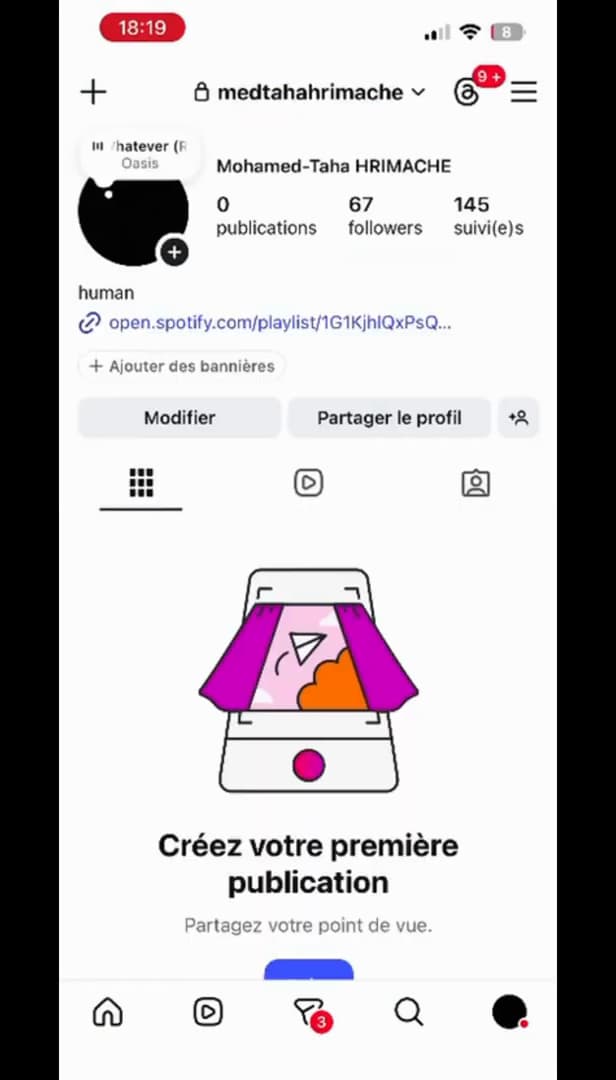
Open the "☰" menu from your profile. Open "Instagram", go to your "profile", then tap the "☰" menu in the top right.
Open "QR code"
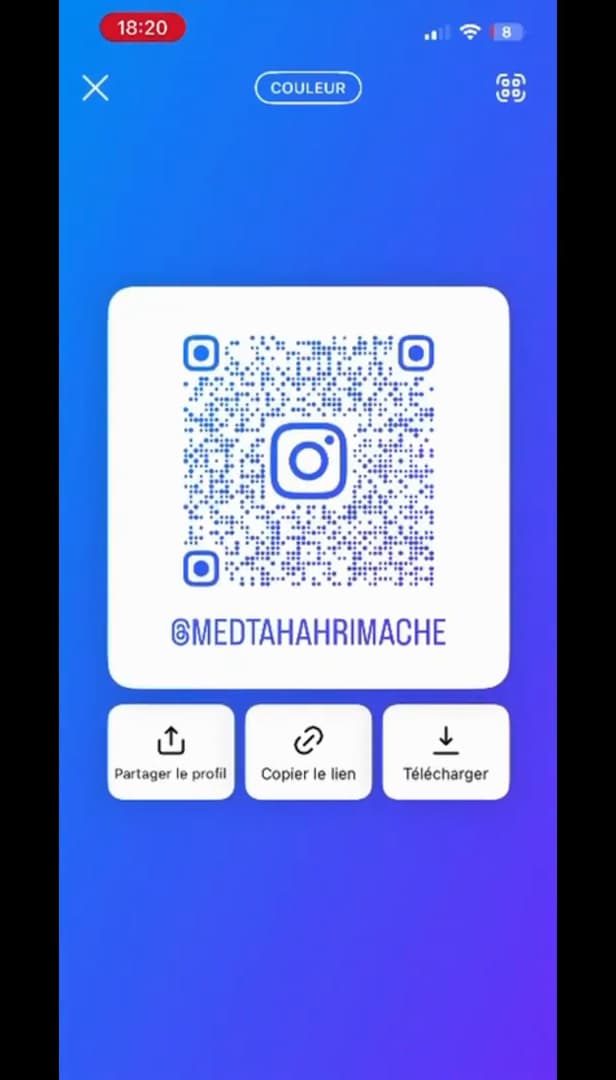
The "QR code" opens from your profile menu. In the menu, tap "QR code". Your code shows full screen; tap "Colour" at the top to change the background.
Share or download
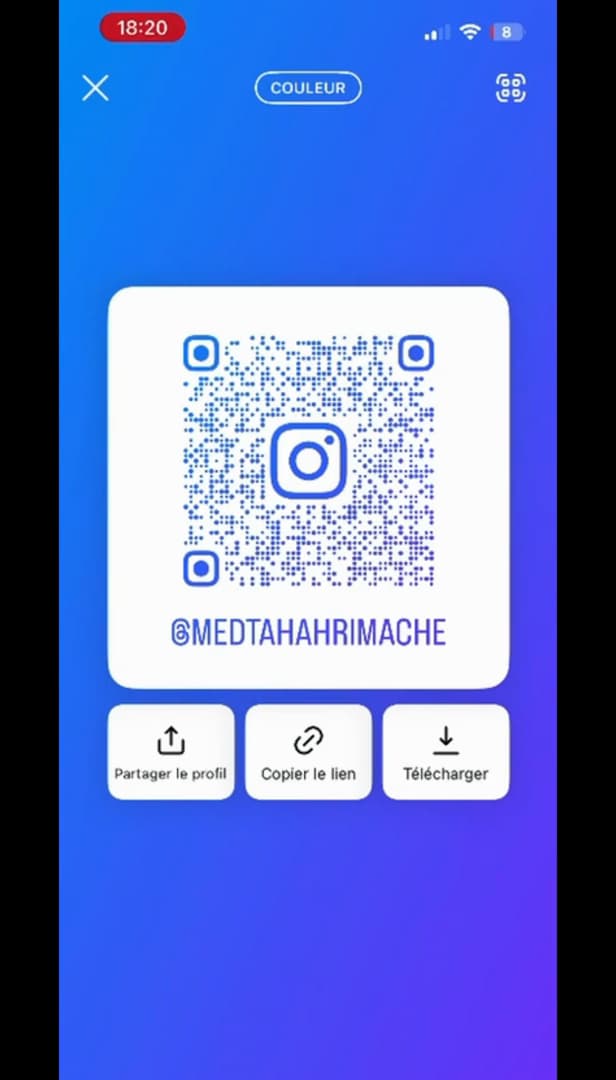
Download the QR code or share it in one tap. Tap "Download" to save it to your gallery, or "Share profile" / "Copy link".
Good to know
Your QR code is ready: print it, add it to your bio on another network, or show it in person. Anyone who scans it lands "directly" on your profile.
Good to know
- Any device can scan the QR code with the "camera" or the Instagram scanner.
- Change the "colour" or background style to match your look.
- The code stays "valid" as long as you don't change your username.
Frequently asked questions
- How do you scan an Instagram QR code?
- With your phone's camera, or via Instagram › menu › QR code › "Scan a QR code".
- Does the QR code change if I change my username?
- The QR code points to your profile; if you change your username, regenerate it to be sure it stays up to date.
- Can I put my QR code on a poster?
- Yes. Download it and print it: anyone who scans it lands on your profile.
Related tutorials
 InstagramHow to Share a Link in an Instagram StoryWant to add a clickable link to your Instagram story? Here's how, step by step.
 InstagramHow to set or change your Instagram profile photoWant to change your Instagram profile photo? Here's how to update it, step by step.
 InstagramHow to Download an Instagram ReelWant to save an Instagram Reel to your gallery? Here's the native method, step by step.
 InstagramHow to change your bio on InstagramWant to edit your Instagram profile bio? Here's how to do it, step by step.