
How to Download an Instagram Reel
Liked a Reel and want to keep it? You can download an Instagram Reel to your gallery when the option is available. Here's how to do it, step by step.
Prefer a video? Watch the full tutorial below.
Downloading an Instagram Reel, step by step
Open the Reel
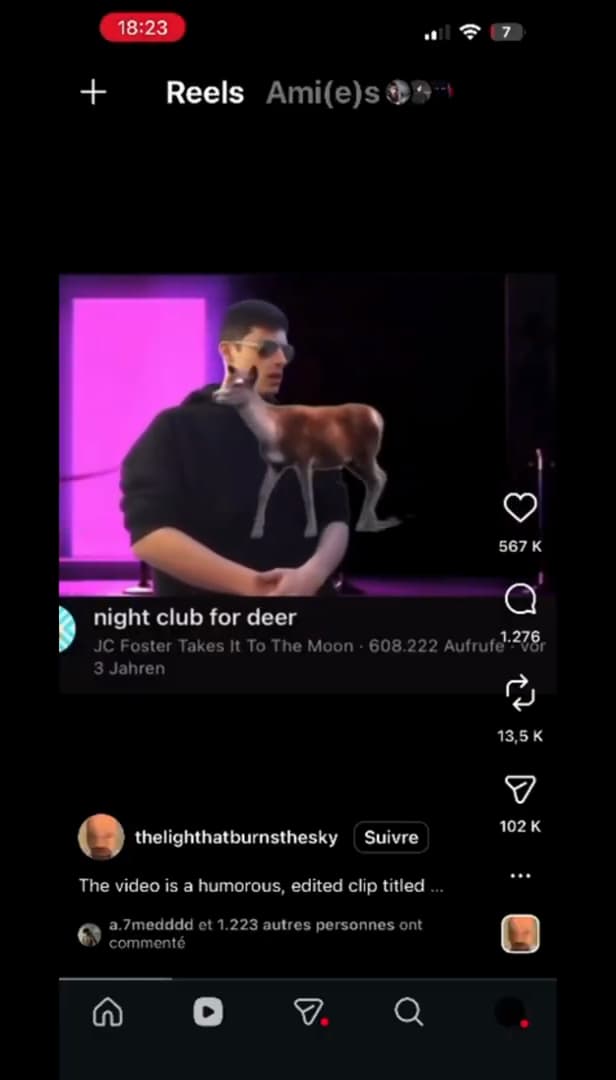
Open the Reel then tap the "Share" icon. Open the "Reel" you want to save and tap the "Share" icon (the paper plane) below the video.
Tap "Download"
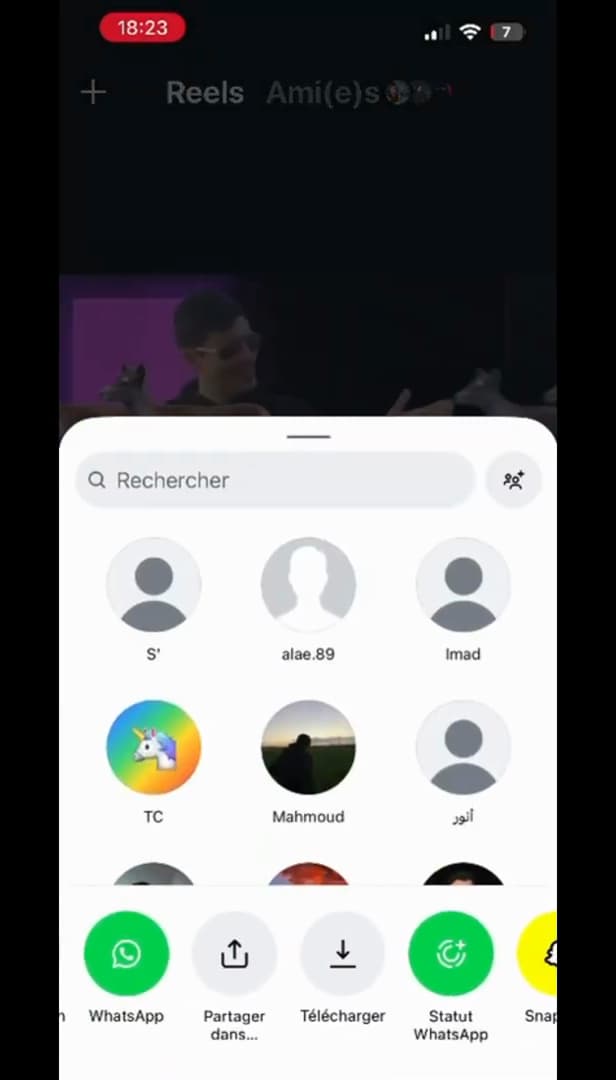
Choose "Download" in the share menu. In the share menu, tap "Download" (the downward arrow icon).
Wait for "Download complete"
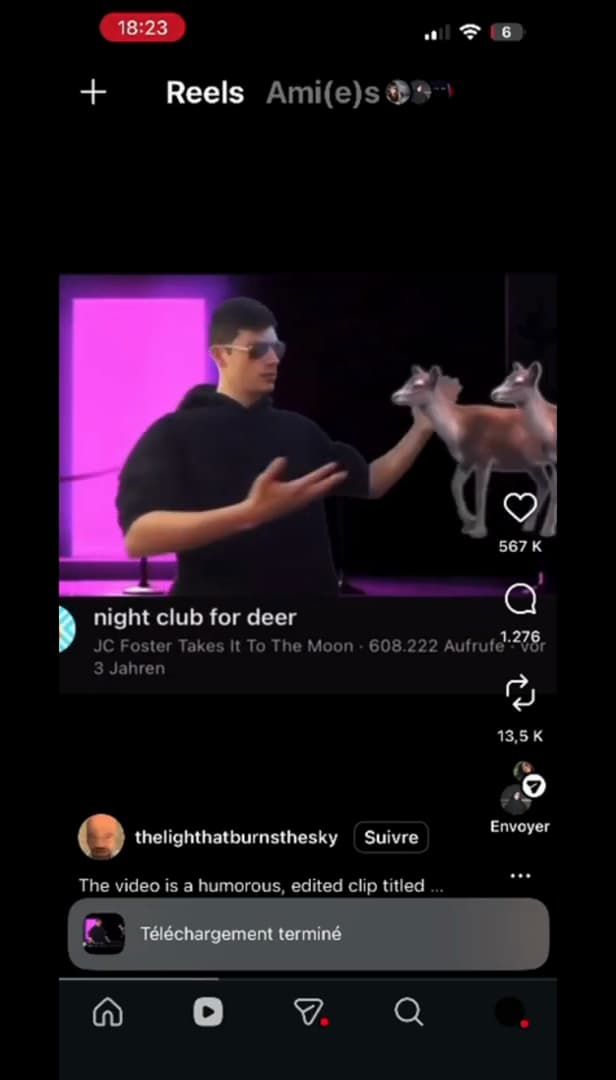
"Download complete": the Reel is in your gallery. A progress bar shows, then "Download complete". The Reel is now in your "gallery".
Good to know
The Reel is saved to your phone. The native option doesn't appear for every Reel: if it's missing, you can use "screen recording".
Good to know
- The "Download" option is only offered for certain "public" Reels.
- The saved Reel may carry a "watermark" with the creator's name.
- Respect "copyright": don't re-share someone else's video without permission.
Frequently asked questions
- Why don't I see the Download option?
- It's only available for certain public Reels whose creator allows downloading. Otherwise, use screen recording.
- Is the creator notified?
- No, Instagram doesn't send a notification when a public Reel is downloaded.
- Can I download a private Reel?
- No. Reels from private accounts or without a download option can't be saved natively.
Related tutorials
 InstagramHow to Get Your Instagram QR CodeWant to share your Instagram profile easily? Here's how to get and download your QR code, step by step.
 InstagramHow to recover an Instagram account without email or phone numberNo longer have access to the email or phone number on your Instagram account? Here's the official way to try to recover it, step by step.
 InstagramHow to Share a Link in an Instagram StoryWant to add a clickable link to your Instagram story? Here's how, step by step.
 InstagramHow to change your bio on InstagramWant to edit your Instagram profile bio? Here's how to do it, step by step.