
How to unfriend someone on Facebook
Want to clean up your contacts? You can unfriend someone on Facebook completely discreetly. Facebook doesn't offer a "remove all in one click": removal is done friend by friend. Here's how to do it, step by step.
Prefer a video? Watch the full tutorial below.
Unfriending someone on Facebook, step by step
Open the friend's menu
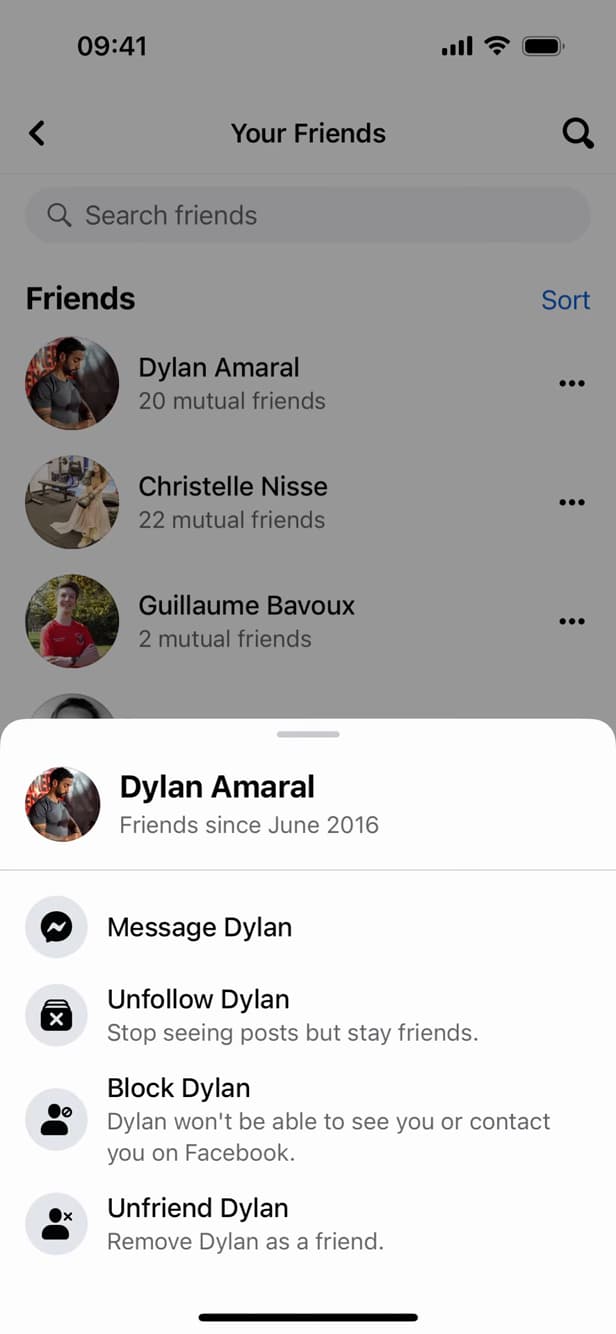
"Unfriend" starts removing the contact. In "Menu" › "Friends", tap "⋯" next to the person, then "Unfriend".
Confirm the removal
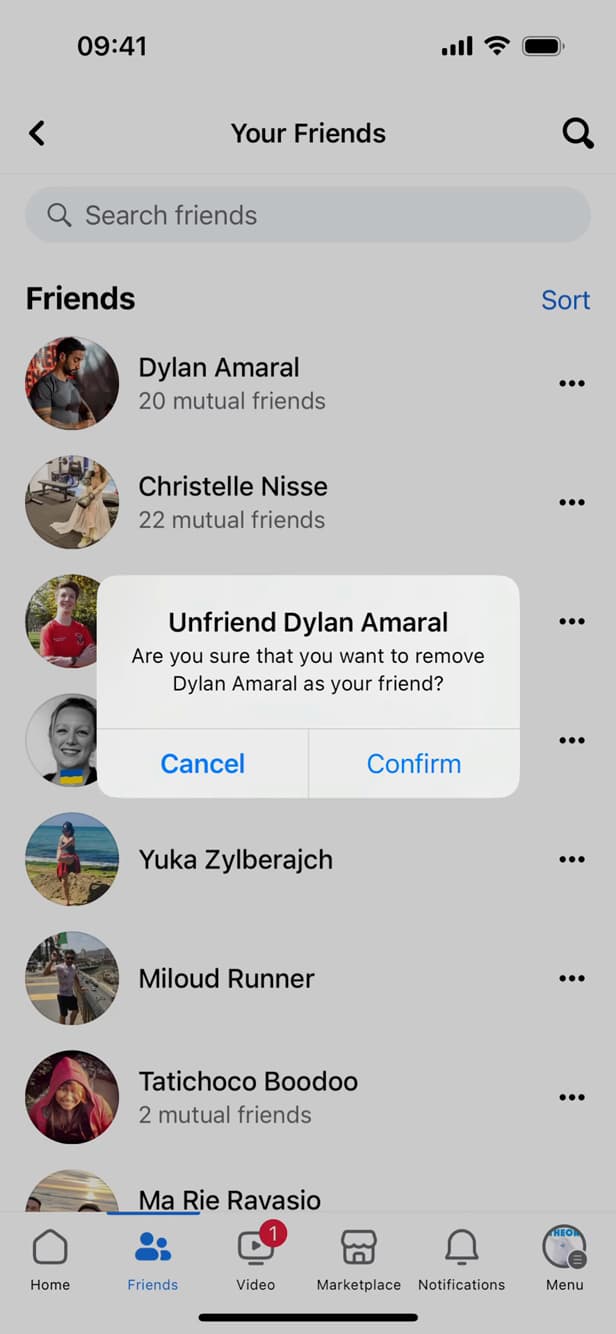
Confirmation prevents any accidental removal. Facebook asks for confirmation: tap "Confirm".
The friend is removed
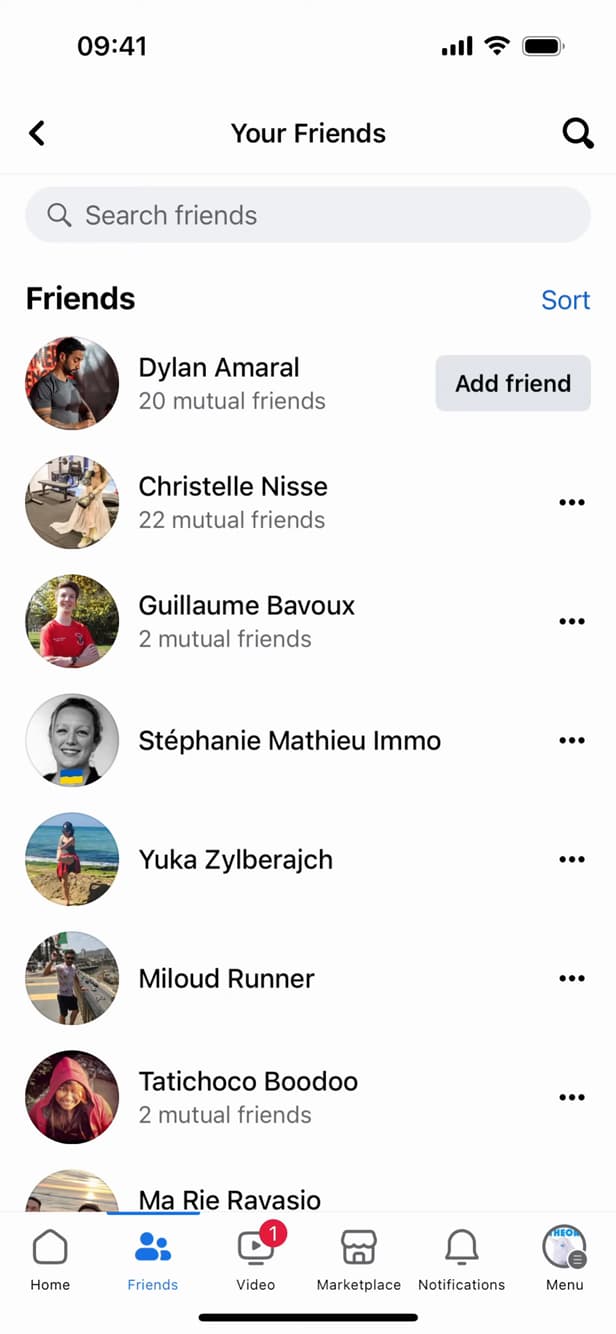
"Add Friend" shows the person is no longer in your friends. The person is no longer in your friends: the button now shows "Add Friend".
Good to know
The person is "removed" from your friends, with no notification. There is "no feature" to delete all friends at once: you have to remove them "one by one".
Good to know
- The removal is "discreet": the person isn't notified.
- To cut off all contact, use "Block" rather than simply unfriending.
- Removed by mistake? You can "send a new request" at any time.
Frequently asked questions
- Is the person notified if I unfriend them?
- No. Facebook sends no notification when you remove someone from your friends.
- Can I delete all my friends in one click?
- No. Facebook doesn't offer bulk removal: each friend is removed individually through their "⋯" menu.
- What's the difference between unfriending and blocking?
- Unfriending just removes the friendship link. Blocking also stops the person from seeing your profile and contacting you.
Related tutorials
 FacebookHow to Block or Unblock a Friend on FacebookWant to block or unblock someone on Facebook? Here's how to do it, step by step.
 FacebookHow to Delete a Profile Picture on FacebookWant to remove an old Facebook profile picture? Here's how to delete it, step by step.
 FacebookHow to send a poke on FacebookWant to poke a friend on Facebook? Here's how to send one, step by step.
 FacebookHow to Delete Your Drafts on FacebookPost drafts piling up on your Facebook account? Here's how to find them and delete them one by one, step by step.