
How to Delete Your Drafts on Facebook
Started some posts but never published them? These Facebook drafts pile up in your pending posts. Good news: Facebook clears them out on its own after 3 days, but you can also delete them manually right now to tidy up. Here's how to find and delete your drafts on Facebook, in a few seconds.
Prefer a video? Watch the full tutorial below.
Deleting a Facebook draft, step by step
Open the Facebook app
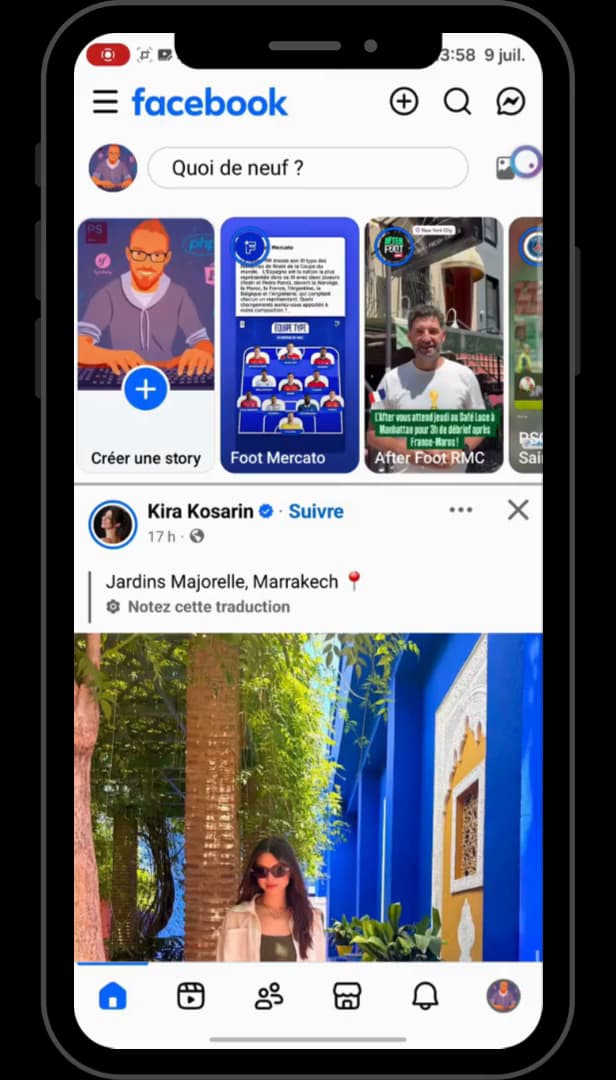
You reach your drafts directly from the Facebook app. On your phone, open the "Facebook" app and sign in to your account.
Open your notifications
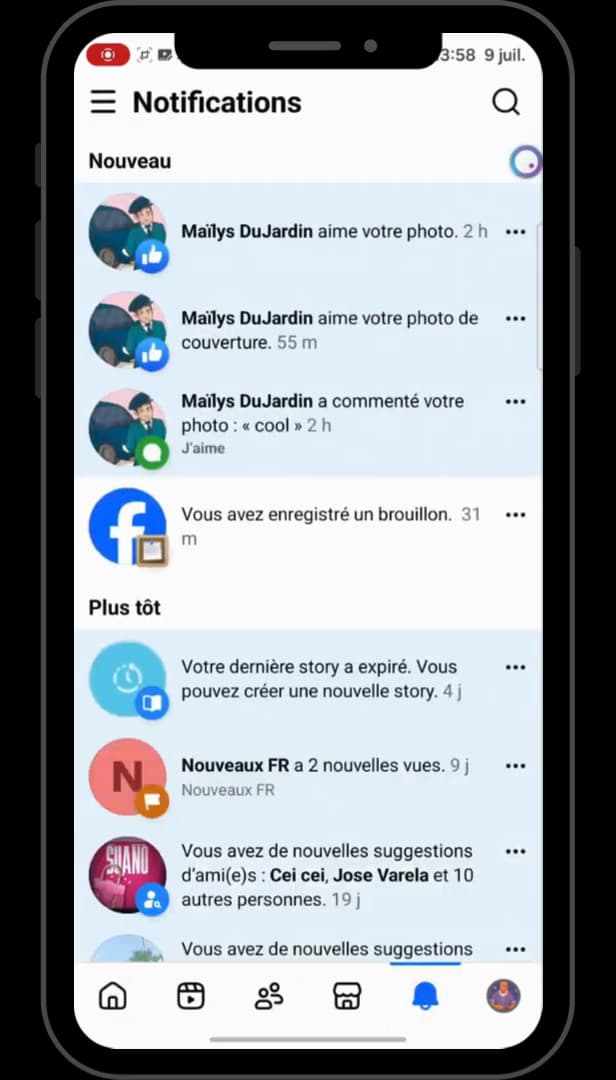
The "You saved a draft" notification leads straight to your drafts. Tap the "bell" icon (notifications) in the bottom-right corner of the screen. Look for the "You saved a draft" notification.
Go to your drafts
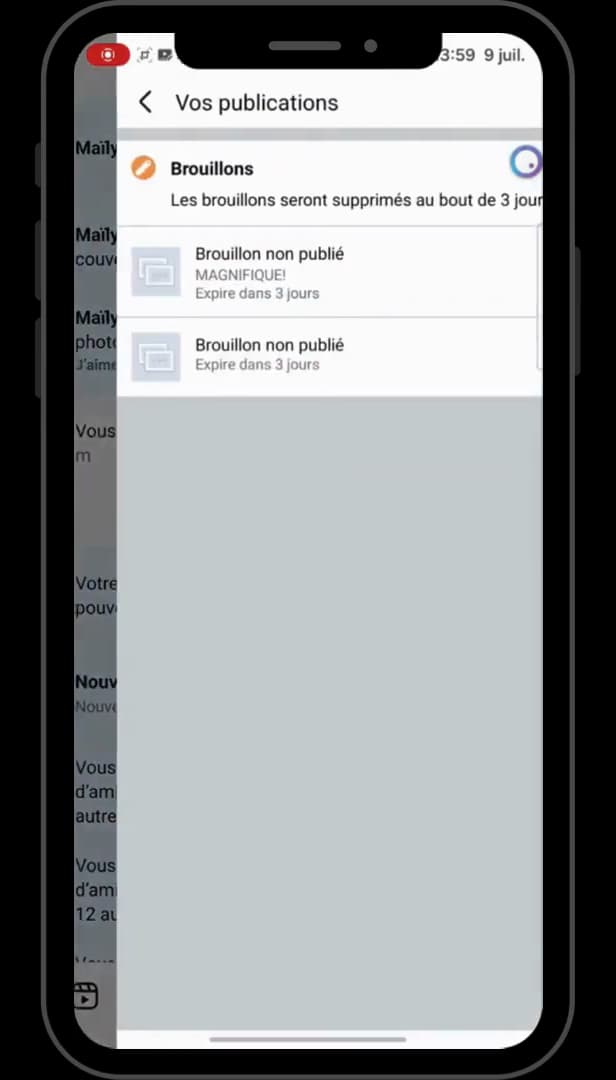
All your drafts appear here, marked "Expires in 3 days". Tap that notification: you land in "Your posts", the "Drafts" section, where all your unpublished drafts are listed.
Delete the draft
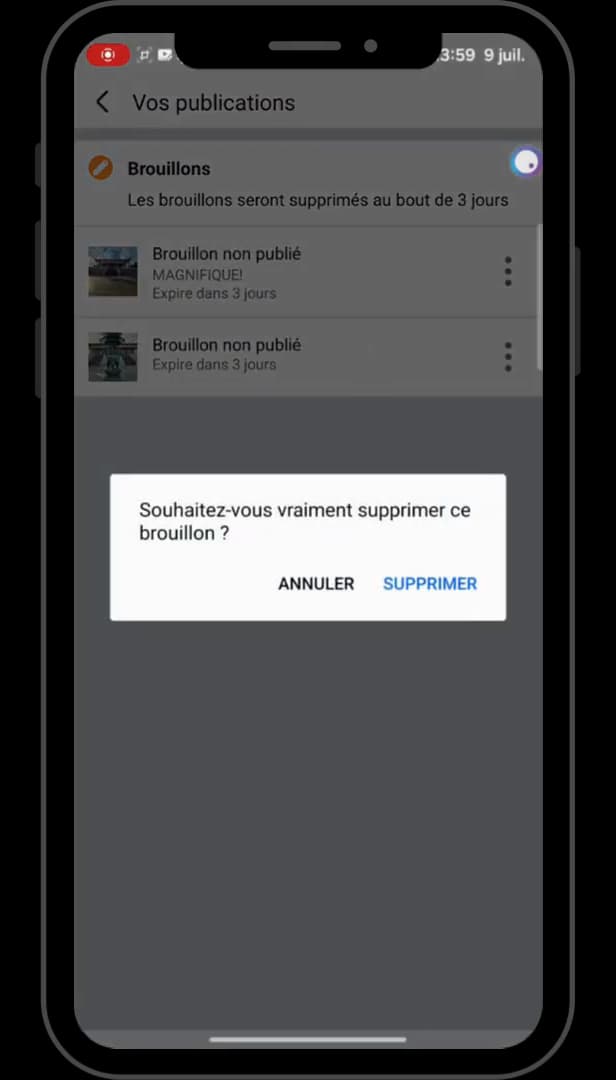
A "Delete" confirmation finalizes discarding the draft. To the right of the draft, tap the "three dots", choose "Discard draft", then confirm by tapping "Delete". Repeat for each draft you want to remove.
Good to know
Once all your drafts are discarded, the "Your posts" section shows that there are no more pending posts.
Good to know
- Facebook drafts are "deleted automatically after 3 days".
- A deleted draft "can't be recovered": open it first if you want to publish or edit it.
- On a computer, you can also find drafts from your Page, in the publishing tools.
Frequently asked questions
- Where are drafts on Facebook?
- In the mobile app, the easiest way in is the "You saved a draft" notification, which opens the Drafts section of "Your posts".
- Do Facebook drafts delete themselves?
- Yes. Facebook automatically clears post drafts after 3 days. Deleting them manually just removes them sooner.
- Can I recover a deleted draft?
- No. Once the draft is discarded and the deletion confirmed, it's permanently erased. Open it beforehand if you want to keep or publish it.
Related tutorials
 FacebookHow to find your drafts on FacebookSaved a Facebook post as a draft and can't find it again? Here's where to find it and reopen it, step by step.
 FacebookHow to Save a Draft on FacebookWant to prepare a Facebook post without publishing it right away? Here's how to save it as a draft, step by step.
 FacebookHow to unfriend someone on FacebookWant to remove someone from your Facebook friends? Here's how to do it, discreetly, step by step.
 FacebookHow to Create a Facebook StoryWant to post a story on Facebook? Here's how to create one with a photo, text and stickers, step by step.