
How to send a poke on Facebook
Want to give a friend a little wave without writing a message? You can send a poke on Facebook from the dedicated page. Here's how to do it, step by step.
Prefer a video? Watch the full tutorial below.
Sending a poke on Facebook, step by step
Open the "Pokes" page
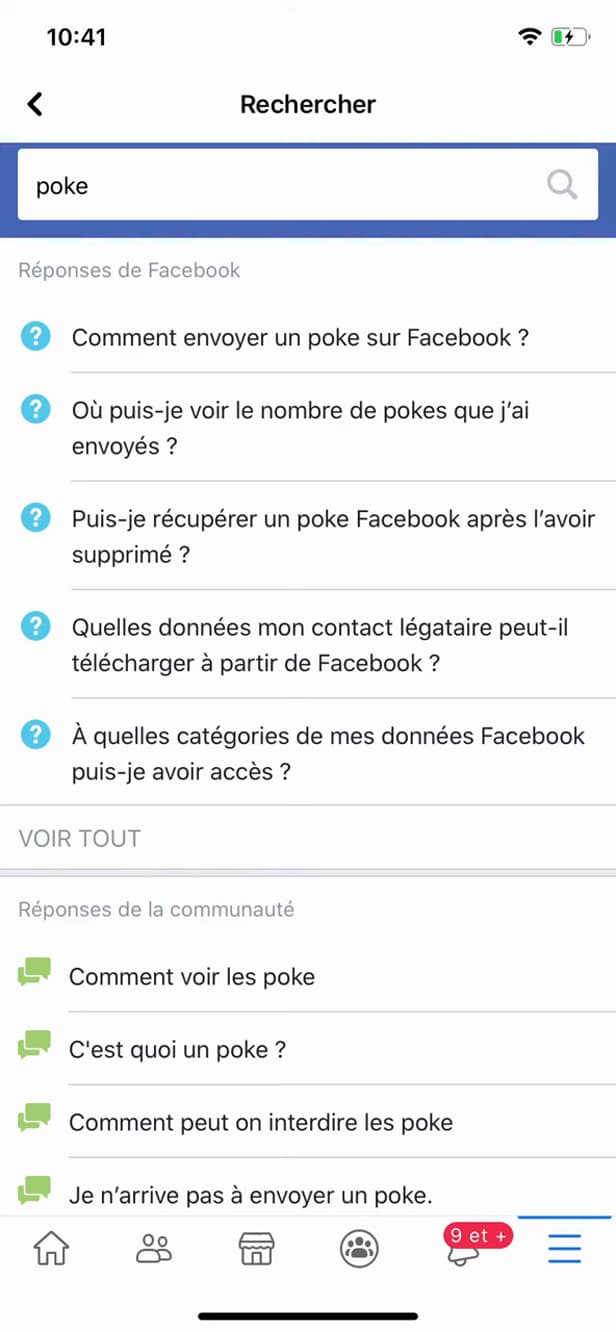
"poke" in the search bar leads to the pokes page. In the Facebook search bar, type "poke" and open the "Pokes" page.
Find the person
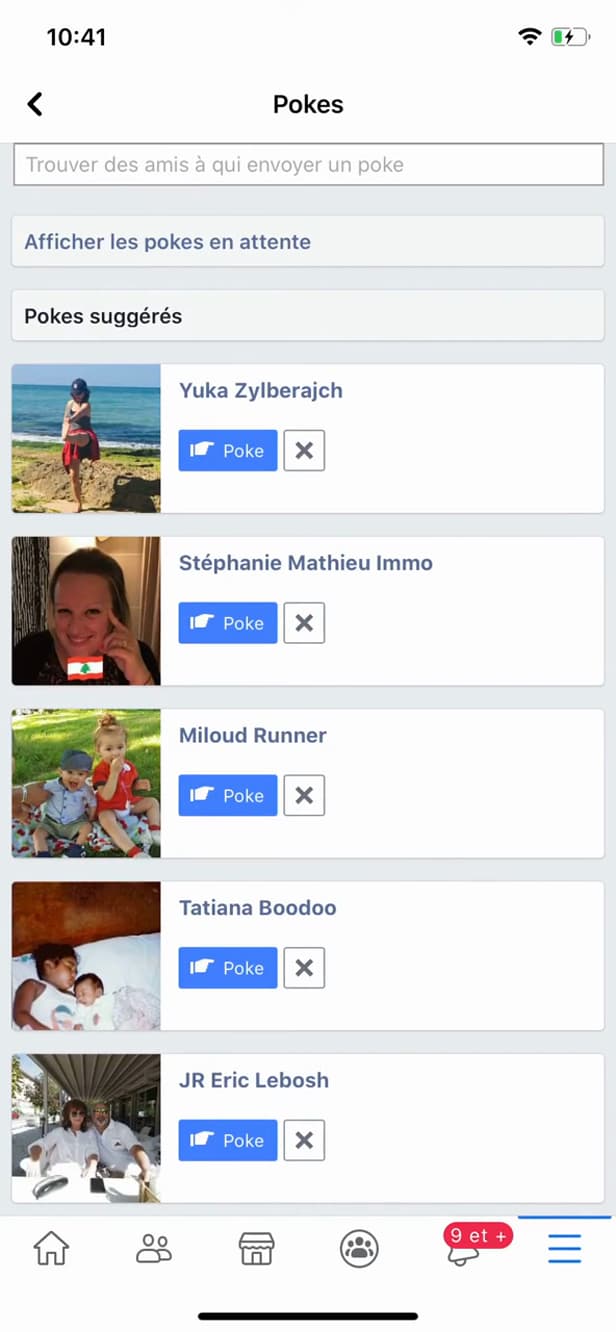
"Suggested pokes" offers friends to poke. Under "Suggested pokes", spot the friend you want to poke.
Tap "Poke"
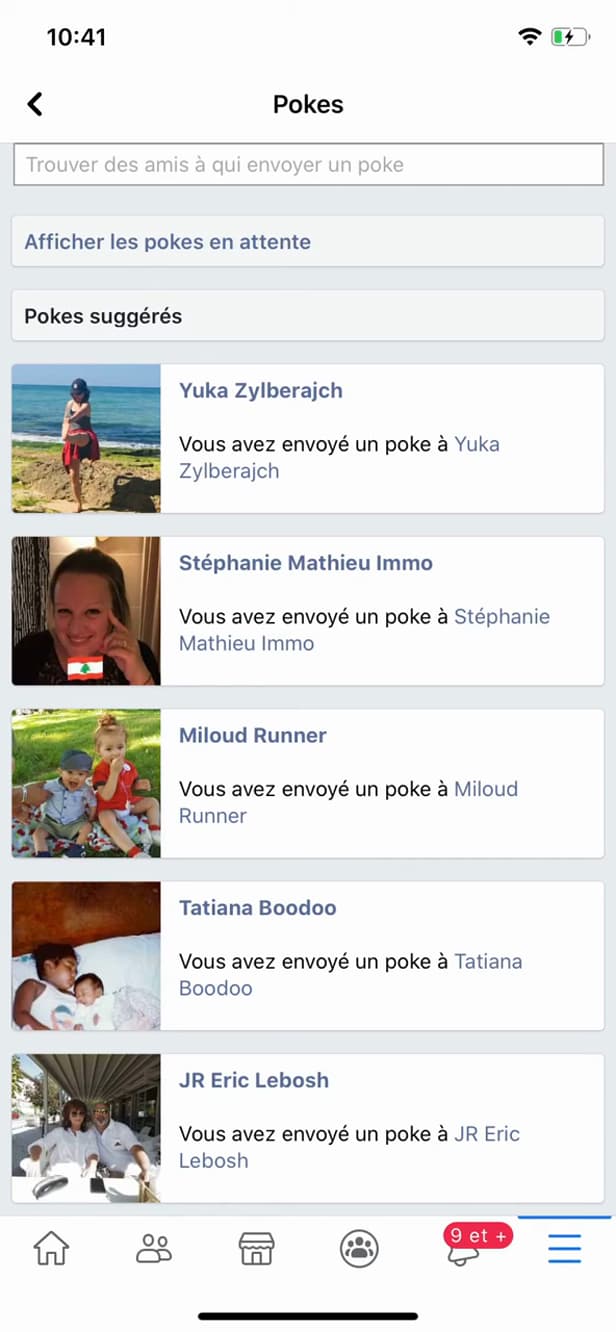
"Poke" notifies the person that you poked them. Tap "Poke" next to their name: Facebook shows "You poked so-and-so".
Good to know
Your friend gets a "notification" about the poke. If they "poke back", a little exchange gets going. A poke is a lightweight "nudge", with no message.
Good to know
- A poke is "free" and sends no message, just a notification.
- You can only "poke back" after the person has reacted to your poke.
- The "Pokes" page keeps a history of the pokes you've sent and received.
Frequently asked questions
- Is the person notified about my poke?
- Yes. They get a notification saying you poked them, with no other message.
- What's the point of a poke on Facebook?
- It's a lightweight nudge to get a friend's attention or restart contact, without writing a message.
- Can you poke someone several times in a row?
- No. You have to wait for the person to react to your poke before you can poke them again.
Related tutorials
 FacebookHow to unfriend someone on FacebookWant to remove someone from your Facebook friends? Here's how to do it, discreetly, step by step.
 FacebookHow to Block or Unblock a Friend on FacebookWant to block or unblock someone on Facebook? Here's how to do it, step by step.
 FacebookHow to add a poll to your Facebook storyWant to ask your friends a question in a story? Here's how to add a poll, step by step.
 FacebookHow to Create a Facebook StoryWant to post a story on Facebook? Here's how to create one with a photo, text and stickers, step by step.