
How to add a poll to your Facebook story
Want to get your friends reacting and gather their opinions? You can add a poll to your Facebook story in just a few taps. Here's how to do it, step by step.
Prefer a video? Watch the full tutorial below.
Adding a poll to your Facebook story, step by step
Create a story and choose "Poll"
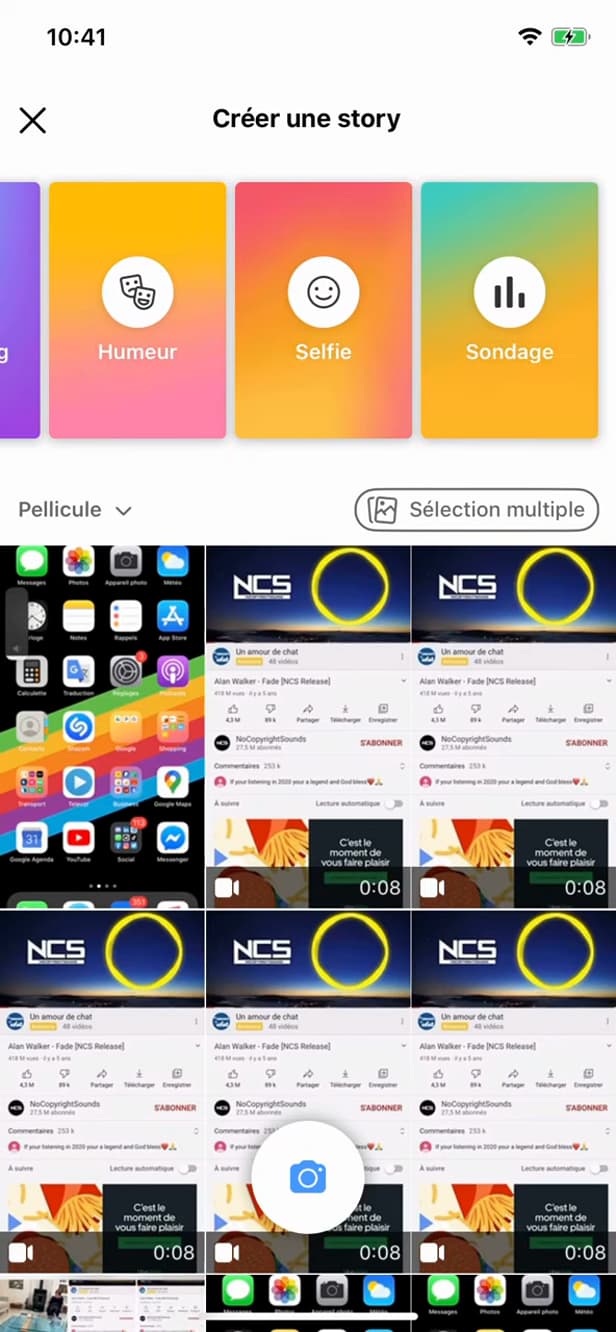
"Poll" adds an interactive question to your story. Tap "Create story", take or pick a photo, then select the "Poll" tool.
Write the question

Customize the question and the two answer options. Type your question and customize the two answers ("YES" / "NO" by default).
Publish the story

"Share to story" publishes the poll to your friends. Position the poll wherever you like, then tap "Share to story".
Good to know
Your story now shows an "interactive poll": your friends vote with one tap and you can see "who answered what". Like any story, it disappears after "24 hours".
Good to know
- You can see "who voted" and for which answer in the story's views.
- The answers are "customizable": not just YES/NO.
- The poll disappears along with the story, after "24 hours".
Frequently asked questions
- Can I see who voted in my poll?
- Yes. Open your story and check the views: Facebook shows who voted and for which answer.
- Can I change the YES/NO answers?
- Yes. Both options are fully customizable: you can enter any text you want.
- How long does the poll stay visible?
- For the duration of the story, meaning 24 hours. After that, it disappears automatically.
Related tutorials
 FacebookHow to Create a Facebook StoryWant to post a story on Facebook? Here's how to create one with a photo, text and stickers, step by step.
 FacebookHow to send a poke on FacebookWant to poke a friend on Facebook? Here's how to send one, step by step.
 FacebookHow to unfriend someone on FacebookWant to remove someone from your Facebook friends? Here's how to do it, discreetly, step by step.
 FacebookHow to Block or Unblock a Friend on FacebookWant to block or unblock someone on Facebook? Here's how to do it, step by step.