
How to Deactivate Your Facebook Account
Want to take a break without losing everything? Deactivating your Facebook account pauses it: your profile disappears for others, but your data is kept and you can reactivate it whenever you like, simply by logging back in. Here's how to do it, step by step.
Prefer a video? Watch the full tutorial below.
Deactivating your Facebook account, step by step
Open the menu and settings
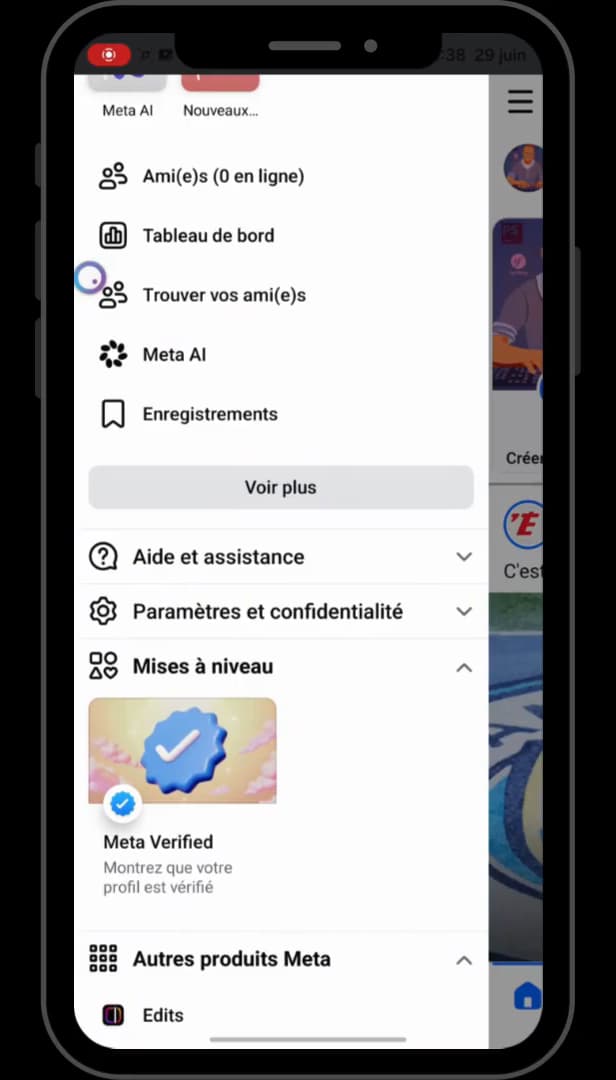
The menu (three lines) gives access to "Settings & privacy." Open "Facebook," tap the "three lines" in the top right, then scroll down to "Settings & privacy" and open "Settings."
Open "Deactivation or deletion"
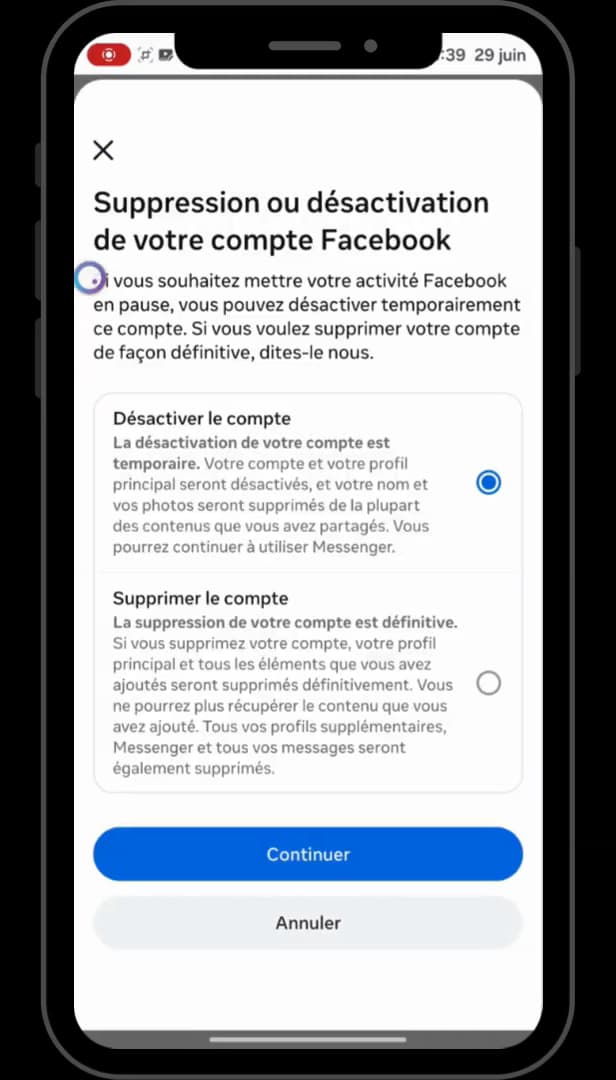
Choose between deactivate (pause) and delete (permanent). Under "Accounts Center," then "Personal details," open "Account ownership and control," and finally "Deactivation or deletion." The "Deactivate or delete your account" screen appears.
Choose "Deactivate account"
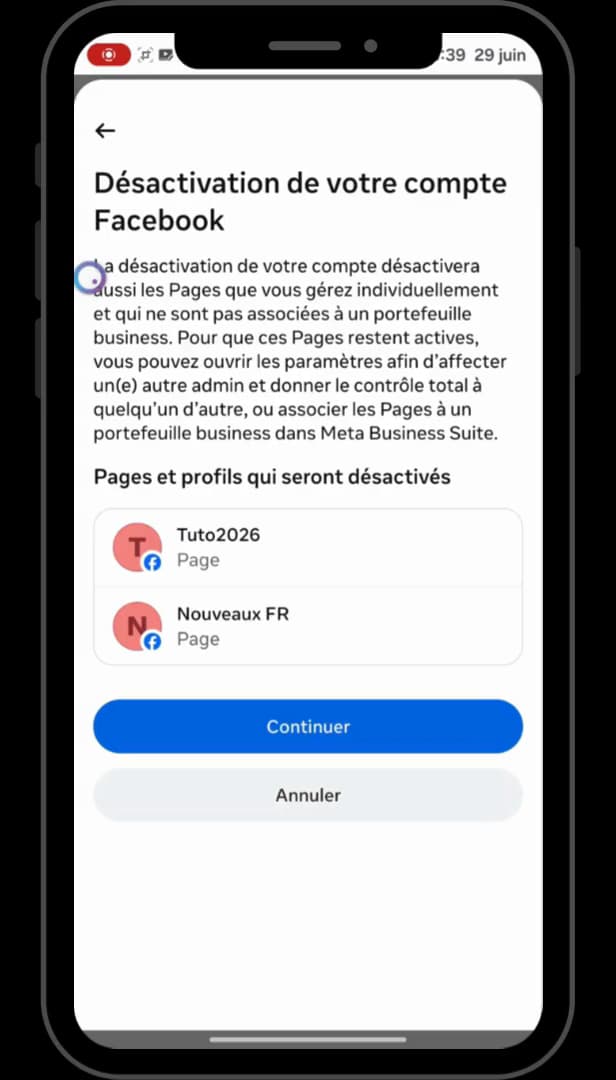
"Deactivate account" pauses your profile without deleting it. Select "Deactivate account" (not "Delete"), then tap "Continue." Facebook explains that your profile will be hidden for the duration of the deactivation.
Confirm with your password
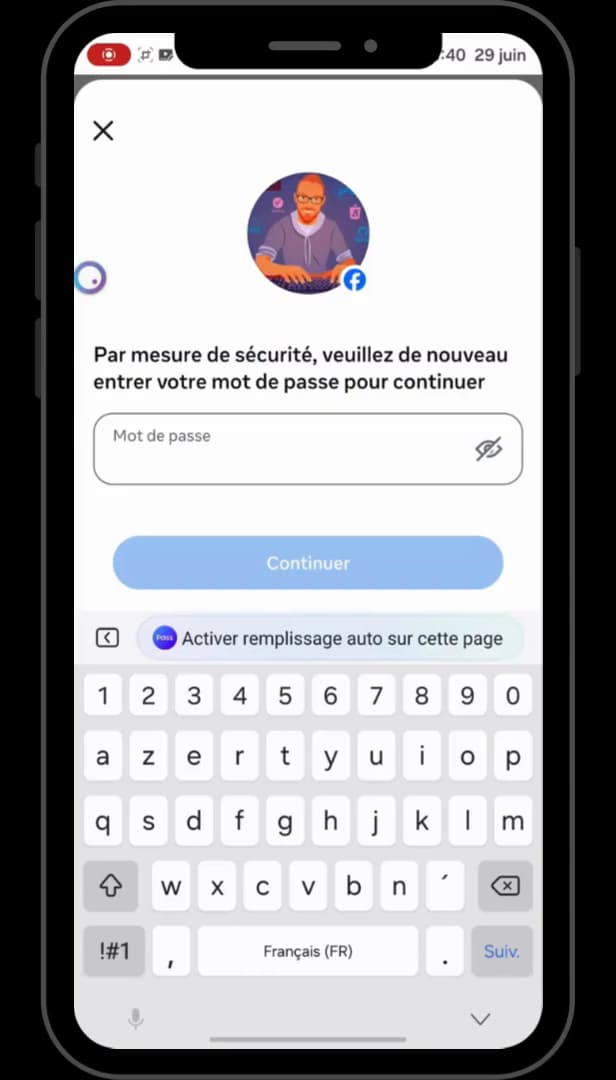
One last password to confirm, and the account is deactivated. For security, enter your "password" again, then confirm. Your account is deactivated: your profile is no longer visible to others.
Good to know
Deactivation is "reversible": to reactivate your account, just log back in with your email and password. Your friends, photos and messages are all kept.
Deactivate ≠ delete
- "Deactivation" pauses the account: profile hidden, data kept, reactivation at any time.
- "Deletion" is permanent: after a grace period, everything is erased and unrecoverable.
- You can keep using "Messenger" even with a deactivated account.
Frequently asked questions
- Does deactivating my Facebook account delete it?
- No. Deactivation simply pauses your account: your profile is hidden but your data is kept. You can reactivate it by logging back in.
- Can I still use Messenger if my account is deactivated?
- Yes. During deactivation, Facebook offers to keep Messenger active so you can keep chatting, even though your Facebook profile is hidden.
- How do I reactivate my Facebook account?
- Just log back in with your email address (or phone number) and password: your account is automatically reactivated, with all your data.
Related tutorials
 FacebookHow to add a poll to your Facebook storyWant to ask your friends a question in a story? Here's how to add a poll, step by step.
 FacebookHow to send a poke on FacebookWant to poke a friend on Facebook? Here's how to send one, step by step.
 FacebookHow to unfriend someone on FacebookWant to remove someone from your Facebook friends? Here's how to do it, discreetly, step by step.
 FacebookHow to Block or Unblock a Friend on FacebookWant to block or unblock someone on Facebook? Here's how to do it, step by step.