
How to Change Your Facebook Cover Photo Secretly
Want to change your cover photo without the change showing up in your friends' feeds? By uploading a new photo and unchecking the sharing option, you can change your Facebook cover photo secretly, with no notification. Here's how, step by step.
Prefer a video? Watch the full tutorial below.
Changing your Facebook cover photo discreetly, step by step
Open your profile and the camera
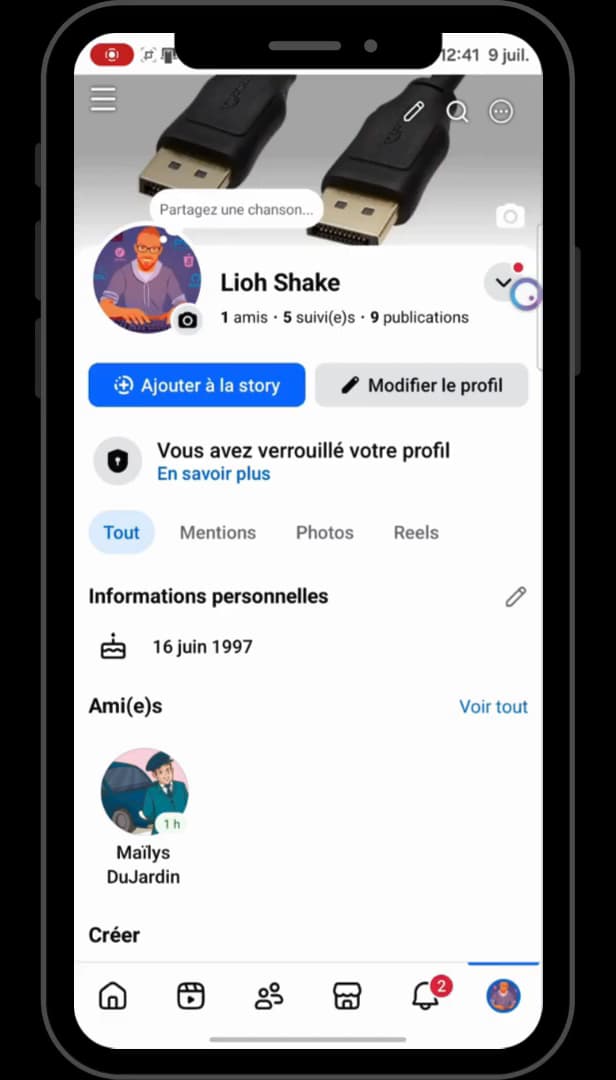
The camera icon on the cover opens the change options. Open the "Facebook" app, tap your "profile" in the bottom right, then tap the "camera" icon in the bottom right of your cover photo.
Choose "Upload photo"
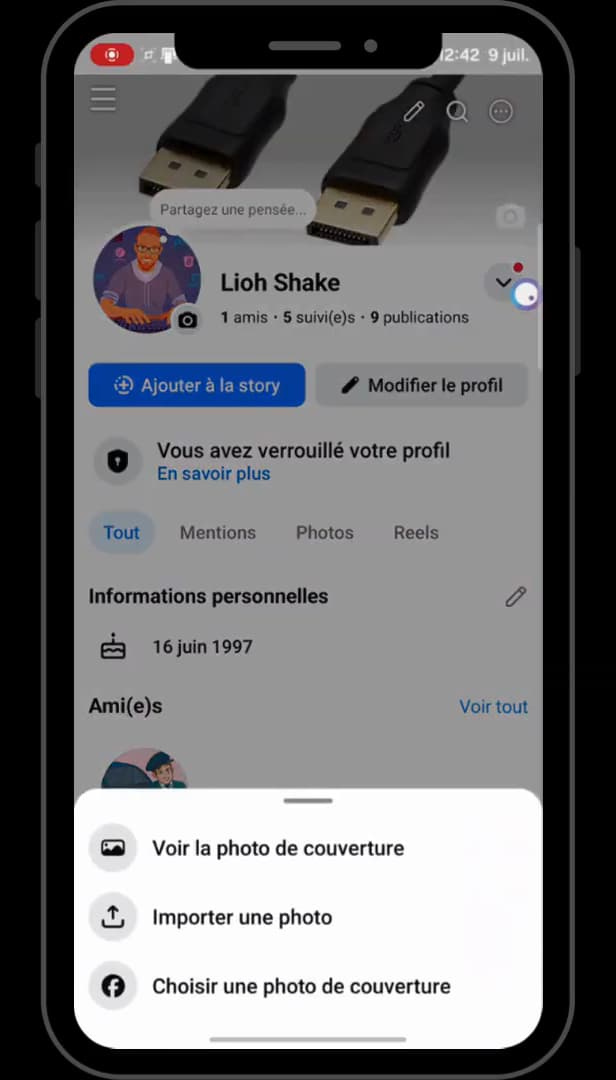
"Upload photo" lets you pick an image from your phone. In the menu, scroll down to "Upload photo" (upward arrow icon) to pick an image from your gallery.
Select your photo
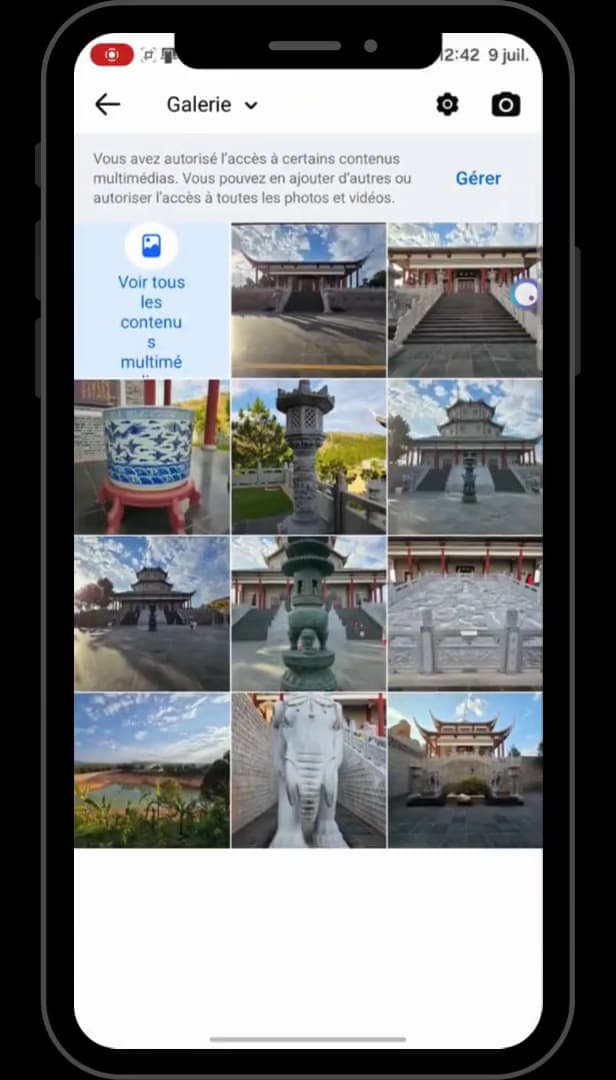
Choose the image to use as your new cover. In your gallery, tap the "photo" you want to use as your cover, then reposition it if needed.
Uncheck sharing, then save
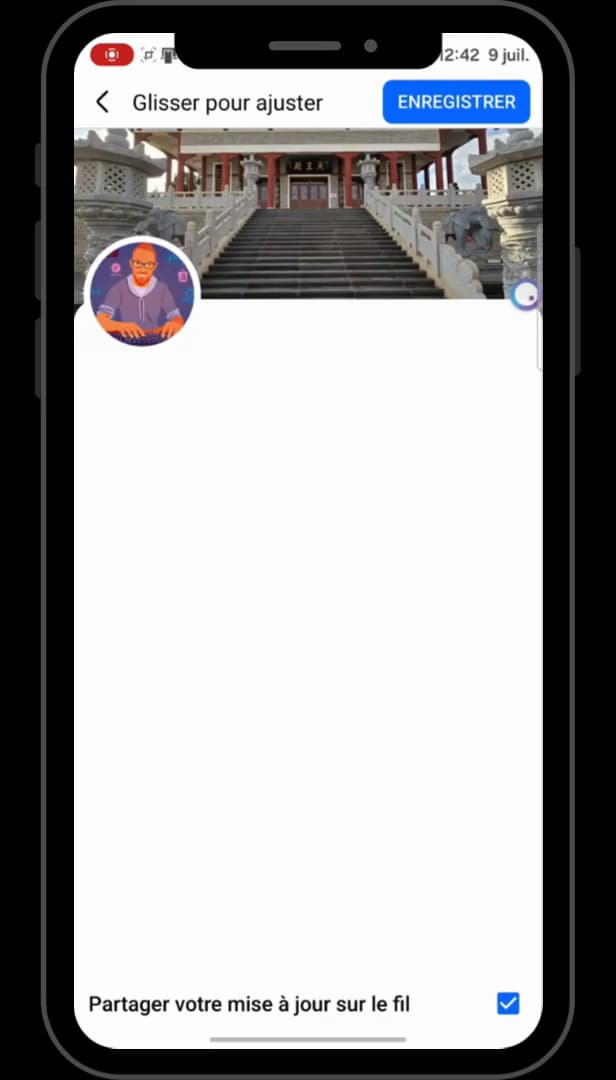
"Share your update to feed" unchecked: a discreet change. At the very bottom, uncheck the "Share your update to feed" box: the change won't appear in your feed. Tap "Save" in the top right.
Good to know
Your cover is updated, but no post appears in your feed: your friends don't get a notification. The photo does, however, stay "visible to everyone" on your profile.
Good to know
- Unchecking "Share your update to feed" only prevents the announcement: the cover itself stays public.
- To hide an old cover, see make your Facebook cover photo private.
- To reuse a cover that already has likes, see change your cover without losing your likes.
Frequently asked questions
- Are my friends notified if I change my cover?
- Only if the "Share your update to feed" box is checked. By unchecking it before saving, the change doesn't show in the feed and doesn't trigger a notification.
- Is the new cover private?
- No. Unchecking sharing avoids the announcement, but your current cover photo stays visible to everyone on your profile.
- Can you change your cover secretly on a computer?
- Yes, the principle is the same: when changing it, uncheck the feed sharing option before saving for a discreet change.
Related tutorials
 FacebookHow to Change Your Facebook Cover Photo Without Losing Your LikesWant to switch your Facebook cover photo without losing its reactions and comments? Here's the method, step by step.
 FacebookHow to Change Your Facebook Profile Photo Without Losing Your LikesWant to set a Facebook profile photo again without losing its likes and comments? Here's the method, step by step.
 FacebookHow to Make Your Cover Photo Private on FacebookWant to hide an old Facebook cover photo? Here's how to switch it to "Only me", step by step.
 FacebookHow to Delete a Profile Picture on FacebookWant to remove an old Facebook profile picture? Here's how to delete it, step by step.