
How to Unrestrict Someone on Messenger
You'd restricted someone on Messenger and now you want them to be able to chat with you normally again? Unrestricting someone on Messenger takes just a few seconds from your list of restricted accounts. Here's how to do it, step by step.
Prefer a video? Watch the full tutorial below.
Unrestrict someone on Messenger, step by step
Open the menu and settings
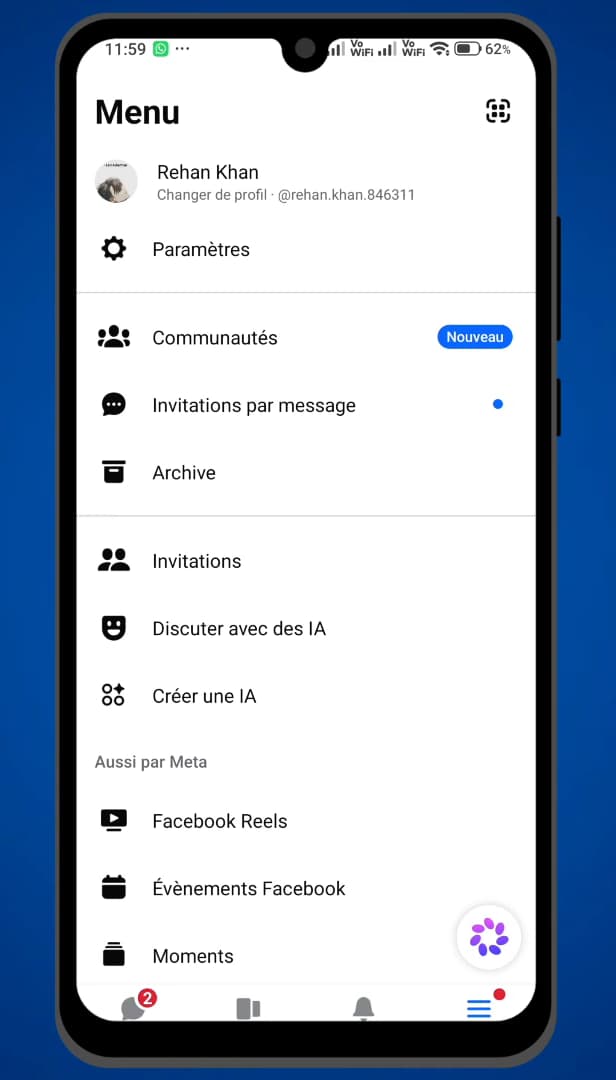
Open the Messenger menu, then "Settings". Open "Messenger", signed in to the right account, then tap your "profile picture" (or the menu) in the top left and open "Settings".
Open "Privacy & safety"
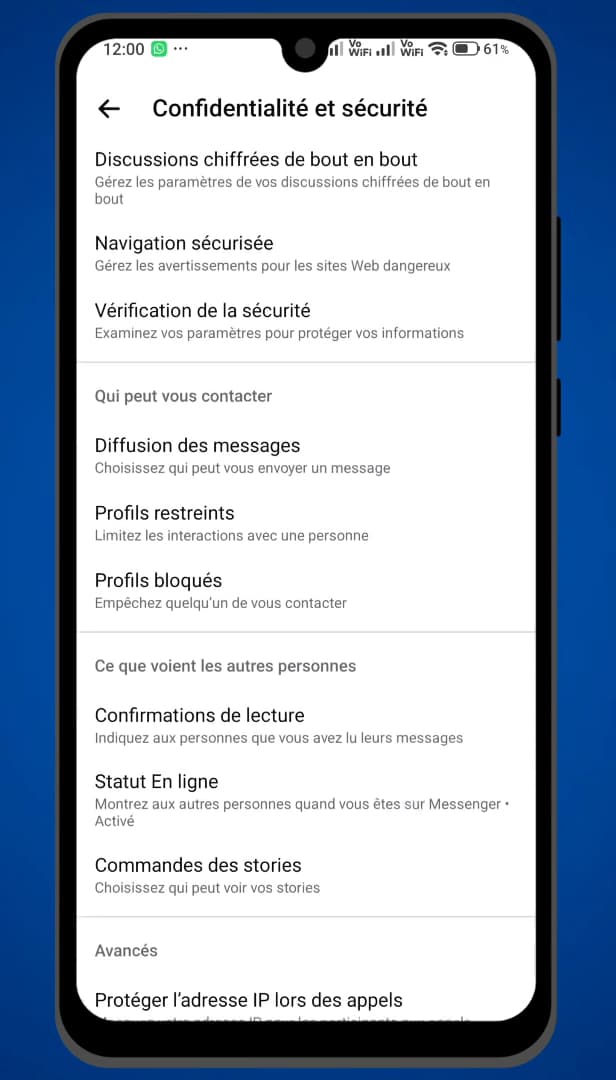
"Privacy & safety" contains "Restricted accounts". In settings, open "Privacy & safety". There you'll find the "Restricted accounts" section.
Open "Restricted accounts"
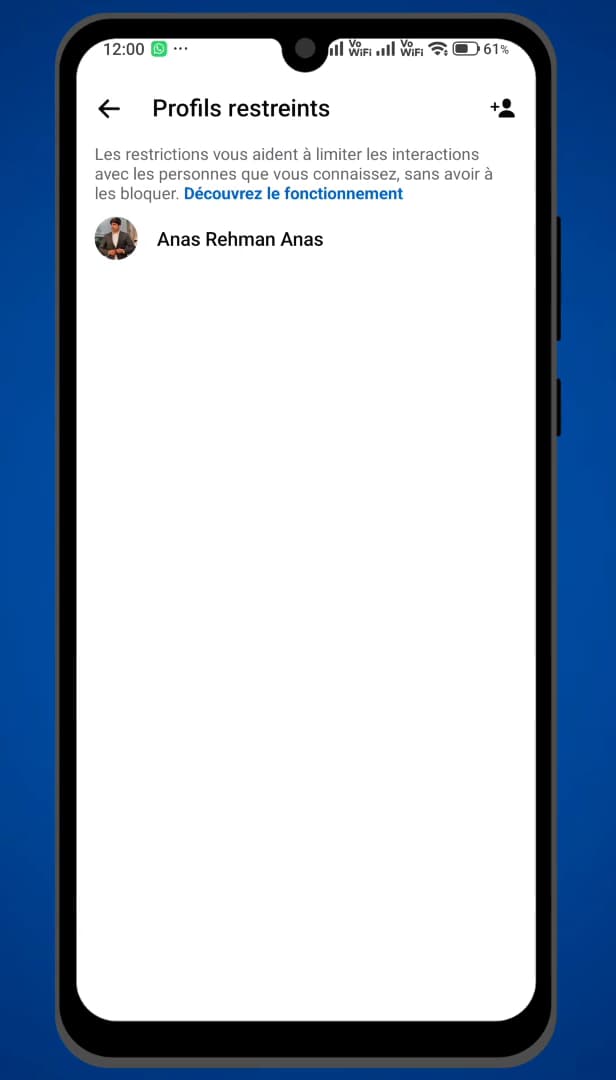
Everyone you've restricted appears in this list. Tap "Restricted accounts": the list of people you've restricted appears. Select the one you want to unrestrict.
Remove the restriction
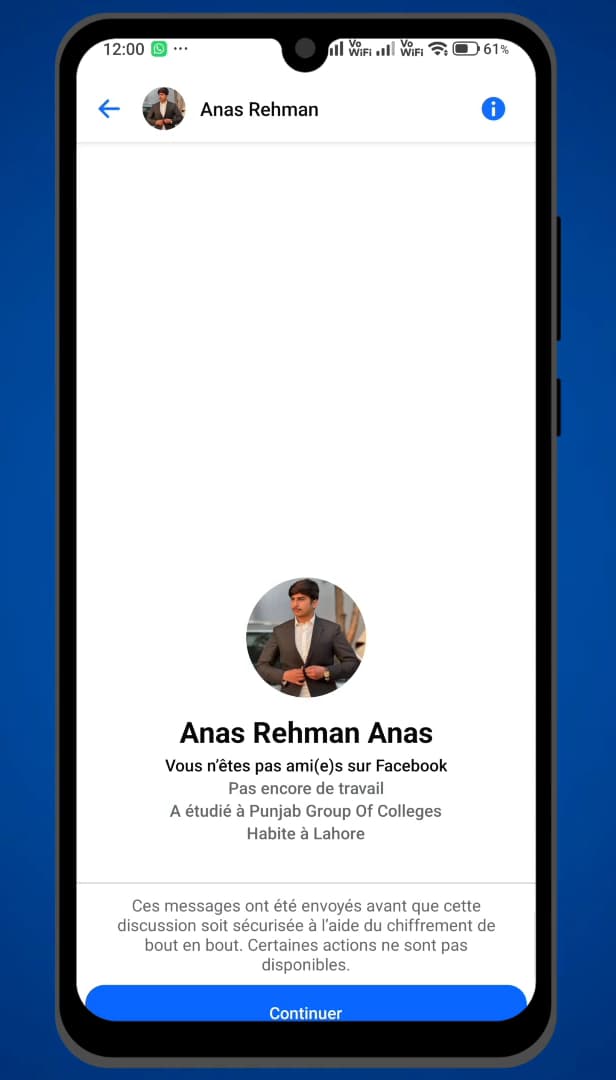
"Unrestrict" restores normal access for the person. On the person's profile, tap "Unrestrict" (or "Remove restriction"). They can write to you and see your activity normally again.
Good to know
Once the restriction is removed, the person returns to your normal chats: their messages arrive directly and they can see again when you're active.
Restrict ≠ block
- "Restricting" quietly hides the person (their messages go to requests, they can't see if you're online), without notifying them.
- "Blocking" completely prevents them from contacting you.
- Removing a restriction sends "no notification" to the person.
Frequently asked questions
- Does the person know I restricted or unrestricted them?
- No. Messenger sends no notification, either when you restrict them or when you remove it. The whole thing is completely discreet.
- What's the difference between restricting and blocking?
- Restricting quietly hides the person (messages in requests, online status hidden) without blocking them. Blocking completely prevents them from contacting you.
- Where do I find the list of restricted people?
- In Messenger: Settings › Privacy & safety › Restricted accounts. Everyone you've restricted is listed there.
Related tutorials
 MessengerHow to Block Someone on Messenger Without Notifying ThemWant to block someone on Messenger discreetly? Good news: blocking sends no notification. Here's how to do it, step by step.
 MessengerHow to Turn On Messenger NotificationsNot getting your Messenger notifications anymore? Here's how to turn them back on from the app, step by step.
 MessengerHow to Hide the Content of Messenger NotificationsWant to hide the message preview from Messenger on your lock screen? Here's how to do it, step by step.
 MessengerHow to Find an Old Message on MessengerLooking for an old message in a Messenger chat? Here's how to find it, step by step.