
How to Block Someone on Messenger Without Notifying Them
Want to stop someone from contacting you on Messenger without them knowing? Rest assured: blocking someone on Messenger sends "no notification" to the person involved. Here's how to do it cleanly, step by step.
Prefer a video? Watch the full tutorial below.
Blocking someone on Messenger without notifying them, step by step
Open the menu and Settings
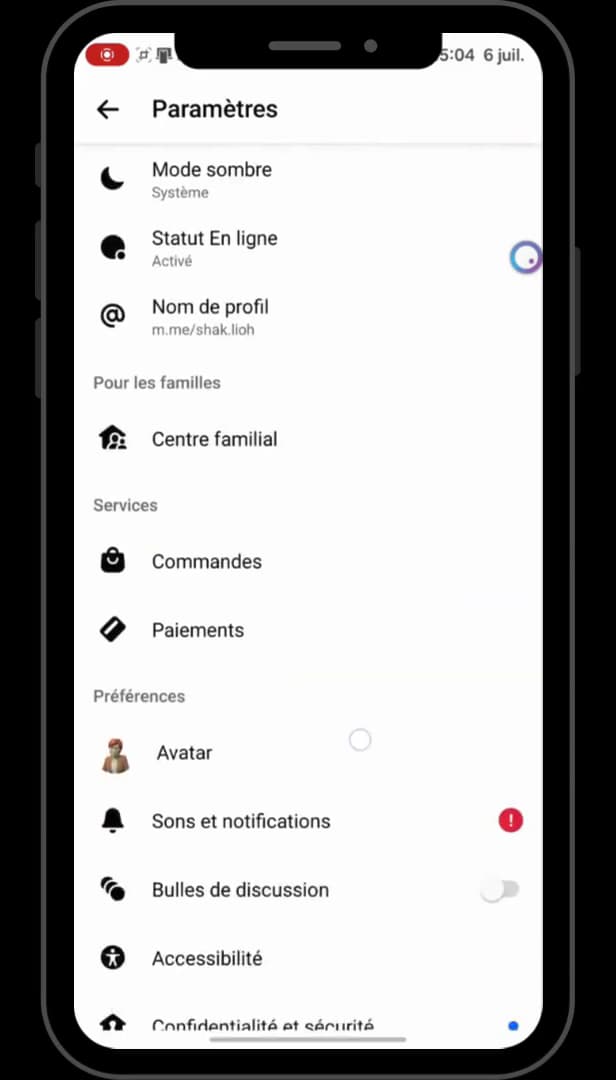
Open the Messenger menu, then "Settings". Open "Messenger", tap "Menu" (bottom right or your profile picture), then open "Settings".
Open "Privacy and safety"
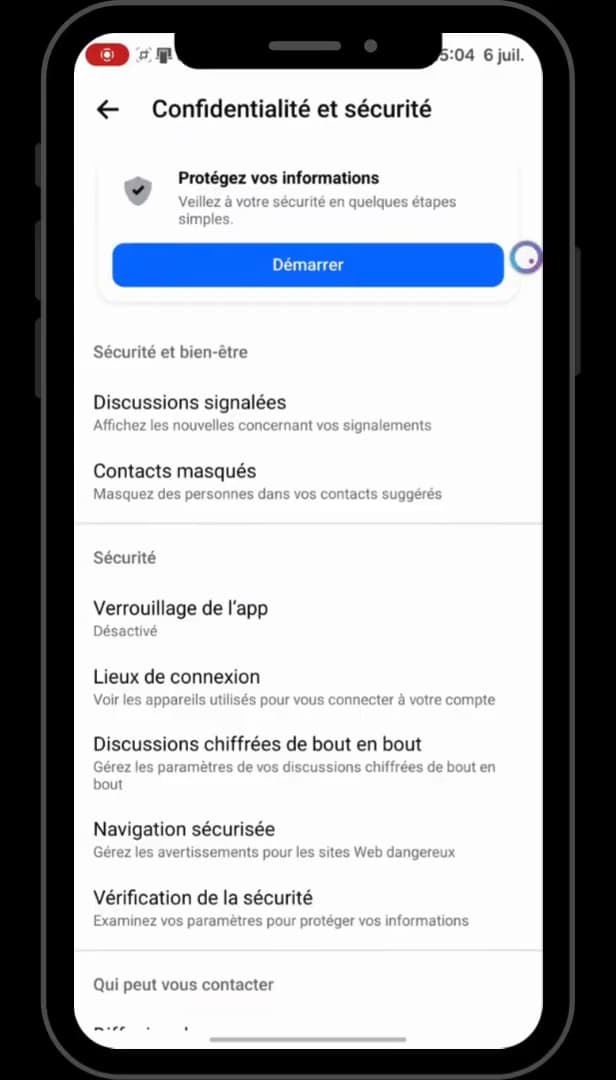
"Privacy and safety" holds the blocking options. In the settings, open "Privacy and safety". That's where you'll find the blocking options.
Open "Blocked profiles" and search for the person
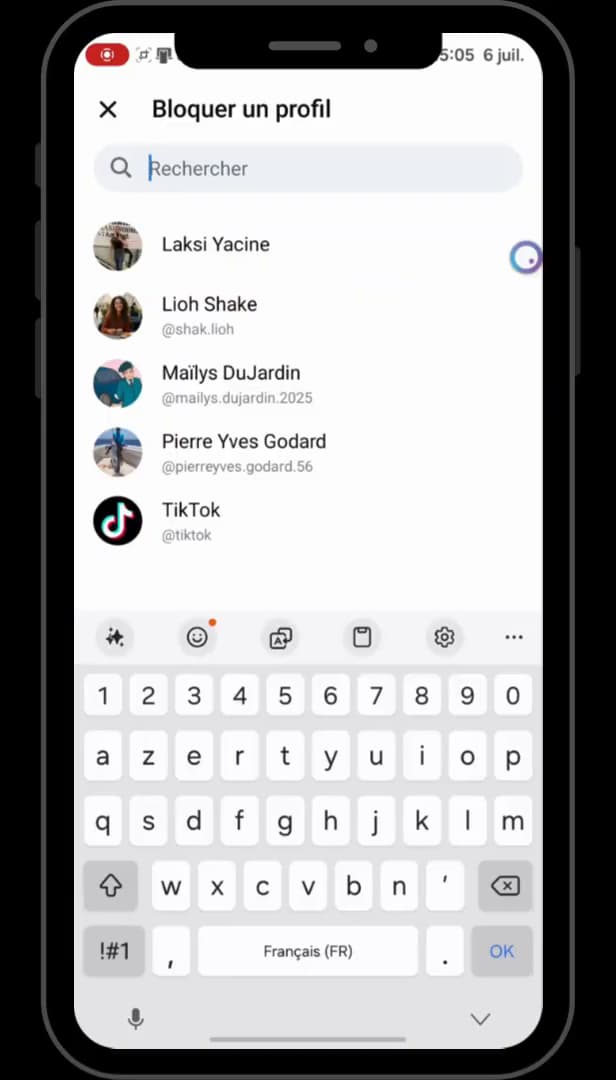
Search for the person to block under "Block a profile". Open "Blocked profiles", then "Block a profile". Search for the person you want to block and select them from the list.
Confirm the block
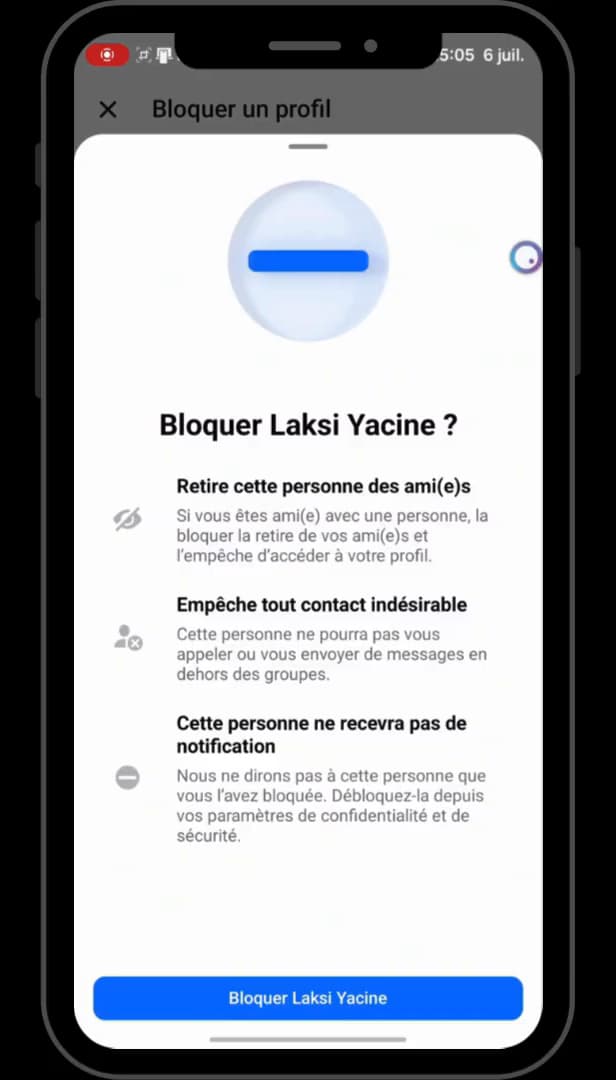
Messenger confirms: the person receives "no notification". Tap "Block". Messenger notes that the person "won't receive a notification": they can no longer contact you, and are never alerted.
Good to know
The block is "completely discreet": the person gets no alert. They can no longer send you messages or see your activity. You can unblock them at any time from the same list.
Good to know
- Blocking on Messenger "doesn't necessarily block" on Facebook: they're two separate settings.
- The person will only notice that they can no longer message you, with no notification.
- To undo it, go back to "Blocked profiles" and remove the person from the list.
Frequently asked questions
- Is the person notified when I block them on Messenger?
- No. Messenger sends no notification when you block someone. The person only notices later that they can no longer contact you.
- Does blocking on Messenger also block on Facebook?
- Not necessarily. The Messenger block and the Facebook block are separate settings. To block on both, also check the block on the Facebook side.
- How do I unblock the person afterward?
- Go back to Settings › Privacy and safety › Blocked profiles, then remove the person from the list. They'll be able to contact you again.
Related tutorials
 MessengerHow to Hide the Content of Messenger NotificationsWant to hide the message preview from Messenger on your lock screen? Here's how to do it, step by step.
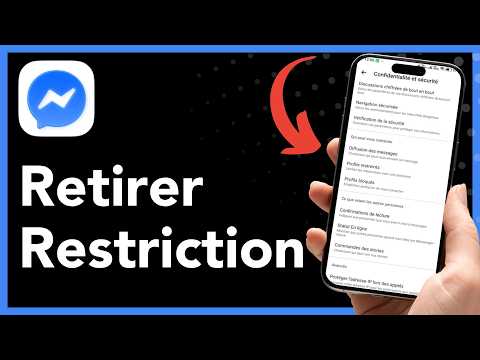 MessengerHow to Unrestrict Someone on MessengerRestricted someone on Messenger and want to undo it? Here's how to remove the restriction, step by step.
 MessengerHow to Turn On Messenger NotificationsNot getting your Messenger notifications anymore? Here's how to turn them back on from the app, step by step.
 MessengerHow to Find an Old Message on MessengerLooking for an old message in a Messenger chat? Here's how to find it, step by step.