
How to change your username on Leboncoin
Want a more professional or more low-key display name on your listings? You can change your username on Leboncoin from your profile. Here's how to do it, step by step.
Prefer a video? Watch the full tutorial below.
Changing your username on Leboncoin, step by step
Open your "Profile"
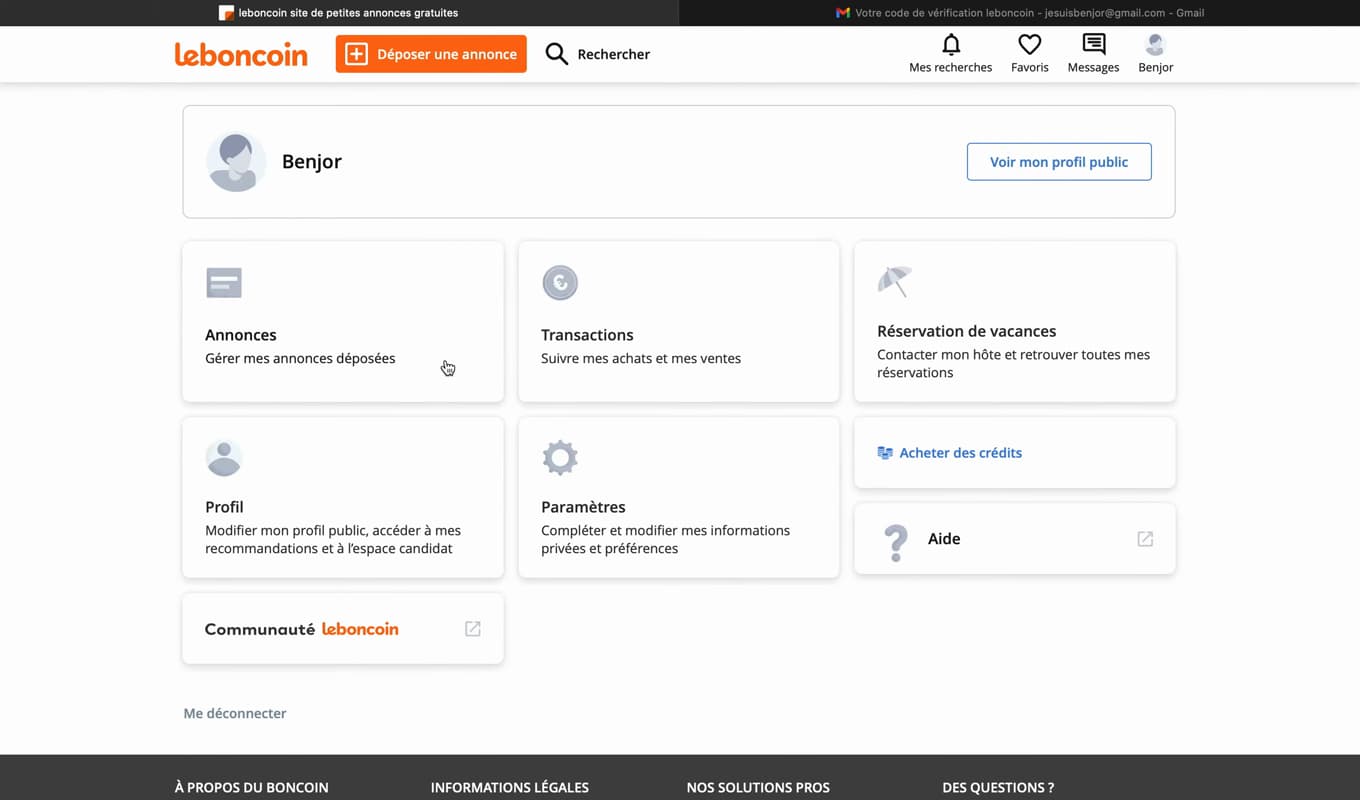
"Profile" holds your display name and your public information. In "My account", open "Profile".
Change the display name
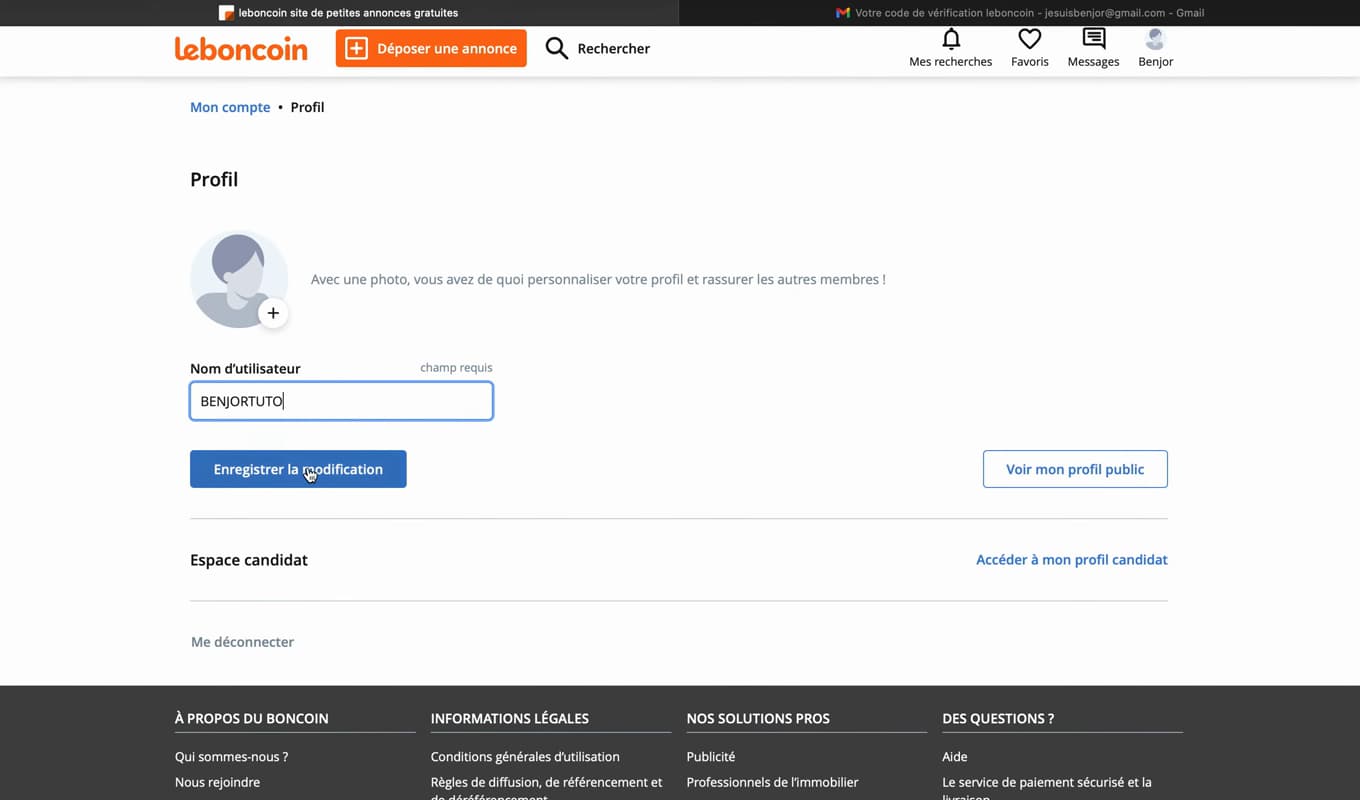
The display name is what appears on your listings and messages. Tap the "Username" field (display name) and enter the new one.
Save
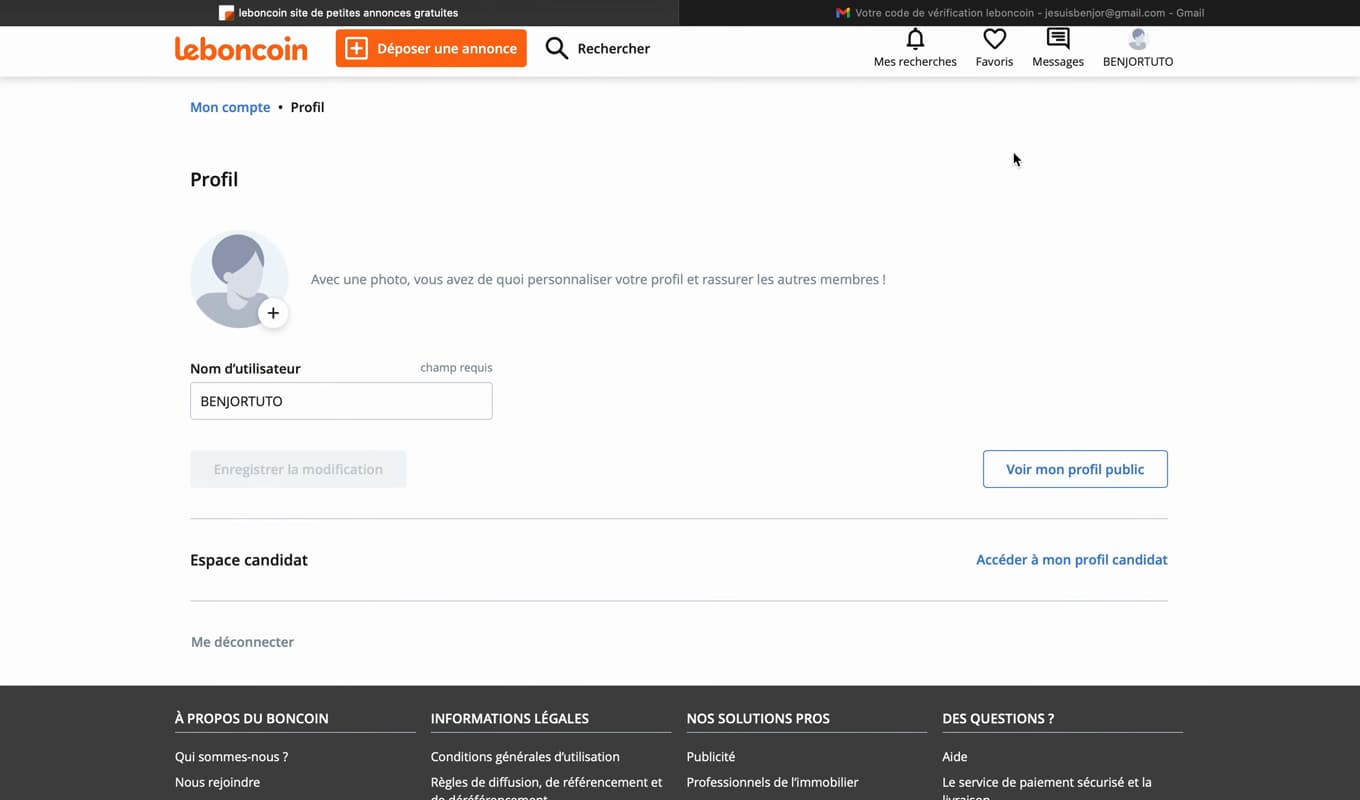
"Save" updates your name across all of Leboncoin. Confirm with "Save": the new display name applies right away.
Good to know
Your new display name appears "on all your listings" and in the messaging. It stays "editable" at any time from your profile.
Good to know
- The display name is "public": avoid putting personal data in it.
- The change applies "retroactively" to your existing listings.
- A "clear and serious" name inspires more trust in buyers.
Frequently asked questions
- Does the change apply to old listings?
- Yes. Your new display name replaces the old one everywhere, including on listings already online.
- Is my username visible to everyone?
- Yes, it's a public name shown on your listings and in the messaging. Don't put private information in it.
- Can I change it several times?
- Yes. The display name can be changed at any time from "My account" › "Profile", with no blocking limit.
Related tutorials
 LeboncoinHow to Change Your Phone Number on LeboncoinGot a new number? Here's how to update it on Leboncoin, step by step.
 LeboncoinHow to change your Leboncoin passwordWant to change your Leboncoin password? Here's how to change it safely, step by step.
 LeboncoinHow to Create a Leboncoin AccountWant to buy or sell on Leboncoin? Here's how to create an account for free, step by step.