
How to change your Leboncoin password
Want to strengthen your account's security? You can change your Leboncoin password in a few taps from "My account". Here's how to do it, step by step.
Prefer a video? Watch the full tutorial below.
Changing your Leboncoin password, step by step
Open "Login and Security"
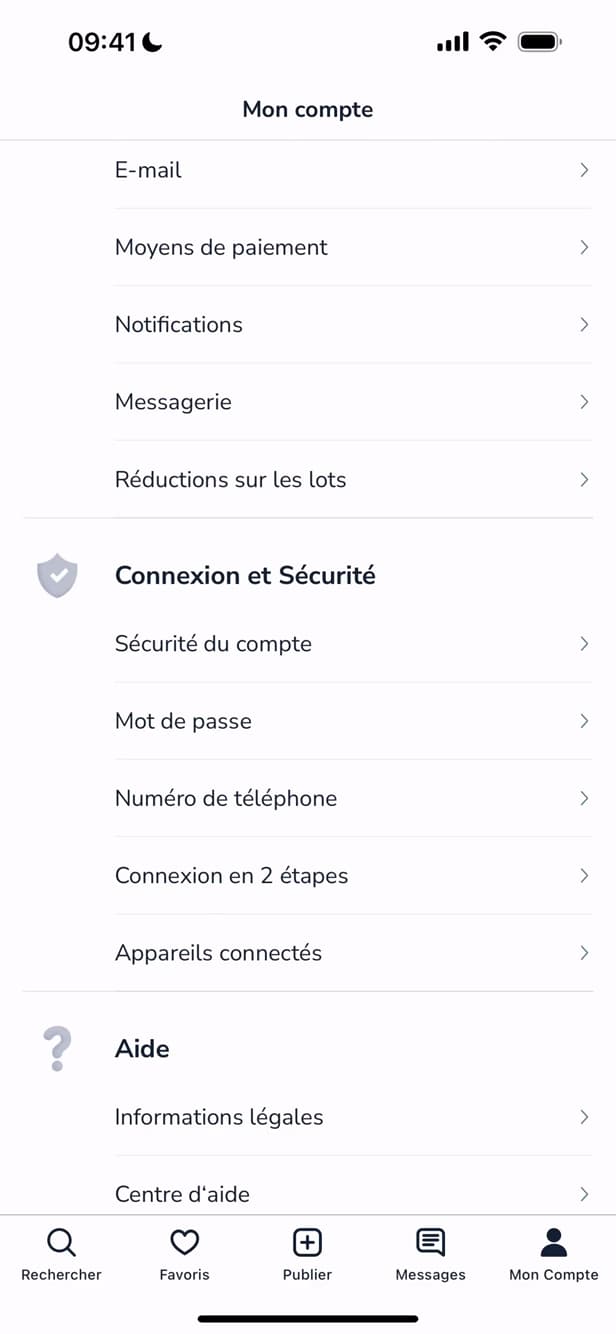
"Password" is found under "Login and Security". In "My account", scroll down to "Login and Security" then tap "Password".
Enter your passwords
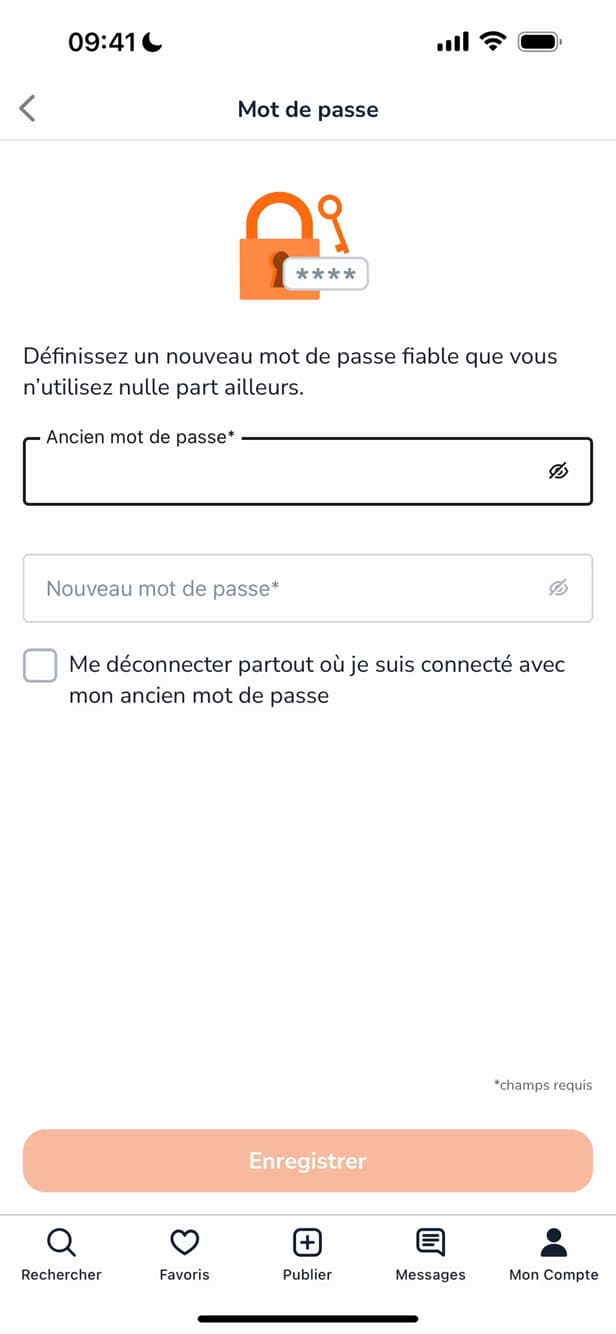
Enter the old password, then the new one. Enter your "old password", then the "new one". Tick "Log me out everywhere" if needed.
Meet the criteria and save
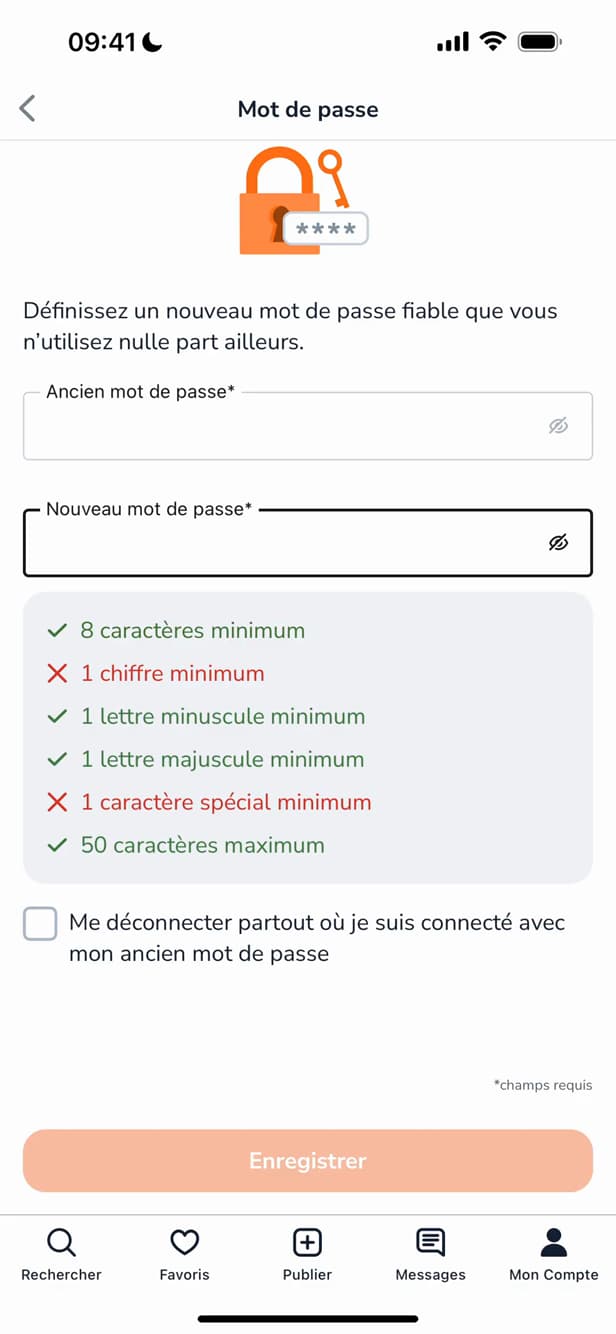
Meet all the criteria, then tap "Save". The password must be at least 8 characters, with a number, an uppercase letter, a lowercase letter and a special character. Tap "Save".
Good to know
Your password is "updated". If you ticked "Log me out everywhere", you'll need to "sign back in" on your other devices.
Good to know
- A good password is "long, unique" and never reused elsewhere.
- Tick "Log me out everywhere" if you're worried about "unauthorized access".
- Turn on "two-step login" for extra security.
Frequently asked questions
- What are the criteria for a Leboncoin password?
- At least 8 characters, with at least one number, one uppercase letter, one lowercase letter and one special character.
- I forgot my current password, what do I do?
- On the login screen, use "Forgot password" to reset it by email.
- Will I be logged out of my other devices?
- Only if you tick "Log me out everywhere". Otherwise, your other sessions stay open.
Related tutorials
 LeboncoinHow to Change Your Phone Number on LeboncoinGot a new number? Here's how to update it on Leboncoin, step by step.
 LeboncoinHow to change your username on LeboncoinWant to change the display name shown on your Leboncoin listings? Here's how to do it, step by step.
 LeboncoinHow to Create a Leboncoin AccountWant to buy or sell on Leboncoin? Here's how to create an account for free, step by step.