
How to Change Your Phone Number on Leboncoin
Changed your number and buyers can no longer reach you? You can change your phone number on Leboncoin from "My account". Here's how to do it, step by step.
Prefer a video? Watch the full tutorial below.
Changing your phone number on Leboncoin, step by step
Open "Phone number"
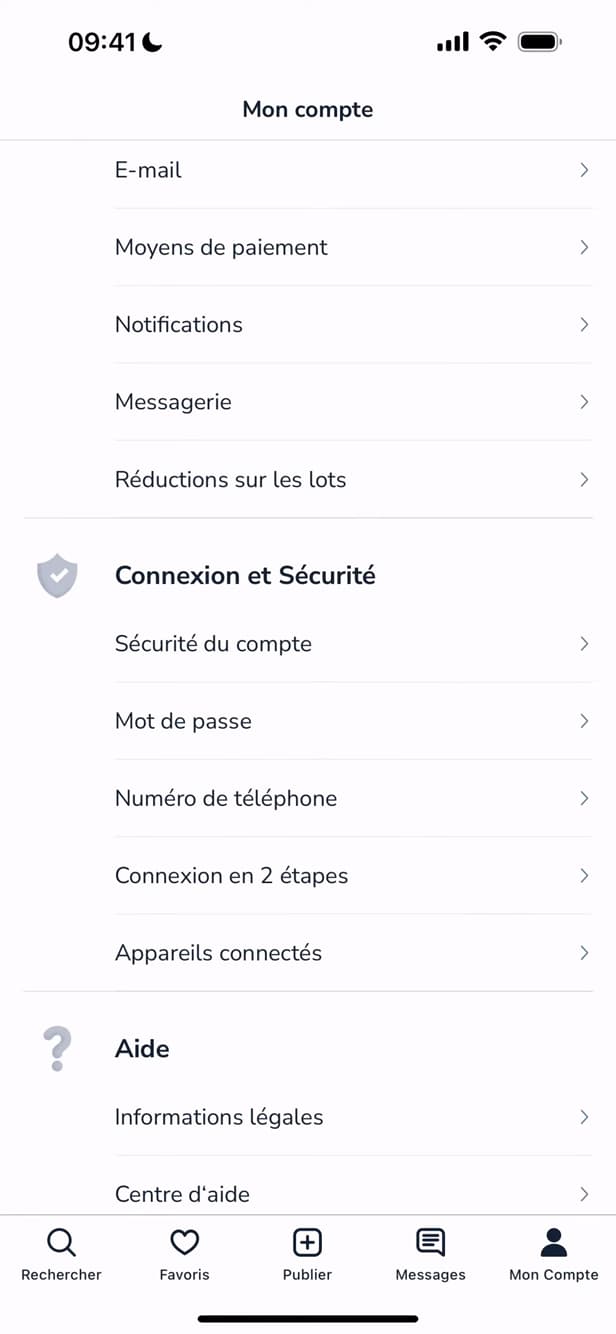
"Phone number" is found under "Login and Security". Under "My account" › "Login and Security", tap "Phone number".
Verify your identity
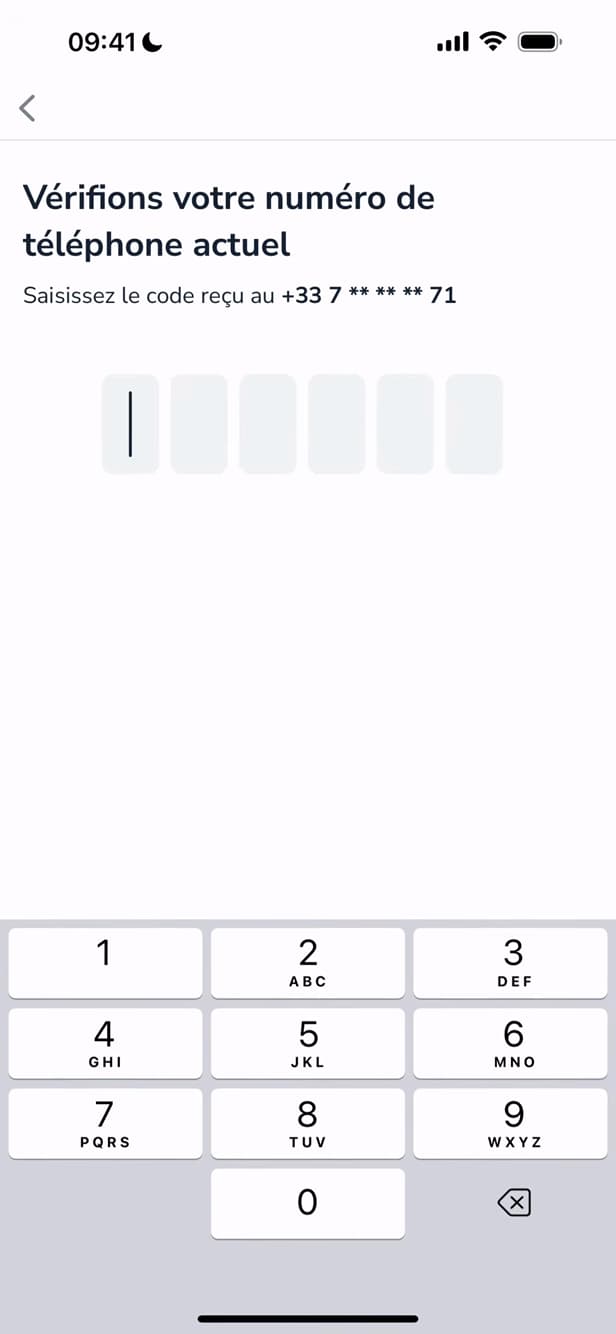
The SMS code confirms your identity before any change. Leboncoin may ask for a "code" sent by text message to confirm it's really you.
Enter the new number
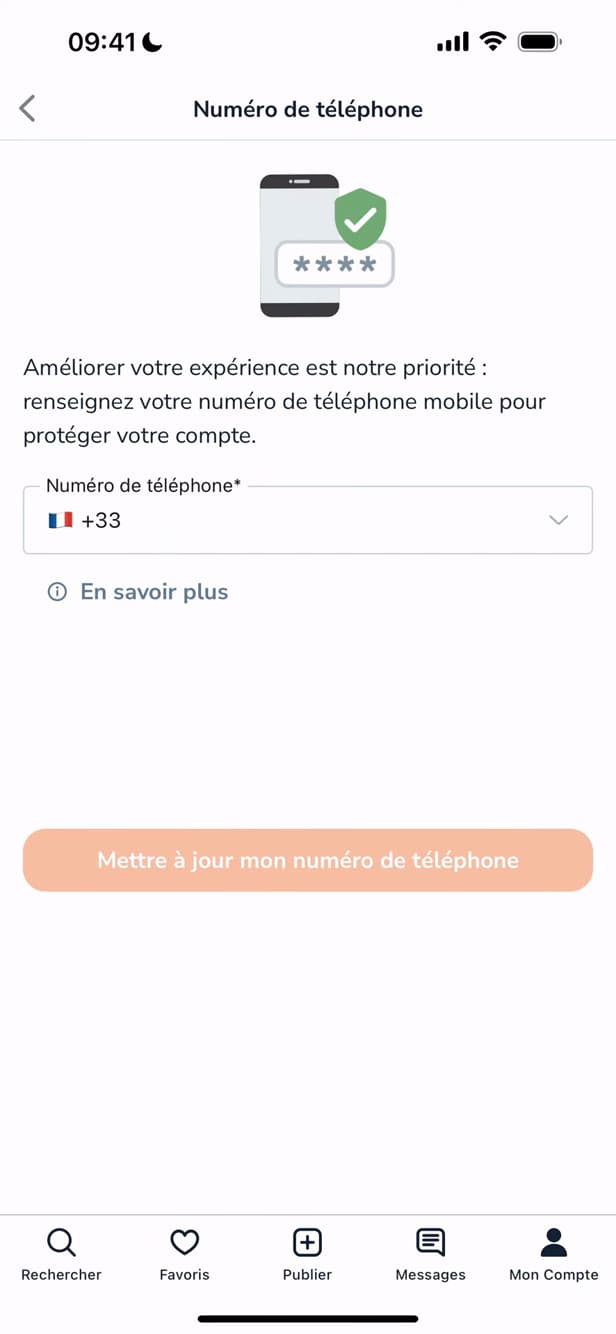
"Update" saves your new number. Type in the new number, then tap "Update my phone number".
Good to know
Your new number is "saved": buyers will be able to contact you again. The number also helps to "secure" your account.
Good to know
- An "SMS code" is required to prevent someone else from changing your contact details.
- Your number is "not public": contacts go through Leboncoin's messaging.
- Keep an "up-to-date" number so you can recover your account if something goes wrong.
Frequently asked questions
- Is my number visible on my listings?
- By default, no. Buyers contact you through Leboncoin's messaging; you choose whether or not to display your number.
- Why does Leboncoin ask for an SMS code?
- To verify your identity and prevent someone else from changing your contact details without your consent.
- What if I no longer have access to my old number?
- Contact Leboncoin customer support from the "Help" section: they can help you secure and update the account.
Related tutorials
 LeboncoinHow to change your Leboncoin passwordWant to change your Leboncoin password? Here's how to change it safely, step by step.
 LeboncoinHow to change your username on LeboncoinWant to change the display name shown on your Leboncoin listings? Here's how to do it, step by step.
 LeboncoinHow to Create a Leboncoin AccountWant to buy or sell on Leboncoin? Here's how to create an account for free, step by step.