
How to hide your followers and following on Instagram
Don't want everyone to see who follows you and who you follow? On Instagram, the only way to hide your followers and following is to switch your account to private: only the people you approve can then see those lists. Here's how to do it, step by step.
Prefer a video? Watch the full tutorial below.
Hiding your followers and following on Instagram, step by step
Open your Instagram profile
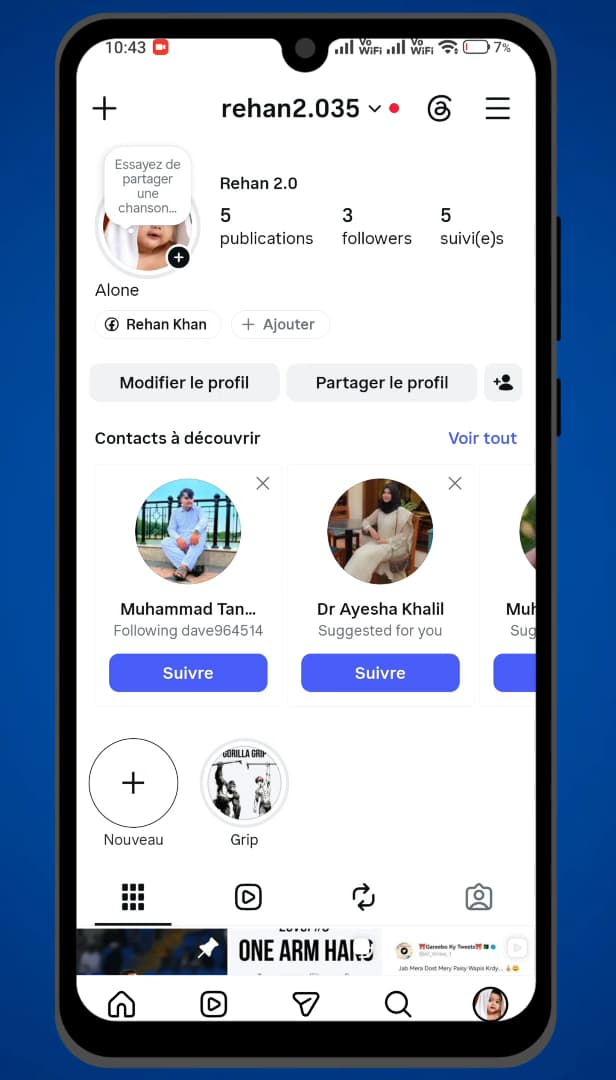
Everything is set from your Instagram profile. Open "Instagram" and tap your "profile" in the bottom right of the screen.
Open "Settings and activity"
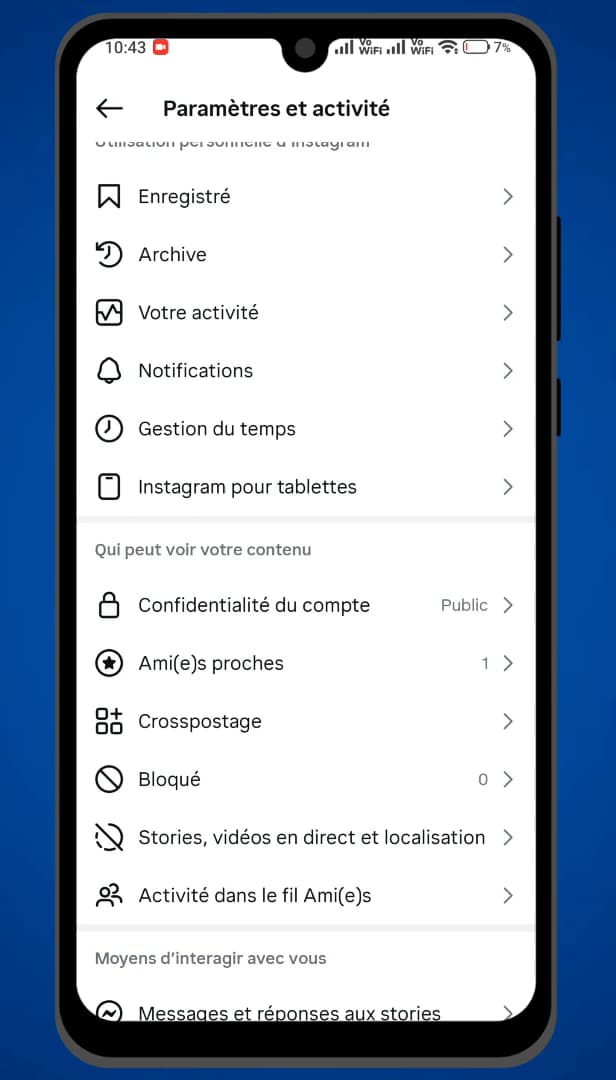
The menu (three lines) opens "Settings and activity". Tap the "three lines" in the top right, then open "Settings and activity".
Open "Account privacy"
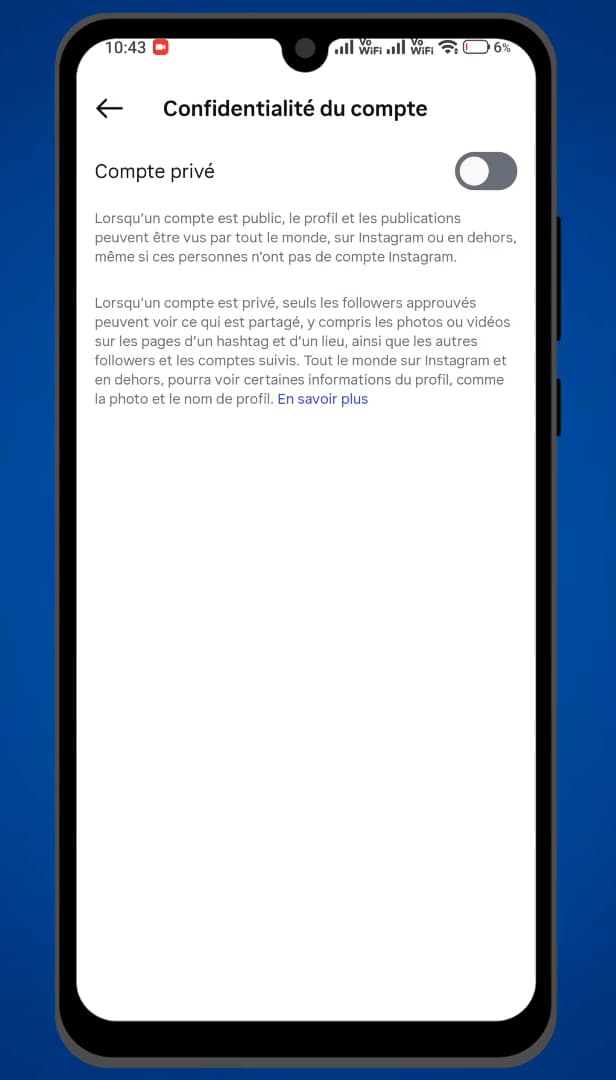
"Account privacy" contains the "Private account" option. In settings, open "Account privacy". This is where you'll find the "Private account" toggle.
Turn on "Private account"
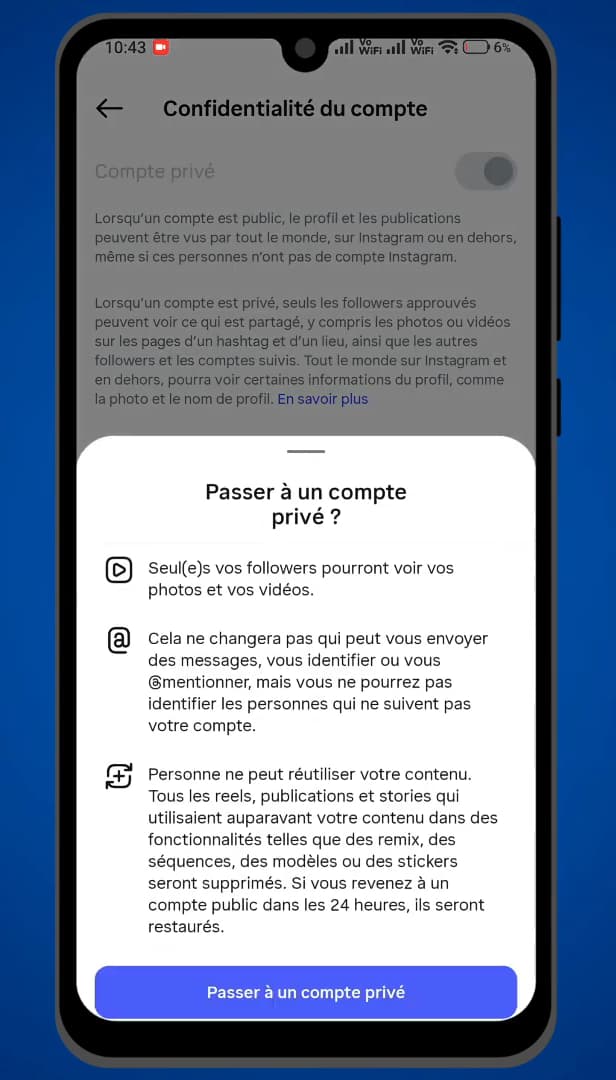
On a private account, your followers and following are only visible to your followers. Turn on the "Private account" toggle and confirm with "Switch to private". From now on, only your "approved followers" can see your posts as well as your followers and following lists.
Good to know
Going private is the "only official method" to hide your followers and following from people who don't follow you. Your approved followers will still be able to see those lists.
Good to know
- On a private account, new people have to "request to follow you".
- Your "photo, name and bio" stay visible to everyone, even when private.
- There's no option to hide only the list while keeping a public account.
Frequently asked questions
- Can you hide your followers without going private?
- No. Instagram doesn't offer an option to hide only the followers/following list on a public account. Switching to a private account is the only method.
- Will my current followers still see my lists?
- Yes. Once private, your approved followers can still see your posts and your followers and following lists. Only non-followers lose access.
- How do I switch back to a public account?
- Go back into "Account privacy" and turn off "Private account". Your profile and lists become visible to everyone again.
Related tutorials
 InstagramHow to Temporarily Deactivate Your Instagram AccountWant to take a break without deleting everything? Here's how to temporarily deactivate your Instagram account, step by step.
 InstagramHow to Change Your Instagram Account LanguageInstagram showing in the wrong language? Here's how to change the app's language, step by step.
 InstagramHow to Send a Message on InstagramWant to send a private message on Instagram? Here's how to do it, step by step.
 InstagramHow to recover an Instagram account without email or phone numberNo longer have access to the email or phone number on your Instagram account? Here's the official way to try to recover it, step by step.