
How to Create a Gmail Account Without a Phone Number
Want a new Gmail address without sharing your phone number? It's sometimes possible: when creating a Google account, the phone step can be optional depending on your region and activity. Here's how to create a Gmail account without a phone number, step by step — leaving the field blank when the option shows up.
Prefer a video? Watch the full tutorial below.
Creating a Gmail account without a phone number, step by step
Open the Google account creation page
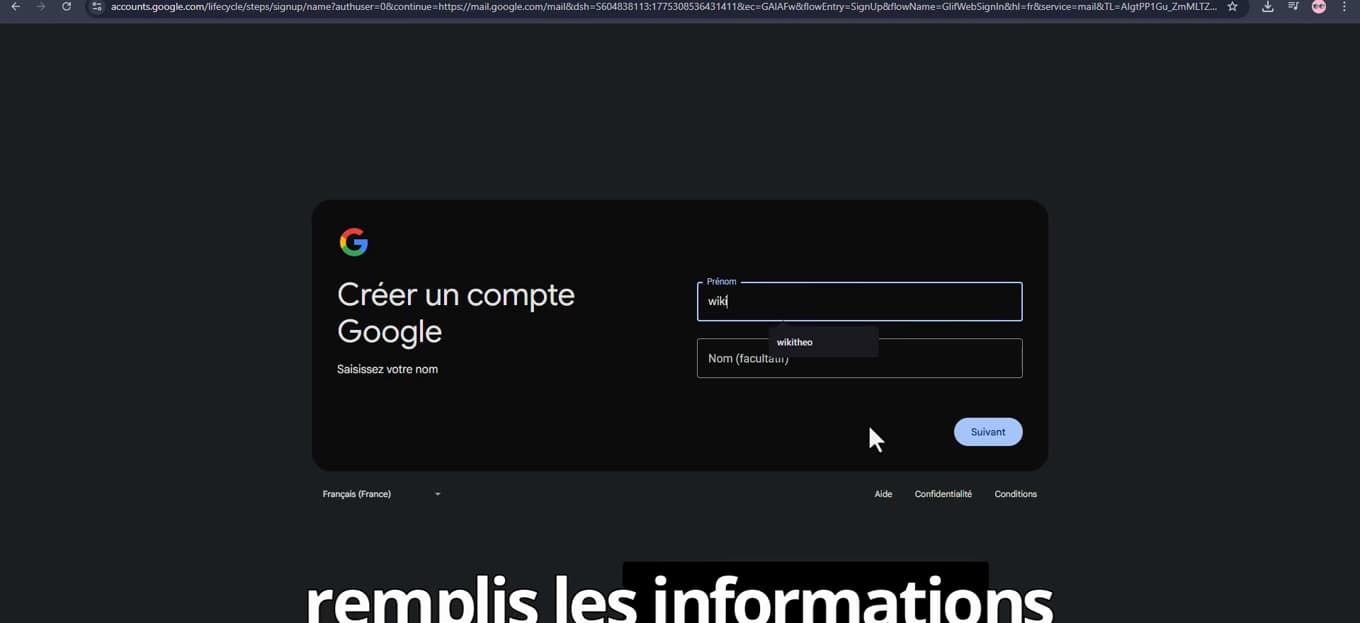
Creation starts on the "Create a Google account" page. In your browser, go to the "Google account creation page" (accounts.google.com) and click "Create account". Enter your "first name" and "last name".
Enter your details and your address
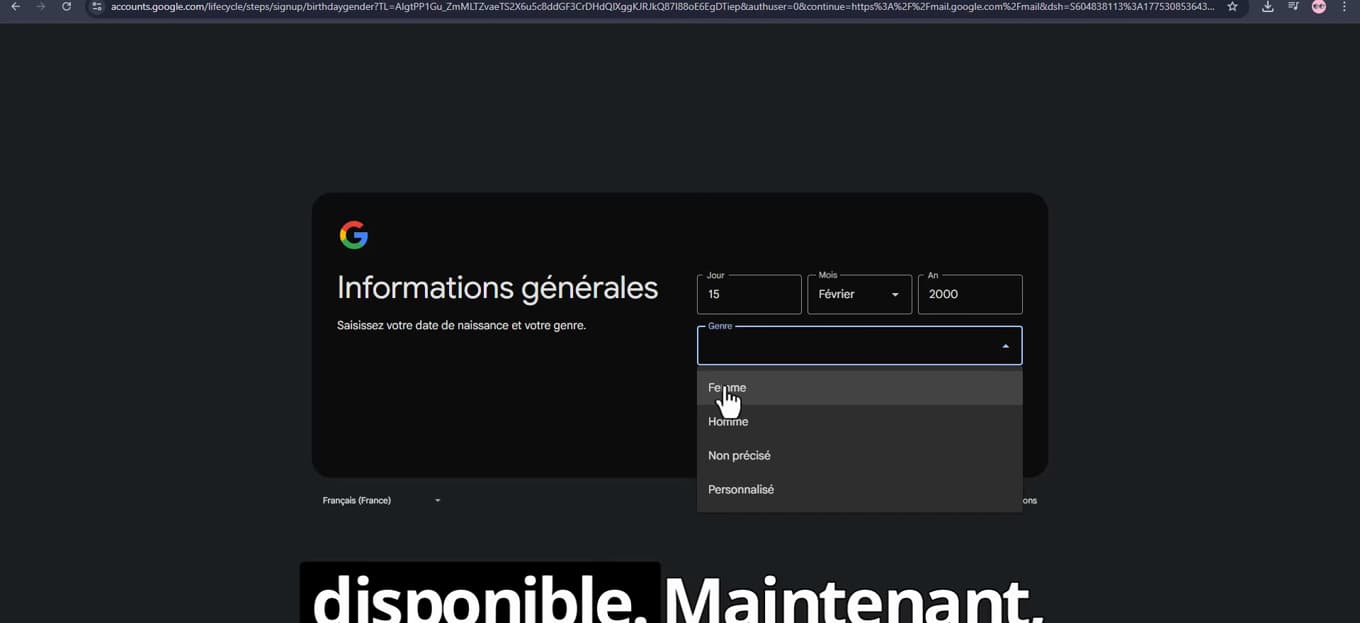
Enter your basic details and choose your address. Provide your "date of birth" and "gender", then choose an "available Gmail address". If the name you want is taken, Google will suggest variations.
Create a strong password
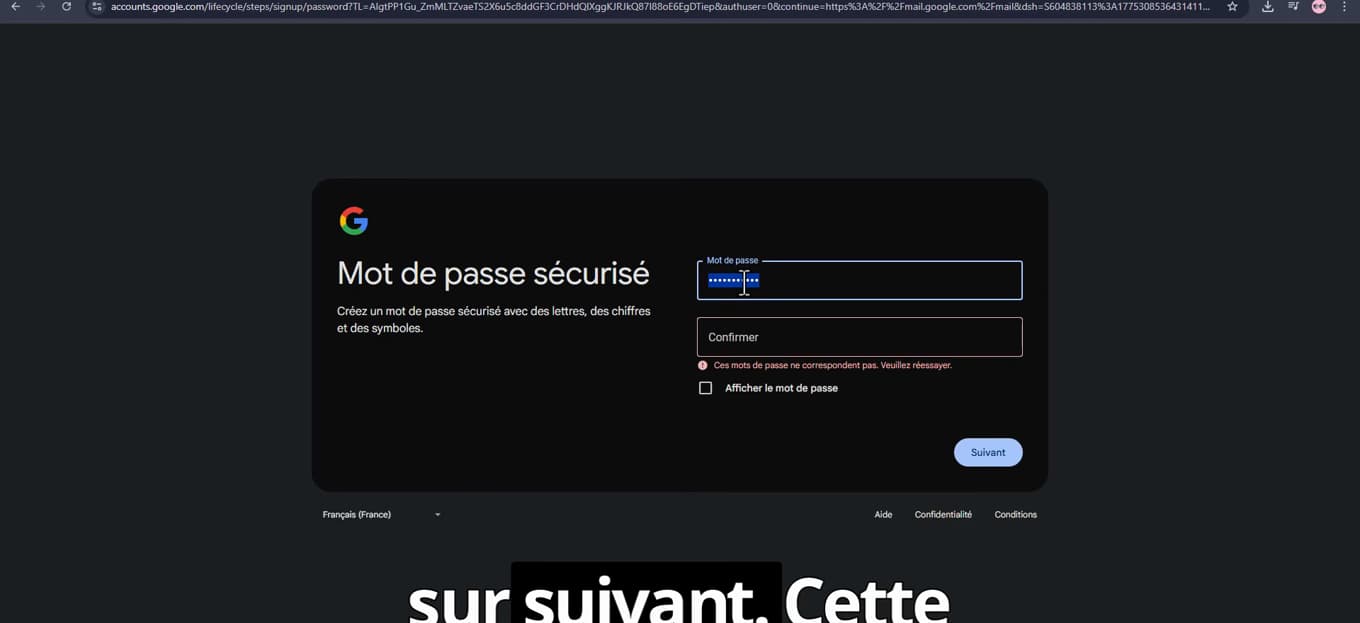
A strong password protects your new account. Enter a "password" with letters, numbers and symbols, then "confirm it". Click "Next".
Skip the phone number if possible

Leave the number blank and click Next: the step is sometimes optional. When Google asks for a "phone number", try to "leave the field blank" and click "Next". This option doesn't always appear (it depends on your region and activity). Optionally add a recovery address, then "accept the terms" to finish.
Good to know
If Google "requires" the number with no way to skip it, then verification is mandatory in your case — it depends on factors like the country, the device or the IP address. Trying from a different device or browser can sometimes change the outcome.
Good to know
- A number is mainly used to "recover" the account if you forget your password: without one, be sure to add a "recovery email address".
- Create the account for "legitimate" use: bulk creation is detected and blocked by Google.
Frequently asked questions
- Can you always create a Gmail without a number?
- No. The phone step is sometimes optional, sometimes mandatory depending on your region, device and activity. When it's optional, you just leave the field blank.
- Is it risky to create an account without a number?
- No, but without a number it's harder to recover the account if you forget your password. Add a recovery email address to make up for it.
- Google won't let me skip the number step, what should I do?
- Try again from a different browser or device. If the number remains mandatory, verification is required in your situation, with no official workaround.
Related tutorials
 GmailHow to Recover a Gmail Account Without a PasswordLost both the password and phone number for your Gmail account? Here's how to regain access using Google's account recovery form, step by step.
 GmailHow to recover deleted emails on GmailDeleted an important email on Gmail? Here's how to recover it from the trash or the recovery tool, step by step.