How to Make Your X Account Public
Your account is protected and you want everyone to be able to see your posts? Making your X account public simply means turning off "Protect your posts" in the privacy settings. Here's how, step by step, in the X app (formerly Twitter).
Prefer a video? Watch the full tutorial below.
Switching your X account to public, step by step
Open your profile and settings
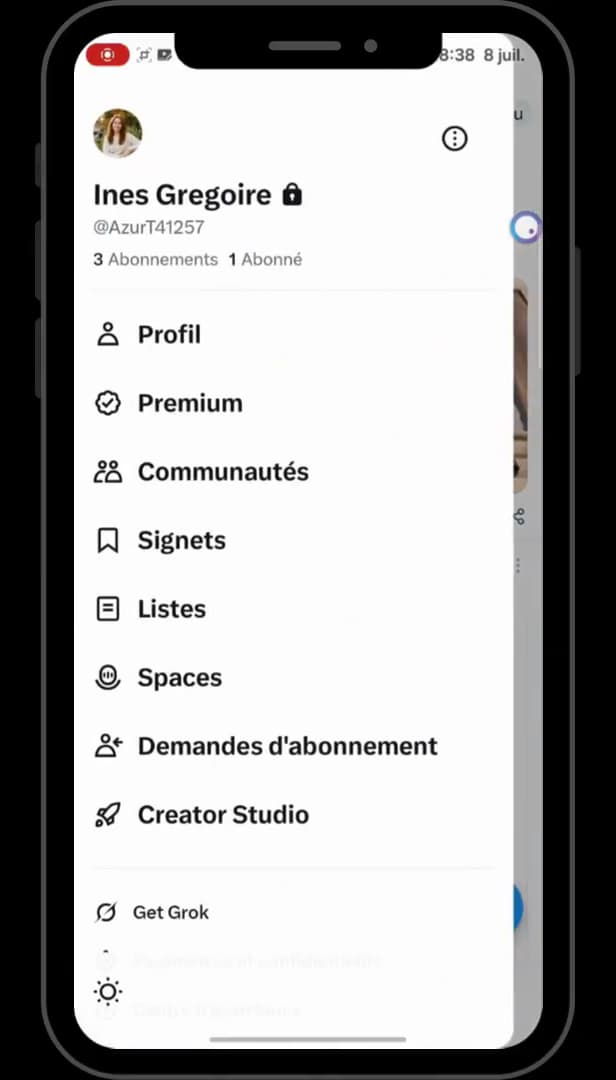
The padlock next to the name means the account is still private. Open the "X" app, tap your "profile" in the top-left corner, then scroll down to "Settings and privacy" (the gear icon).
Open "Privacy and safety"
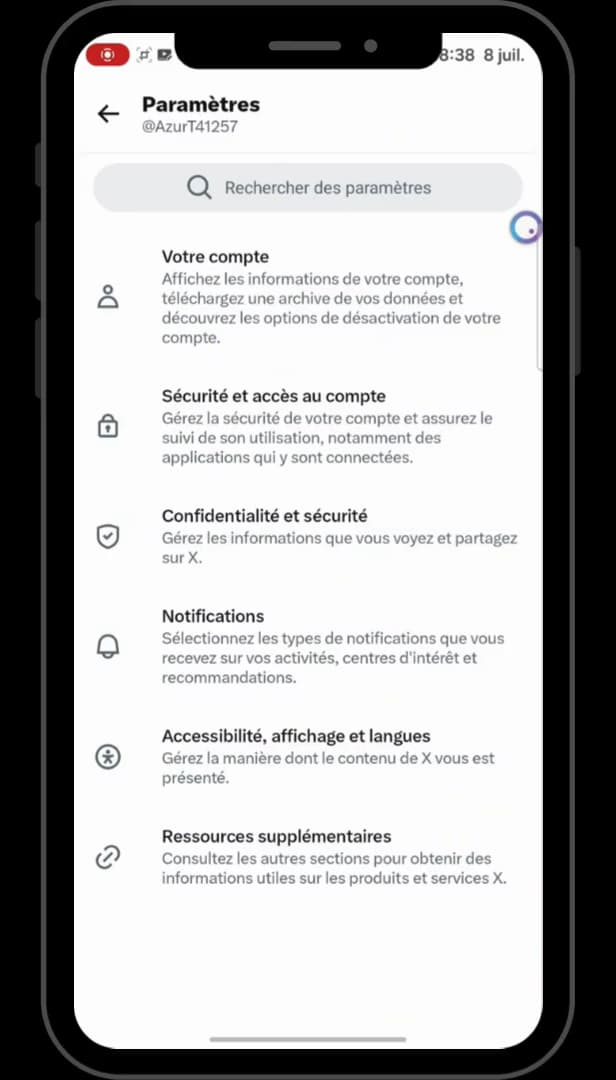
"Privacy and safety" brings together the visibility settings. In the settings, scroll down to "Privacy and safety" (the shield icon), then tap it.
Open "Audience and tagging"
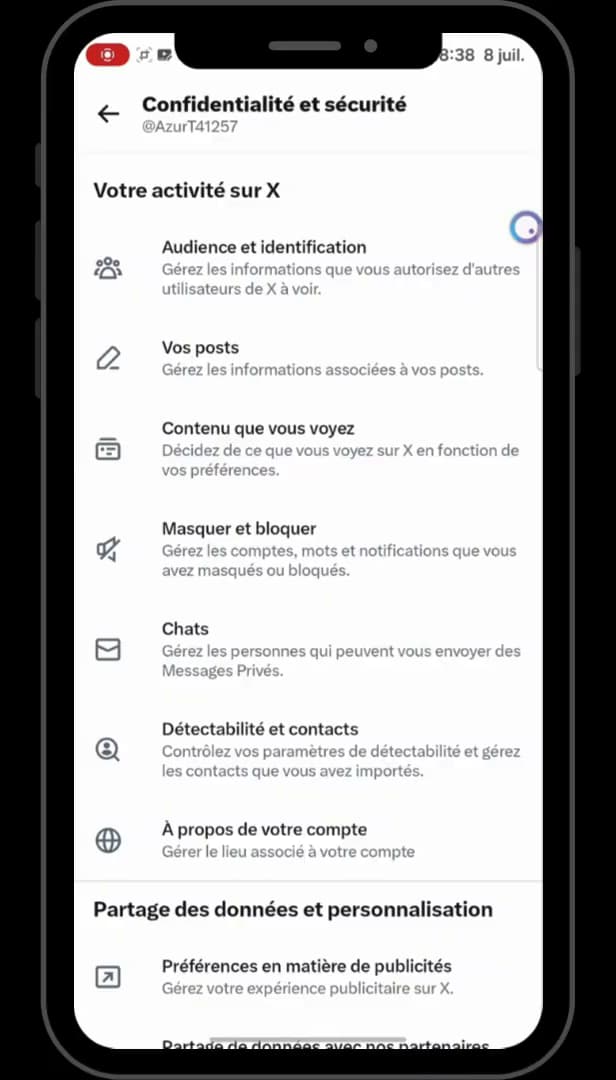
"Audience and tagging" contains the option to make your posts public. At the very top of the page, tap "Audience and tagging" (the three-people icon).
Turn off "Protect your posts" and "your videos"
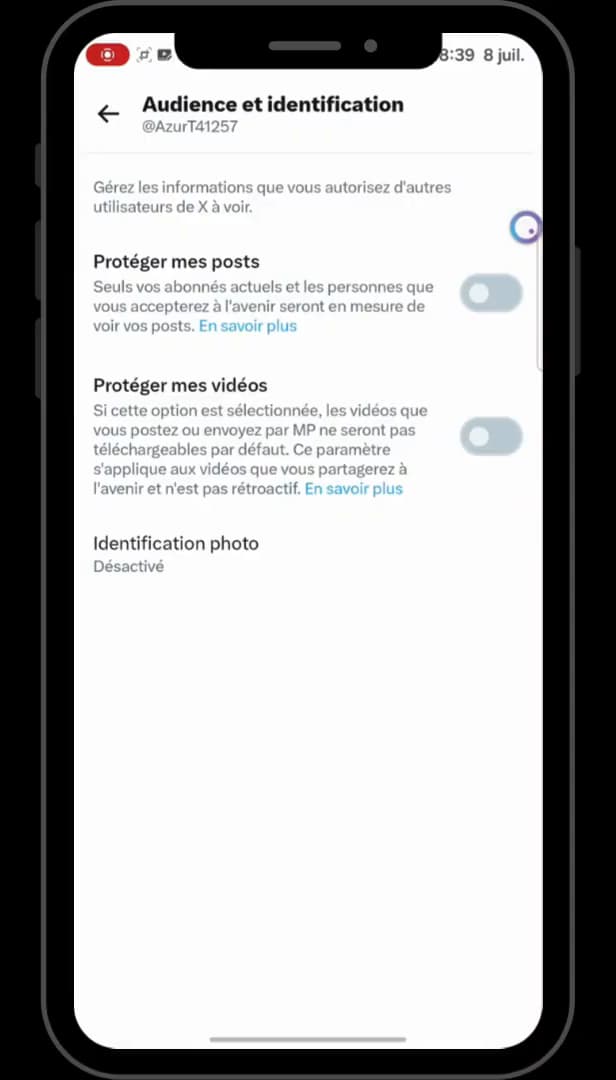
Both switches turned off make the account public. Turn off the "Protect your posts" switch, then "Protect your videos". Your posts and videos become visible to everyone again: your X account is public.
Good to know
Once "Protect your posts" is off, the padlock disappears next to your name: your posts are visible again to everyone, followers or not.
Good to know
- A public account lets anyone view, repost and reply to your posts.
- The change is instant and also applies to your older posts.
- To do the opposite, see make your X account private.
Frequently asked questions
- Who can see my posts when my X account is public?
- Everyone, even without an X account or a subscription. Your posts and videos appear in searches and can be freely reposted.
- Does going public affect my older posts?
- Yes. As soon as "Protect your posts" is off, all of your posts become visible to everyone again, not just the new ones.
- How do I check that my account is public?
- The padlock next to your username disappears. If there's no more padlock, your X account is public.