How to Make Your X Account Private
Want your posts to no longer be visible to everyone? Making your X account private limits your posts and videos to your followers only. All you have to do is turn on "Protect your posts" in the privacy settings. Here's how to do it, step by step, in the X (formerly Twitter) app.
Prefer a video? Watch the full tutorial below.
Switching your X account to private, step by step
Open your profile and the settings
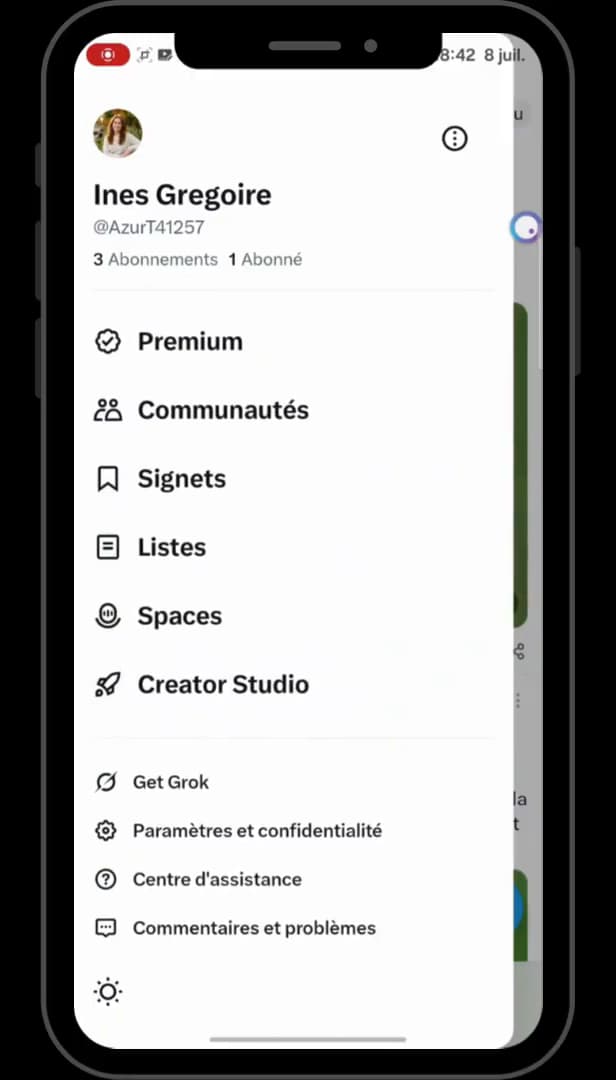
The setting is under "Settings and privacy". Open the "X" app, tap your "profile" in the top left, then scroll down to "Settings and privacy" (gear icon).
Open "Privacy and safety"
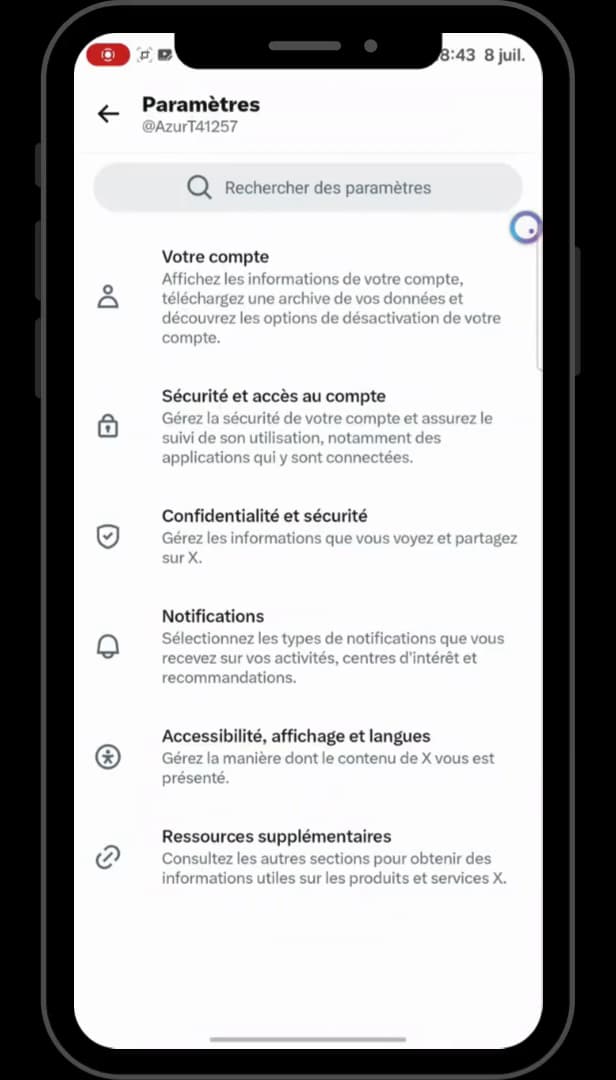
"Privacy and safety" groups the visibility settings together. In the settings, scroll down to "Privacy and safety" (shield icon), then tap it.
Open "Audience and tagging"
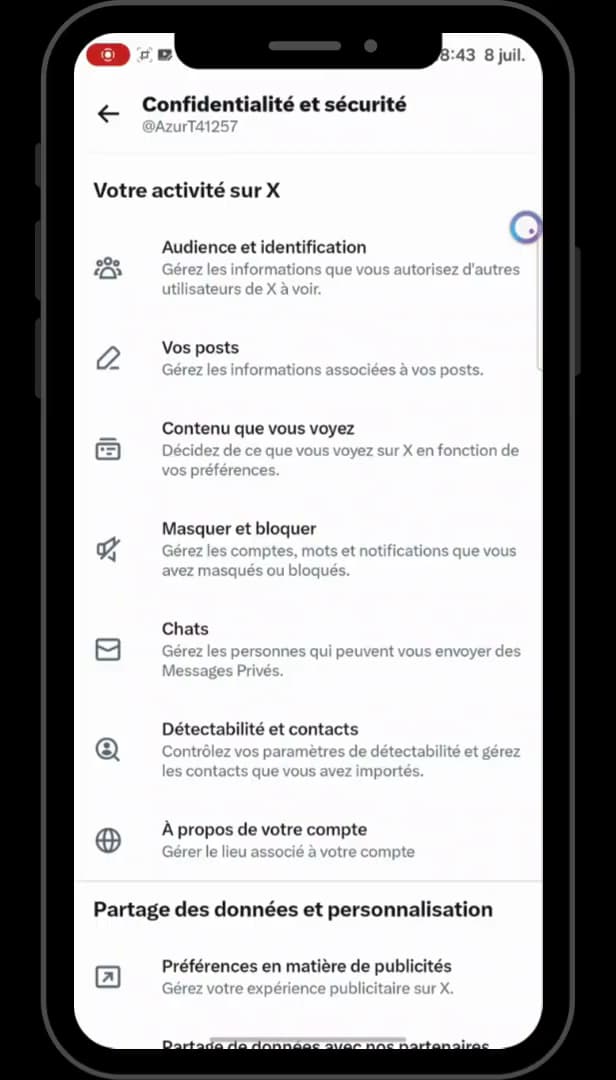
"Audience and tagging" holds the option to protect your posts. At the top of the page, tap "Audience and tagging" (three-people icon).
Turn on "Protect your posts" and "your videos"
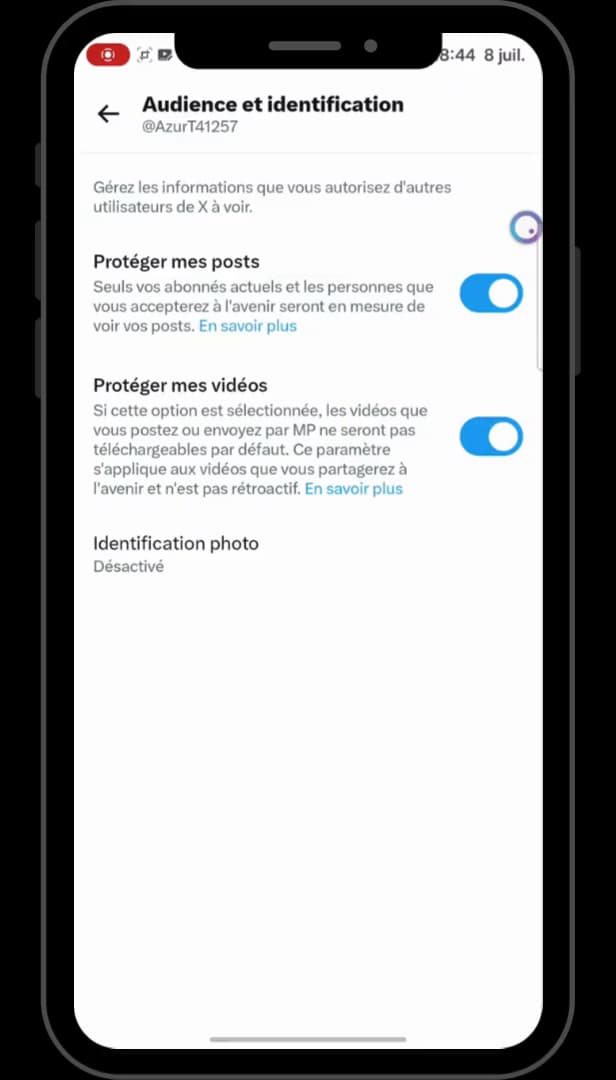
Both switches turned on make the account private. Turn on the "Protect your posts" switch: only your current and future followers will see your posts. Also turn on "Protect your videos" to prevent them from being downloaded. Your X account is now private.
Good to know
Once "Protect your posts" is on, a padlock appears next to your name: new people will have to "request to follow you" to see your posts.
Good to know
- The setting only applies to your posts: your name, bio and profile picture stay public.
- "Protect your videos" prevents downloads of videos you share going forward (it isn't retroactive).
- To do the reverse, see how to make your X account public.
Frequently asked questions
- What happens when my X account is private?
- Only your current followers and those you approve will be able to see your posts. Everyone else will have to send a follow request to access your posts.
- Do my old posts become private too?
- Yes, once "Protect your posts" is on, all of your posts are only visible to your followers. "Protect your videos", on the other hand, only applies to future videos.
- How do I know my account is really private?
- A small padlock appears next to your username on your profile. That's the sign your X account has switched to private.