How to Send Money to Friends and Family on PayPal With No Fees
Want to pay a friend back or send money to family without PayPal taking a cut? The key is choosing the right option when you pay. Here's how to send money to friends and family on PayPal with no fees, step by step.
Prefer a video? Watch the full tutorial below.
Sending money to friends and family on PayPal with no fees, step by step
Log in and click "Send"
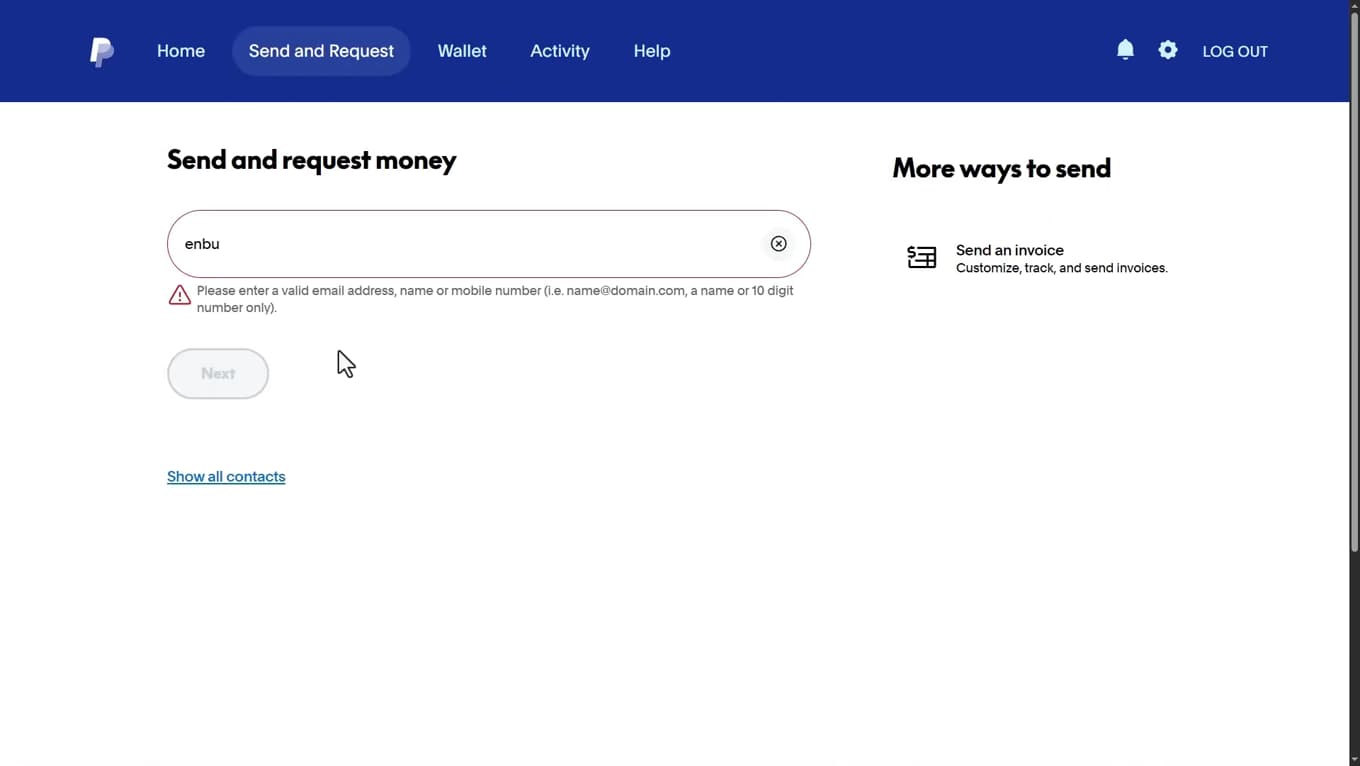
Click "Send," then enter the recipient. Open your browser, go to "paypal.com" and log in. Click "Send," then enter the recipient's "email address or phone number." Double-check that it's the right person.
Enter the amount
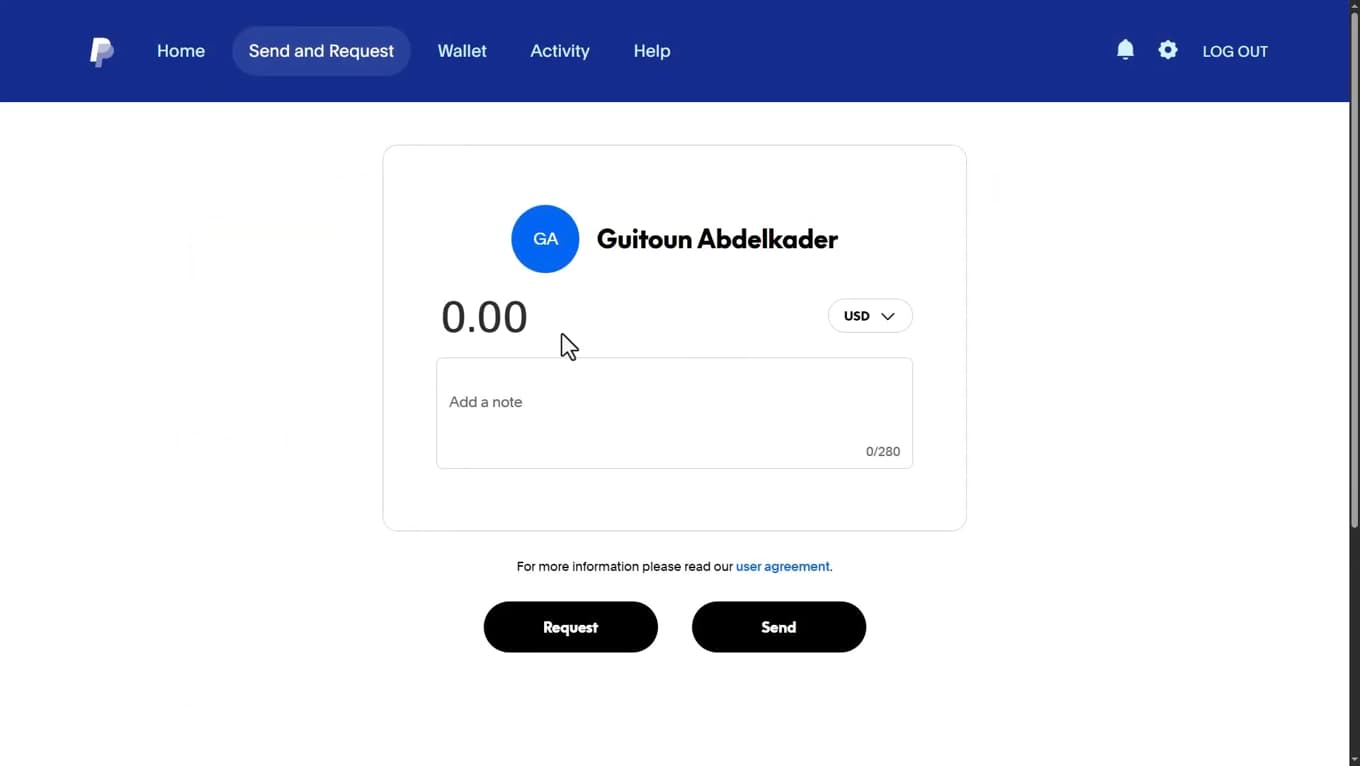
Enter the amount to send to your friend or relative. Enter the "amount" you want to send. You can add a note if you like.
Choose "Sending to a friend"
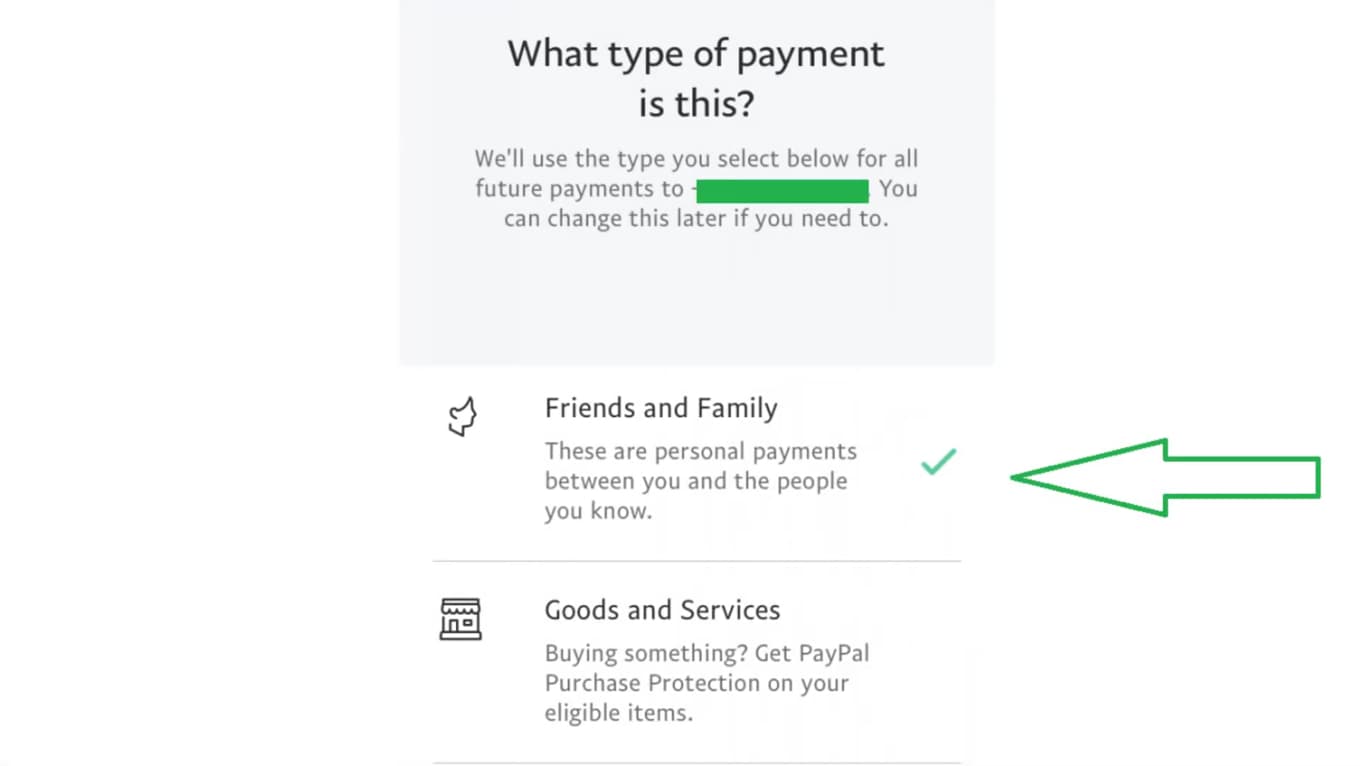
"Friends and Family" is the option that avoids fees. This is the most important step: choose "Sending to a friend" (Friends and Family). This is the option that "avoids fees." If you choose "Paying for an item or service" (Goods and Services), fees will apply.
Check the funding source, then send
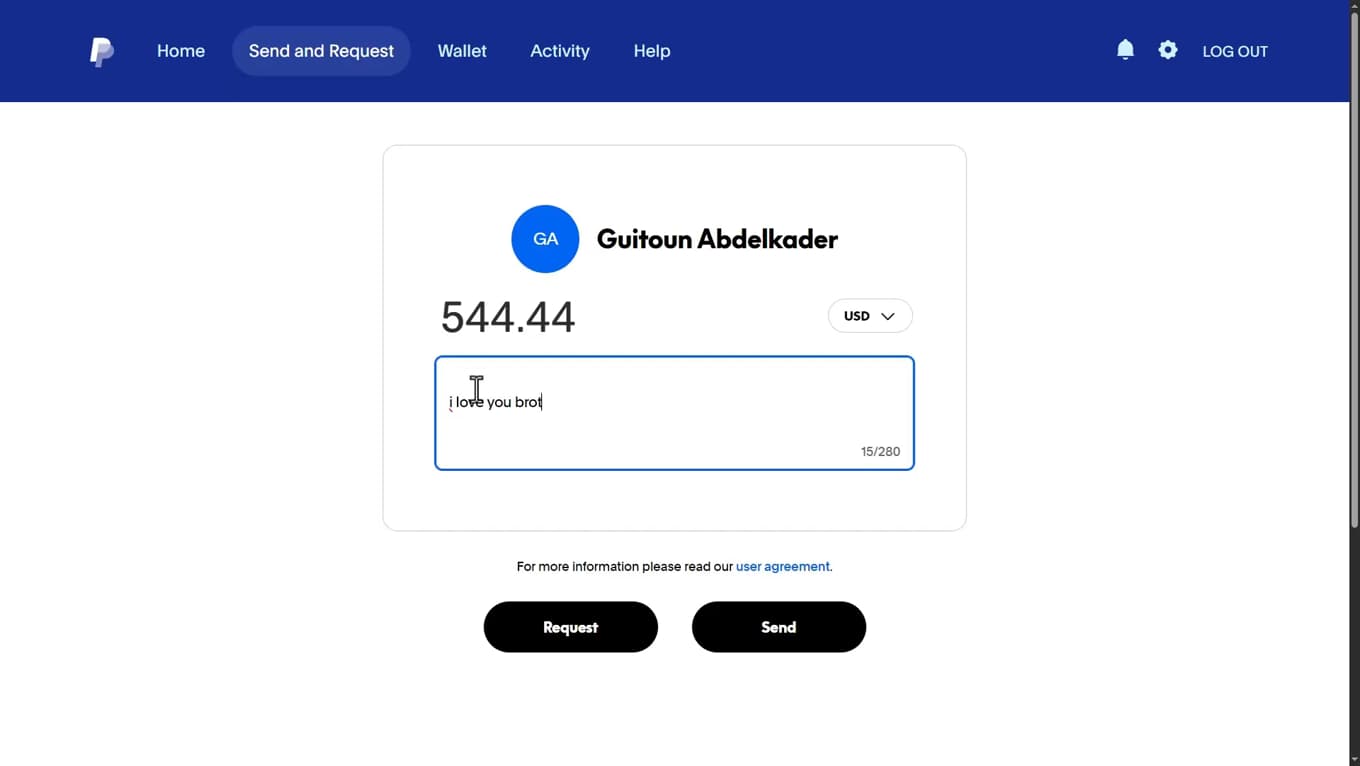
Fund with your balance or bank account to stay fee-free. Before confirming, make sure the payment is funded by your "PayPal balance" or your "bank account." Avoid "credit or debit card," which can trigger fees. Finally, click "Send": your friend receives the money immediately, with no fees.
Good to know
With the "Friends and Family" option and funding from your balance or bank account, sending is "free" between individuals (within the same country and the same currency).
Good to know
- Fees show up mostly with the "Goods and Services" option and with "cards."
- An "international" transfer or one with "currency conversion" can incur fees.
- The "Friends and Family" option offers "no purchase protection": only use it with people you trust.
Frequently asked questions
- How do I avoid fees when sending money on PayPal?
- Choose the "Sending to a friend" (Friends and Family) option and fund the payment with your PayPal balance or bank account, within the same country and currency.
- Why is PayPal charging me fees?
- Fees apply if you choose "Goods and Services," if you pay by card, or for an international transfer with currency conversion.
- Is the "Friends and Family" option safe?
- It's free but doesn't include PayPal's purchase protection. Reserve it for people you trust: family, friends, and paying back people you know.