
How to Enable Sensitive Content on Telegram
Are some media blurred or blocked on Telegram? You can enable sensitive content on Telegram from Telegram Web or Desktop. Here's how to do it, step by step.
Prefer a video? Watch the full tutorial below.
Enabling sensitive content on Telegram, step by step
Open Settings on Telegram Web
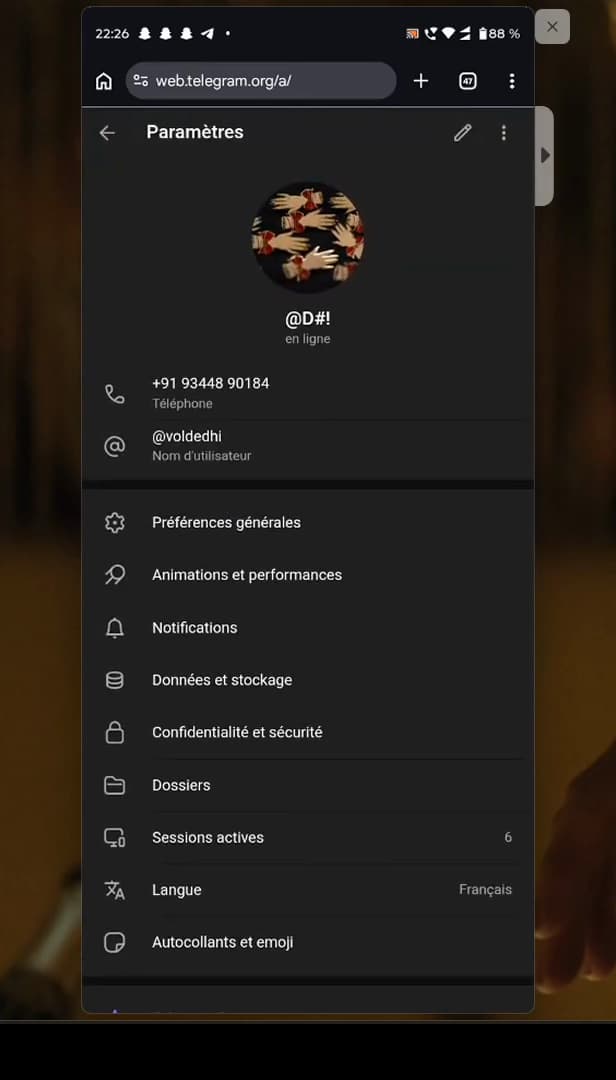
This setting is done on "Telegram Web", not in the mobile app. Go to "web.telegram.org" (the mobile app doesn't offer this setting), log in, open the "☰" menu, then "Settings".
Open "Privacy and Security"
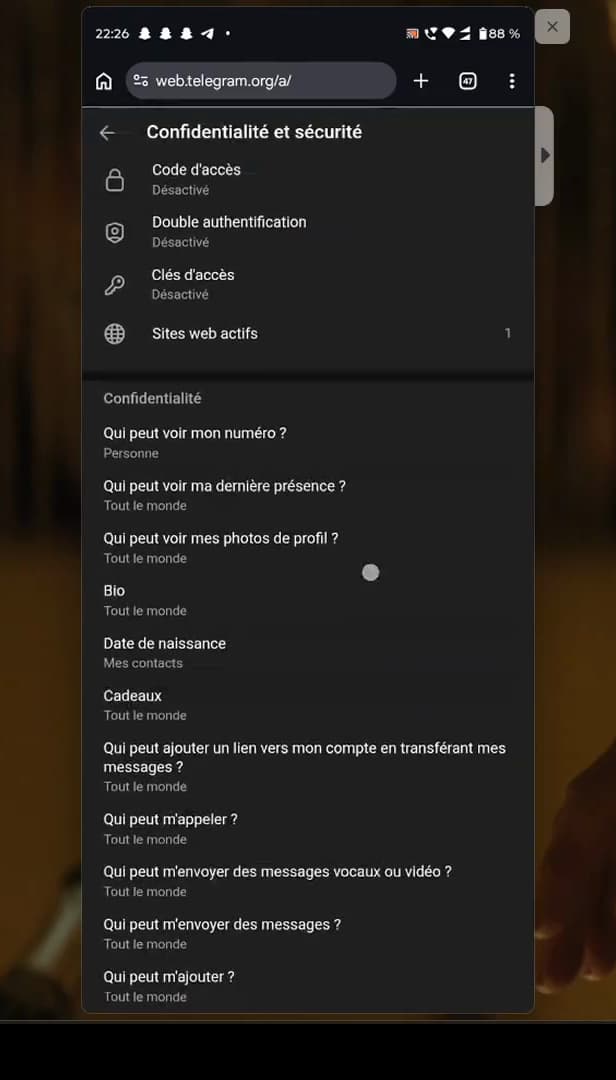
The "Privacy and Security" section holds the option. In the settings, open "Privacy and Security".
Turn on "Display 18+ content"
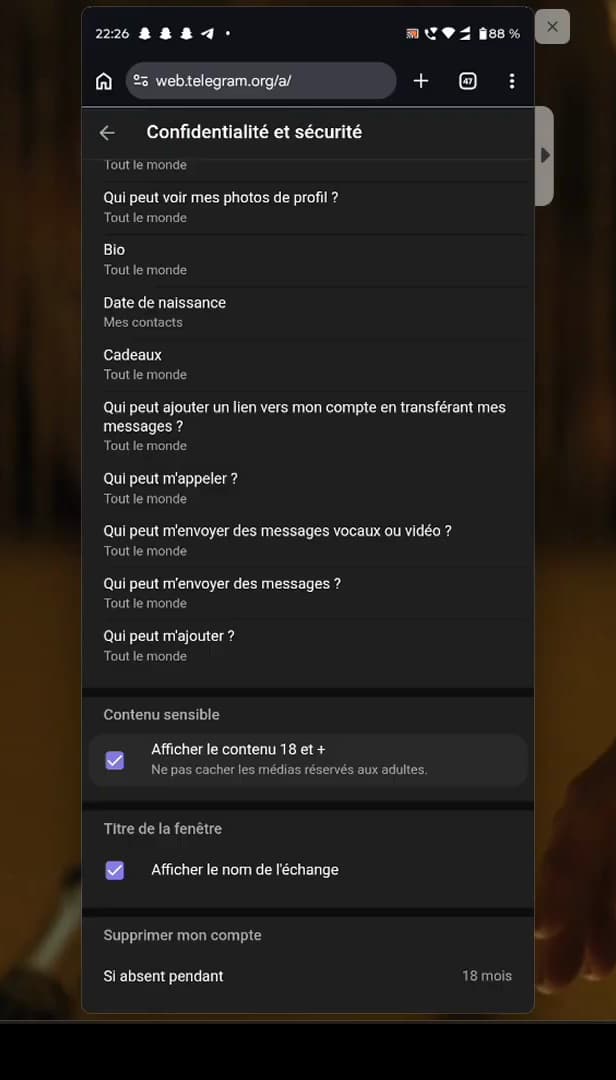
Turn on "Display 18+ content" to remove the blur. Scroll down to "Sensitive content" and turn on "Display 18+ content".
Good to know
Sensitive content now shows "without blurring" in your chats and channels. The setting made on "Telegram Web" syncs with your other devices.
Good to know
- The "iOS/Android" app doesn't offer this setting: use "Web" or "Desktop".
- Once enabled, the setting "syncs" across all your Telegram devices.
- This content is "for adults only": enable it knowingly.
Frequently asked questions
- Why doesn't the option appear in the mobile app?
- App store rules prevent Telegram from offering this setting in the app. You have to enable it on Telegram Web or Desktop.
- Does the setting apply everywhere?
- Yes. Once enabled on Web or Desktop, it syncs with your account and applies to all your devices.
- What exactly does this setting unlock?
- It removes the blur from media marked "sensitive" (18+) in channels and chats.