How to Enable Voice Chat on Roblox
Want to talk to other players live on Roblox instead of typing everything out? Voice chat is exactly what you need. It isn't on by default: for safety reasons, Roblox reserves it for verified accounts aged 13 or over. Once you're verified, turning it on takes less than a minute. Follow this guide to the end and you'll be able to use your mic in every compatible game.
Prefer a video? Watch the full tutorial below.
Enabling voice chat on Roblox, step by step
Open Roblox and sign in
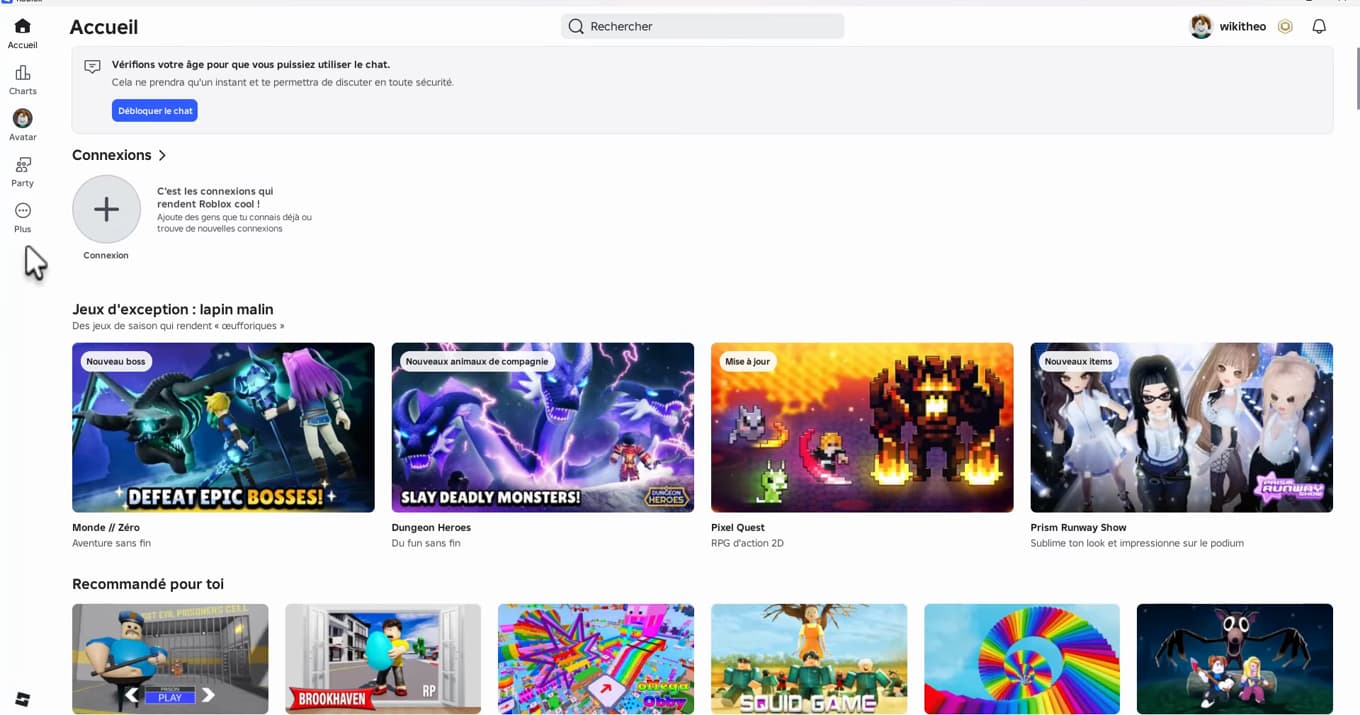
Voice chat is configured from your Roblox account settings. Launch "Roblox" on your phone or computer and sign in to your account.
Open Roblox Settings
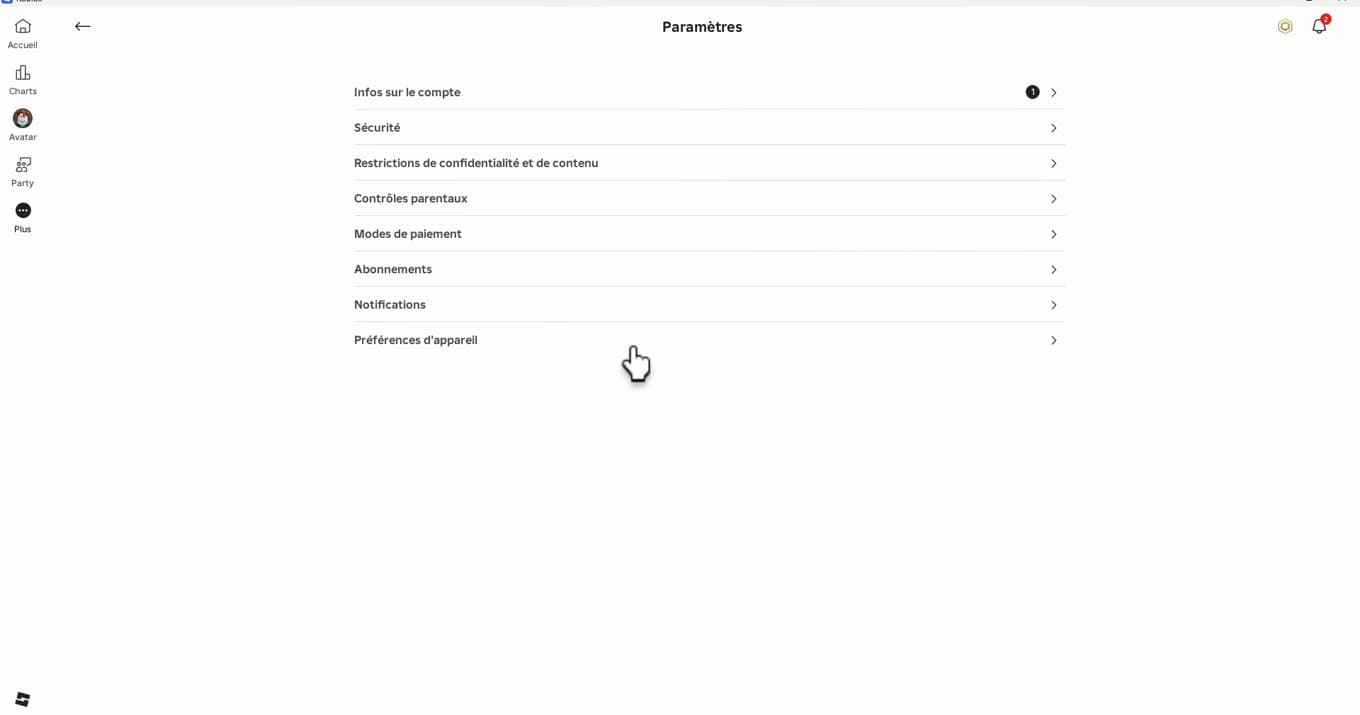
The Settings menu brings together security, privacy and account options. Click the "Settings" icon (the gear), then open the "Settings" section.
Open "Privacy & Content Restrictions"
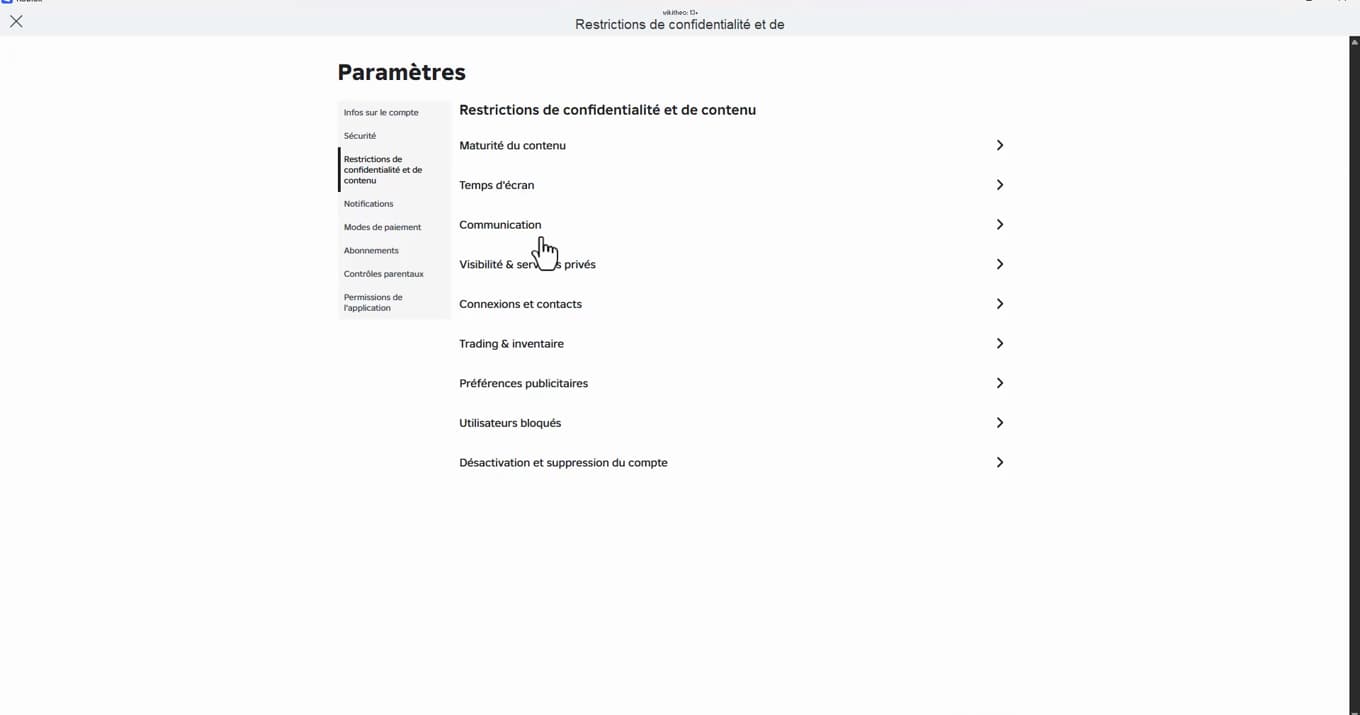
The chat options are managed under your account privacy. In the settings, open the "Privacy & Content Restrictions" section. This is where the chat options live.
Turn on "Chat Experience"
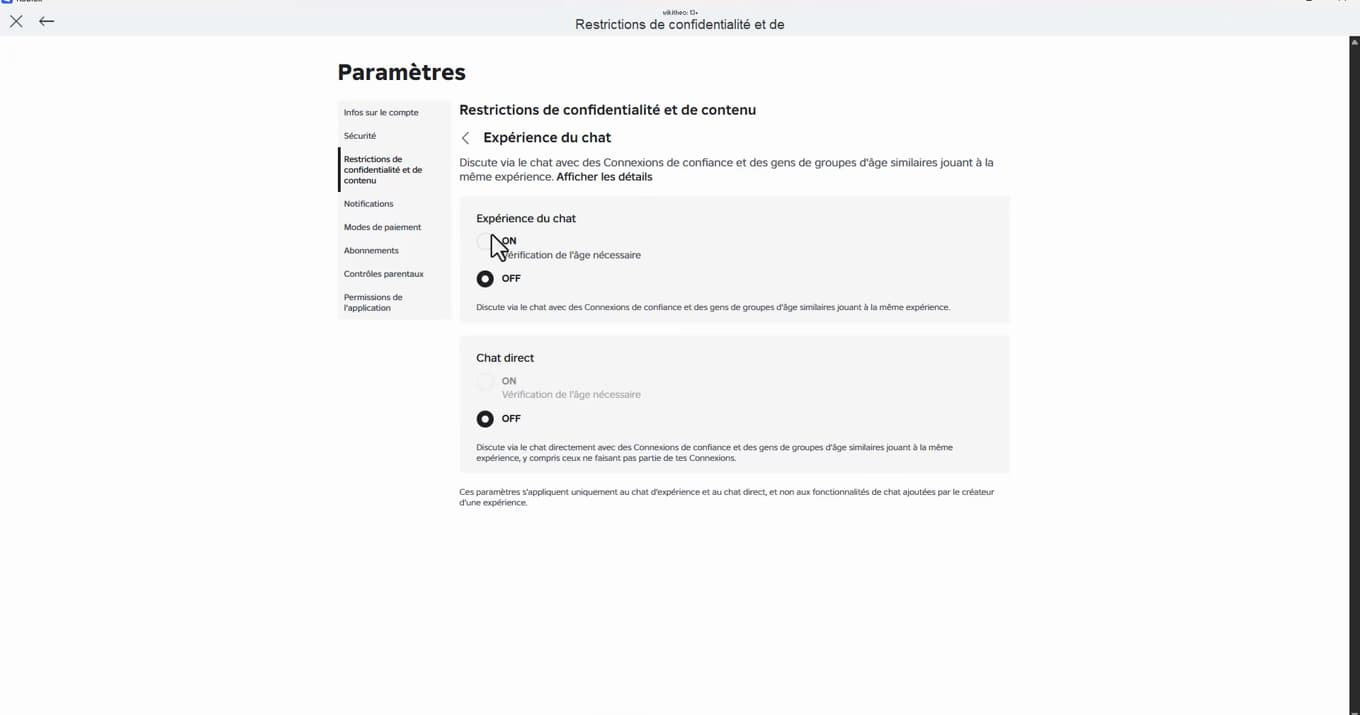
"Chat Experience" set to ON enables voice — after age verification. Open "Chat Experience" (voice chat) and switch the option to "ON". Roblox will then show "Age verification required" if your account isn't verified yet.
Verify your age
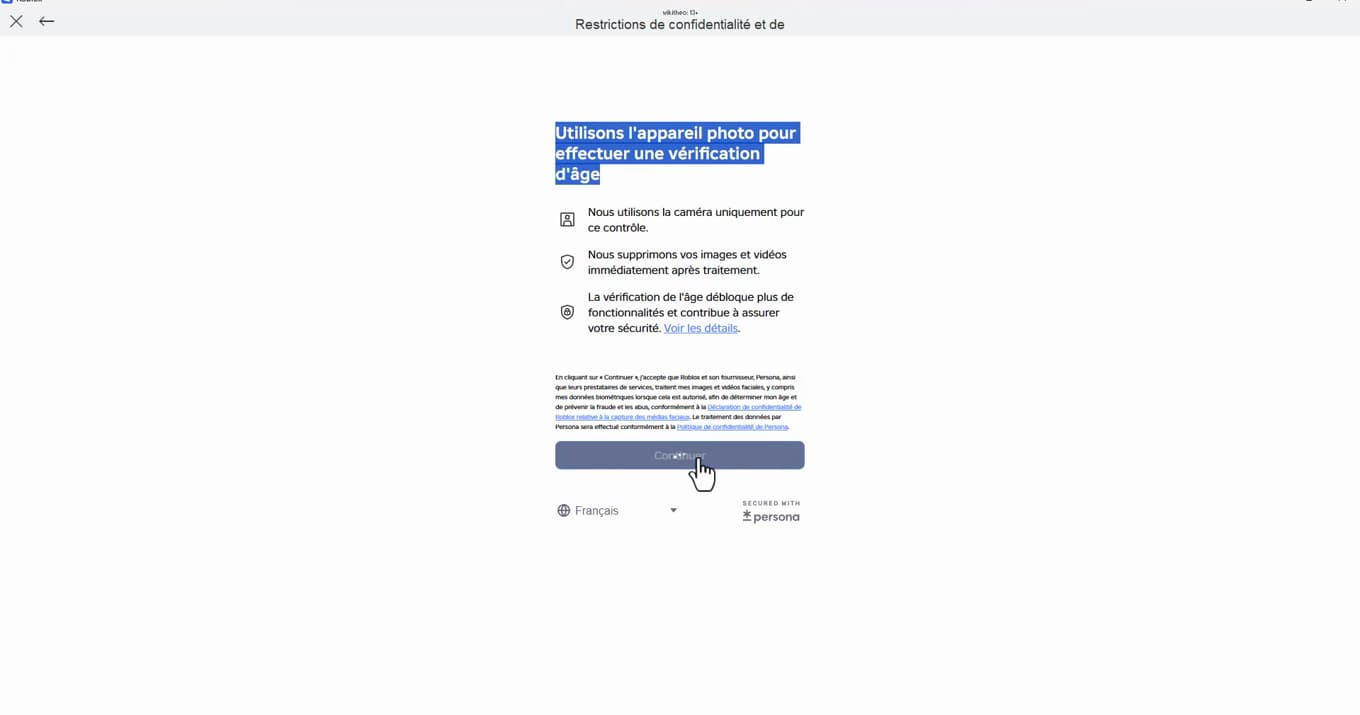
Age verification is mandatory before you can use voice chat. To unlock voice chat, Roblox asks for "age verification" (13 and up): follow the process with your "camera" (photo ID) or whichever method is offered, then tap "Continue".
Join a compatible game
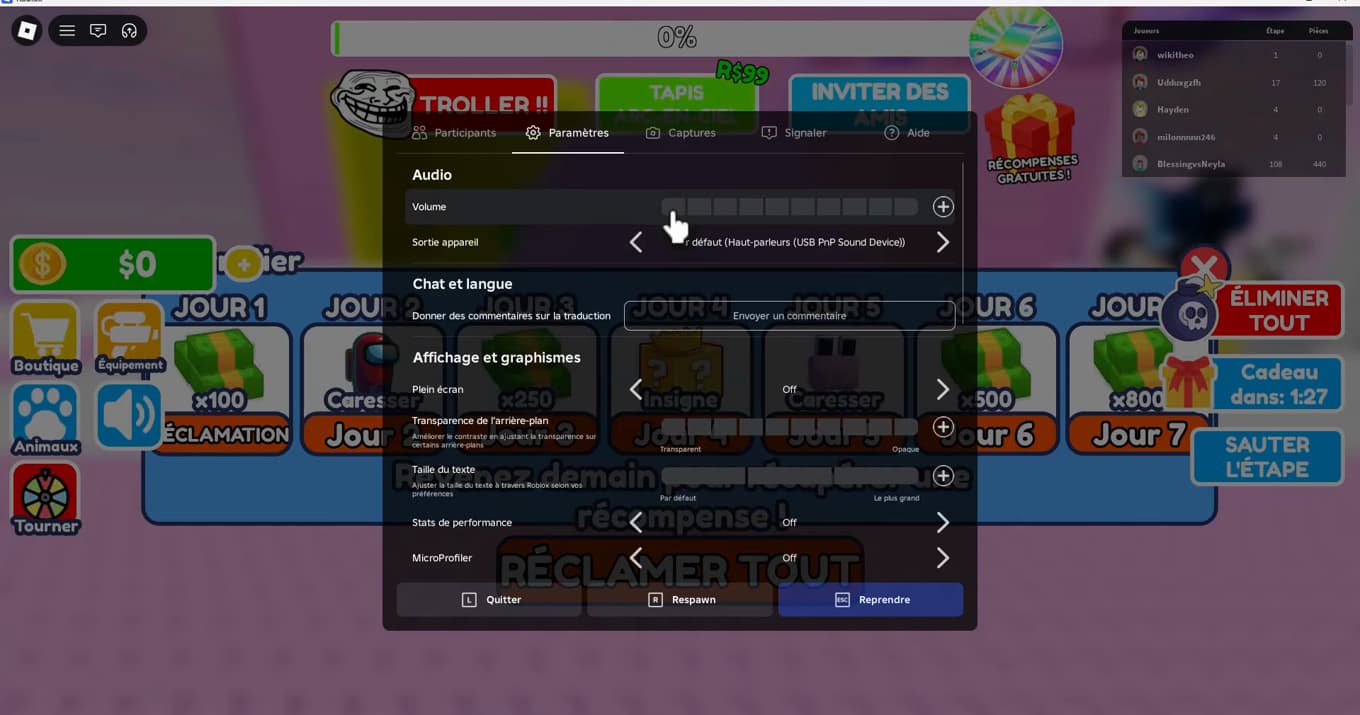
In a compatible game, the mic icon lets you talk live. Once voice chat is enabled, join a "game that supports it". A "mic icon" appears: tap it to talk to other players in real time.
Good to know
Voice chat only works in "compatible experiences" and with a "verified" account. If the mic icon doesn't show up, check that Roblox has permission to access the "microphone" in your phone's or computer's settings.
Good to know
- Voice chat is limited to "13 and up" after verification.
- You can "turn it off at any time" in the same place.
- Respect other players: abuse can lead to a voice chat suspension.
Frequently asked questions
- Why isn't voice chat showing up on my Roblox account?
- Usually because your account isn't age-verified yet, or because you're under 13. Voice chat is only unlocked after age verification.
- Do I need photo ID to enable voice chat?
- Age verification is generally done through the camera (photo ID) or another method offered by Roblox. It's a mandatory safety step before you can use voice.
- Does voice chat work in every Roblox game?
- No, only in experiences that support voice chat. A mic icon appears in those games once the feature is enabled.